

The SEO strategies that actually work are the ones that help a specific person find a specific page and do the next thing: a size guide for the parent who doesn't know which bike fits, a "shop bikes in this size" link at the end of that guide, a clearer title on the page Google already shows 100 times a month. None of the nine strategies below needs a tool, a budget or a developer. They need you to think about the shopper first and the search engine second, which is also why they keep working as more people ask AI assistants instead of Google.
Tim from Nex Gen AI walks through the nine on a whiteboard in the video below, using one imaginary bike shop for every example. This article keeps his order and his examples, adds what to do on your own site for each one, and ends with where software can take over the repetitive parts.
The nine strategies at a glance
The board groups them into four jobs. Understand people (1, 2, 8), improve what you have (4, 5), build helpful pages (3, 6), and help people find you (7, 9). That grouping is useful because it tells you where to start: if nobody can find you, the first two groups don't matter yet.
| # | Strategy | The job it does | Where to start |
|---|---|---|---|
| 1 | Follow the shopper | Understand people | Write down three buyer questions |
| 2 | Find missing answers | Understand people | Check what competing pages leave out |
| 3 | Connect your pages | Build helpful pages | Add a link where it helps the reader |
| 4 | Spot almost-winners | Improve what you have | Open Google Search Console |
| 5 | Freshen old pages | Improve what you have | Choose one old page |
| 6 | Give the answer first | Build helpful pages | Move the answer to the top |
| 7 | Team up with others | Help people find you | Send one personal note to a related group |
| 8 | Find the right searches | Understand people | Ask: learn, compare or buy? |
| 9 | Get on helpful lists | Help people find you | Find a trusted guide you're missing from |
1. Follow the shopper
Help shoppers answer each question on the way to buying. A parent buying a child's bike asks, in roughly this order: "What size fits?", "Which bike is best?" and "Can I trust this shop?". A size guide answers the first, a comparison video answers the second, and customer reviews answer the third. The shop helps at each step, so the parent can choose with confidence.
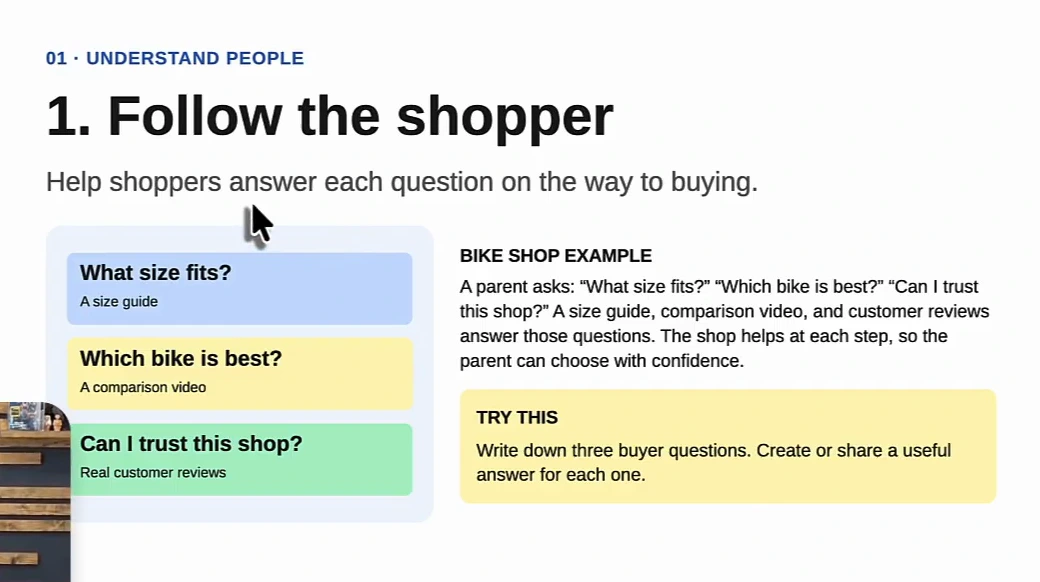
Try this: write down three questions your buyer asks before they pay you, then create or share one useful answer for each. That is your first content plan, and it is usually better than one built from a keyword tool, because every page has a job. The video makes a second point here: AI search has become good at matching buyer intent to content, so pages that answer a real step in the buying journey also tend to show up in AI Overviews. If that is a goal, our guide on how to increase AI visibility covers the rest of the checklist.
2. Find missing answers
Find a shopper's question that other websites leave unanswered. If a parent searches for "kids' bikes for hills", most shops show a general bike list. A page that explains which gears and bike weights help on hills, and then shows suitable bikes, answers the specific question those shops missed. A missing question is a new idea for a page.
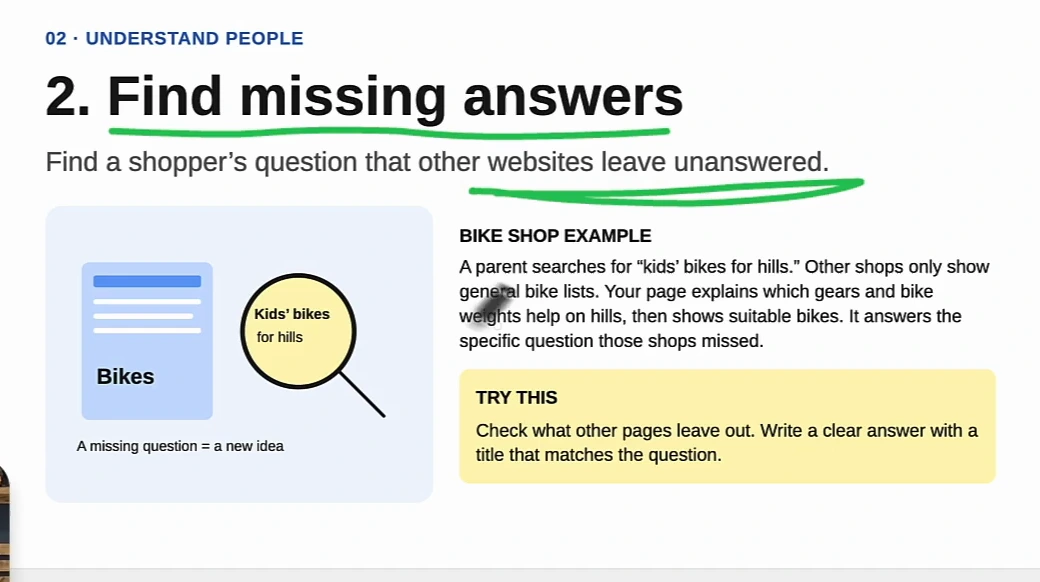
Try this: open the top pages for a query you care about and list what they leave out, then write a clear answer with a title that matches the question. Tim suggests using an AI assistant such as Claude to read your top competitors' pages and list the gaps, which is faster than doing it by hand. The same method, run as a keyword exercise, is what we describe in how to find low competition keywords.
3. Connect your pages
Connect related pages with links that act as clickable shortcuts for readers. When a parent reads your bike size guide and learns which size to choose, a link should take them straight to the bikes in that size. They go from learning to shopping without hunting around your website.
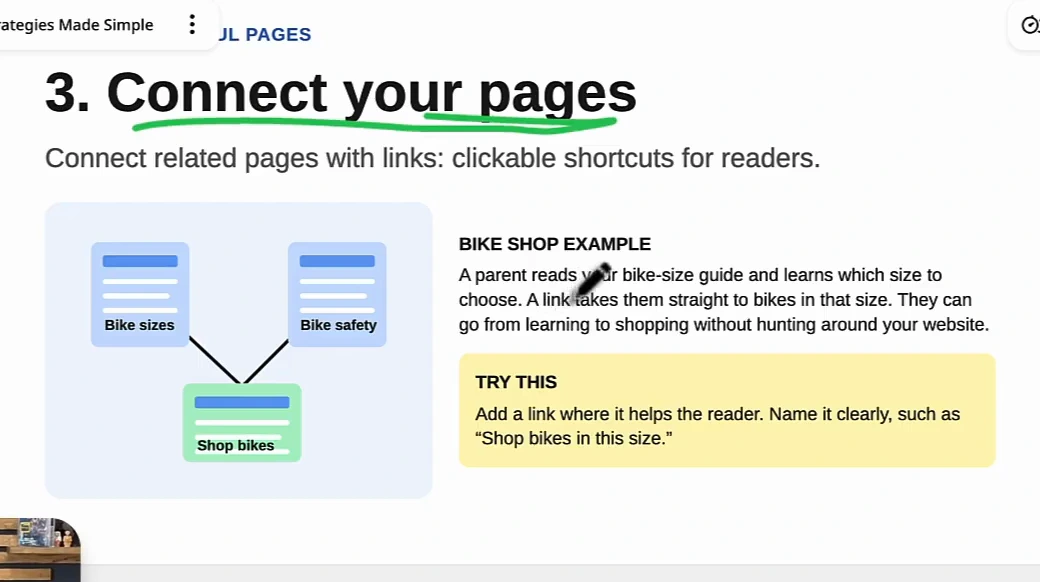
Try this: add a link where it helps the reader and name it clearly, "Shop bikes in this size" rather than "click here". In the video the rule is simple: service pages link to the pages where people buy, and blog content links back to the service pages, so everything is connected. If you want a system rather than a habit, our internal linking strategy guide shows how to map it.
4. Spot almost-winners
Use Google's free Search Console to find pages worth improving. Imagine your bike page appears in Google 100 times but only gets 3 clicks, and its title says "Our products". A clearer title such as "Kids' bikes and size guide" tells shoppers what they will find. The page then has to deliver on that promise.
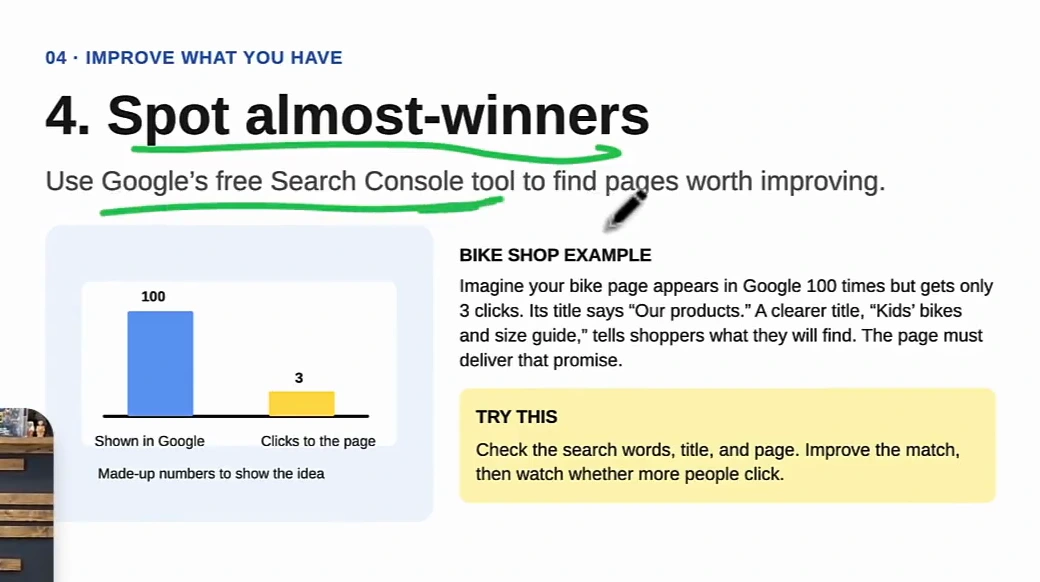
Try this: in Search Console, sort pages by impressions, find the ones with many impressions and few clicks, then check the search words, the title and the top of the page. Most of the fix is an edit to the first screen so it matches what the searcher typed. This is the cheapest strategy on the list because the pages already rank; you're only closing the gap between what Google shows and what people click. If you want a fuller pass over the site, the SEO audit checklist is the longer version.
5. Freshen old pages
Update useful pages when their information becomes old or incomplete. If your bike-buying guide lists models you no longer sell and leaves out sizing advice, replace the old models, update prices and add the missing size guide. Shoppers can then use the page to make a decision today.
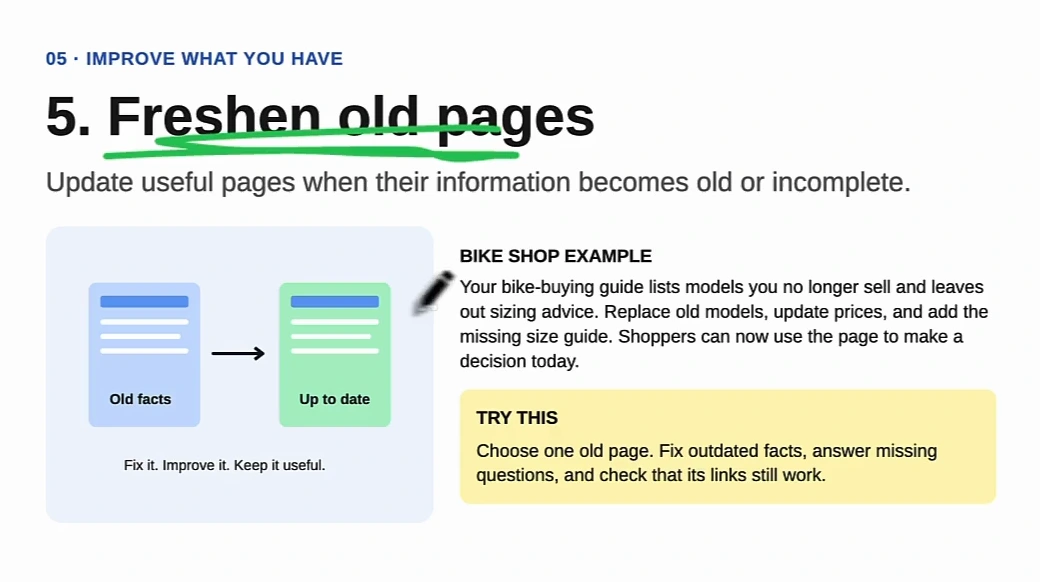
Try this: choose one old page, fix the outdated facts, answer the questions it misses and check that its links still work. Tim's priority is the pages that already perform well in Search Console: keep those current so they don't fall off. Pages that have already slipped are a different problem, covered in our guide to a Google traffic drop.
6. Give the answer first
Show the answer before a long introduction or store story. A parent searches "What bike size does my child need?". Your page should start with a height-to-bike-size chart and explain how to measure, so they find the answer immediately instead of scrolling past the shop's history.
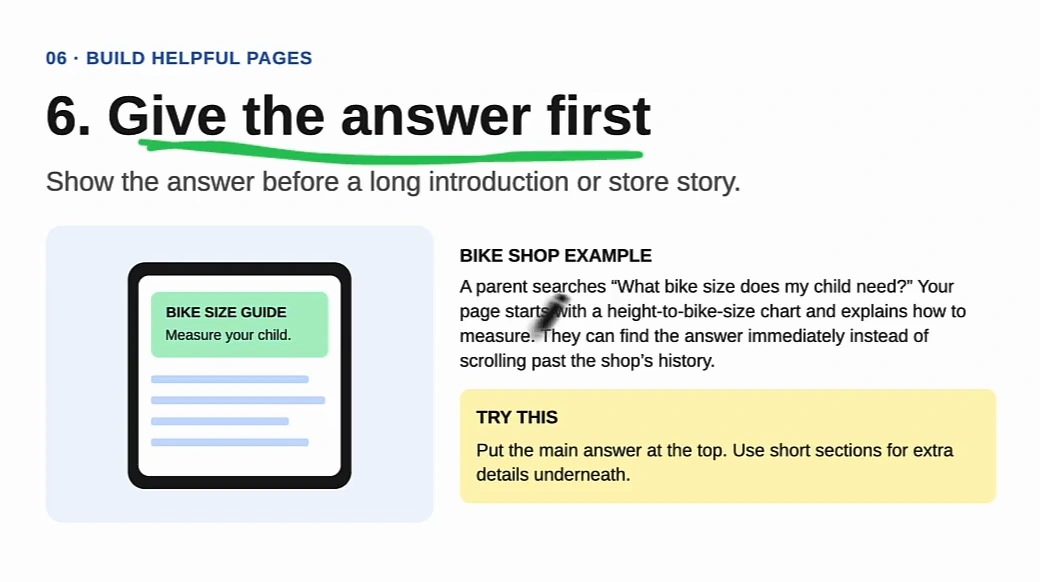
Try this: put the main answer at the top and use short sections for extra details underneath. This applies to the homepage and service pages as much as to blog posts. The video's reasoning is practical: fluff above the answer pushes up bounce rates because the visitor isn't getting the thing they came for. It also happens to be how AI answers and featured snippets lift text from pages, which is the subject of our zero-click search strategy.
7. Team up with others
Help a related group's audience so they have a reason to share your work. A local bike club has new riders who need safety tips. Your shop creates a useful safety checklist, the club links to it on its website, and members click through to your guide. You get the visitors and the backlink.
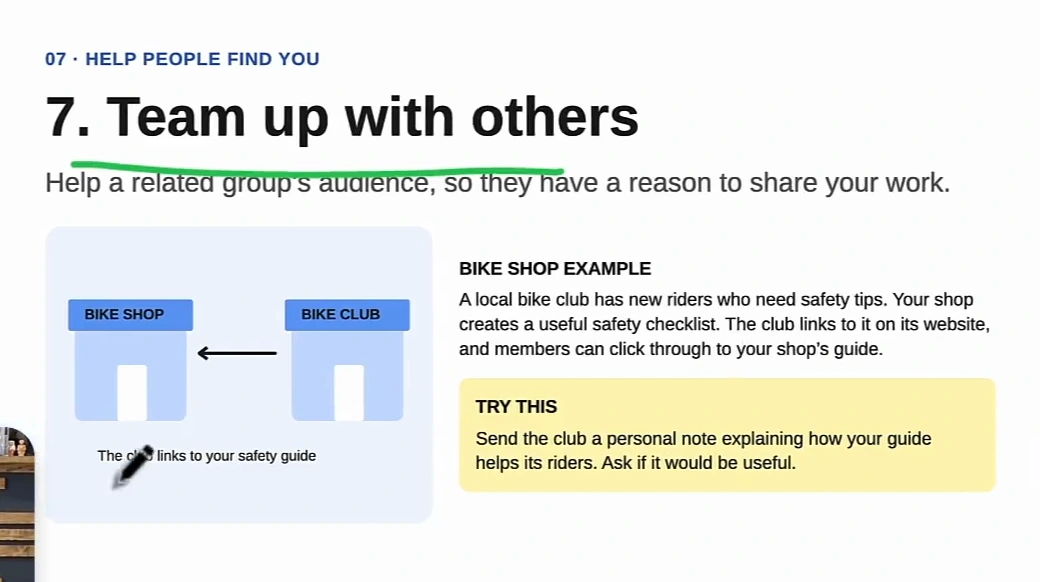
Try this: find the clubs, organisations and local businesses that serve your audience, and send a personal note explaining how your guide helps their members. Ask whether it would be useful rather than asking for a link. The checklist itself is the point; it is the kind of linkable asset that keeps earning links after the first email. We have a longer list of these in how to get free backlinks.
8. Find the right searches
Match the page to what the person wants to do. "How do bike gears work?" needs a simple explanation. "Buy a kids' bike near me" needs available bikes, prices and the shop's location. Even a less common search can bring in useful visits when it matches what you sell.
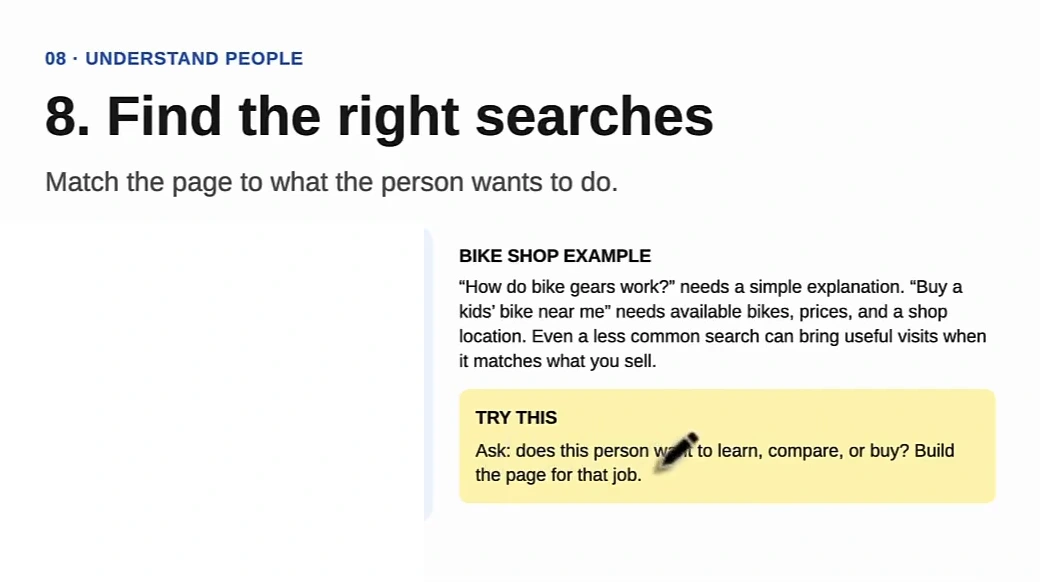
Try this: before you write a page, ask whether this person wants to learn, compare or buy, and build the page for that job. Tim's summary of the whole list is in this card: successful SEO is mostly building the assets that match what people are looking for, and connecting them to the next logical step in your business, whether that is buying, booking a consultation or making an appointment. For a local business the method is spelled out in local SEO keyword research.
9. Get on helpful lists
Help people discover your shop through guides they already use. A parent reads a local guide to family bike shops, and your store is missing even though you sell children's bikes. Tell the editor why it fits. If they add you, readers discover you, and so do the AI tools that use that guide as a source.
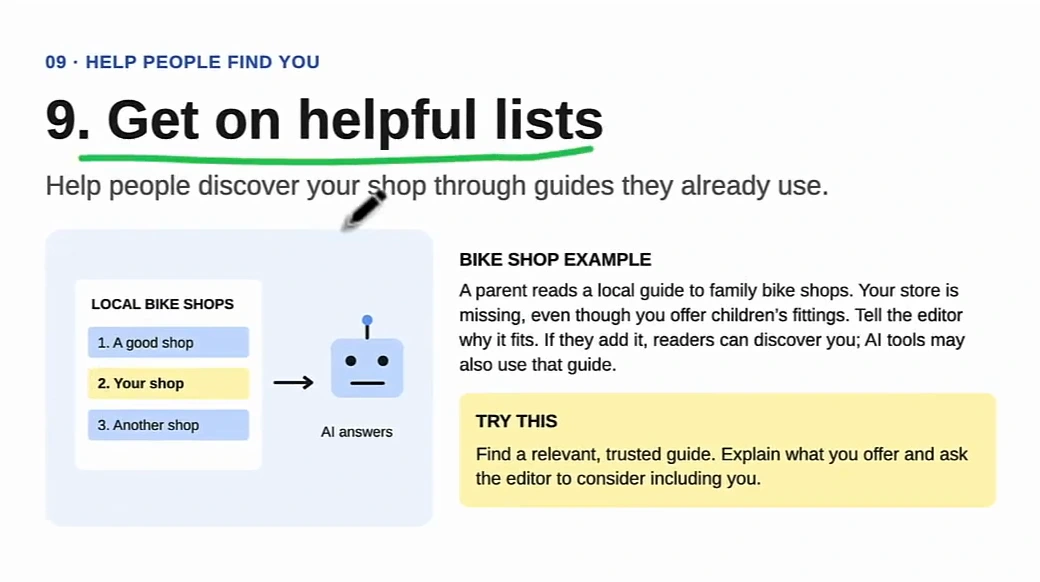
Try this: find a relevant, trusted guide, explain what you offer, and ask the editor to consider including you. The video's starting point is a search for the competitors in your area that already have links, to see which guides and assets mention them and then ask to be included too. The same prospecting, done with an AI assistant, is what our guest post opportunities guide automates, and it works for lists as well as for posts.
Why these work when so much SEO advice doesn't
Every one of the nine starts with a person and a question, not with a keyword and a word count. That is the difference between a page that earns a click and a page that merely exists. It is also why the list survives the shift to AI search: an assistant answering "which kids' bike for hills?" needs the same specific, first-hand page that the parent needs, and it will cite the guide that has it. Pages written to fill a keyword quota are the commodity content Google now says it will not reward; our explainer on commodity content covers what the guidelines actually say.
Tim's own closing point is that none of the nine is hard. Businesses miss them because they overcomplicate SEO and never ask how people are actually searching. If you do only one thing from this list today, open Search Console and find an almost-winner. It takes ten minutes and the page already ranks.
Where software takes over
The last four minutes of the video are a tour of how Tim uses Arvow to run the repetitive parts of these strategies on a demo chiropractic site. Three of the nine map directly onto features.
- Strategies 1, 2 and 8 (content that matches intent): articles are generated against a knowledge base of your own files, case studies and URLs, so they are specific to your business rather than generic, and the output already carries the headings, internal links and alt text from strategy 3. Finished articles publish to your CMS automatically.
- Strategy 4 (almost-winners): the Site Optimizer reads your pages and proposes title rewrites you can apply with one click, which is the "clearer title" fix from the board at scale.
- Strategies 7 and 9 (links and lists): automatic backlinks place links to your site inside articles that other users of the network publish. Tim's estimate in the video is "a couple of backlinks a week at least"; treat that as his experience, not a guarantee.
The tour also covers Google Business Profile posts and review replies, a technical audit, an LLM brand monitor and an AI chat that can run keyword research and backlink prospecting against your real data. That is a different article; our overview of AI agents for SEO explains each of those with its own walkthrough.
Want the nine strategies run for you, from content to links to titles? See how Arvow automates SEO.
FAQ
What SEO strategies actually work in 2026?
The ones that help a specific person complete a specific step: answering buyer questions, filling gaps competitors leave, linking guides to the pages where people act, fixing pages that already get impressions, keeping old pages current, putting the answer first, partnering with related groups, matching page type to search intent, and getting listed in trusted guides. Technical tricks come and go; these nine are about the reader.
Which strategy should I do first?
Spot almost-winners. Open Google Search Console, sort by impressions, and improve the title and first screen of a page that is shown often but rarely clicked. It is free, takes minutes, and the page already ranks.
Do these strategies help with AI search as well as Google?
Yes. AI assistants match intent to content and cite specific, useful pages, so a page built around a real buyer question is more likely to be used as a source. Getting listed in trusted guides (strategy 9) matters more for AI answers, because assistants lean on those lists.
Do I need SEO software to do this?
No. Every strategy on the board can be done with Search Console, a text editor and email. Software helps when you need to apply them across many pages or many clients, which is what the last section of the video shows.
How often should I refresh old pages?
Whenever the information stops being true: products you no longer sell, prices that changed, advice that is incomplete. Check your best-performing pages first, since those are the ones with the most to lose.

Generate, publish, syndicate and update articles automatically
The AI SEO Writer that Auto-Publishes to your Blog
- Cancel anytime
- Articles in 30 secs
- Plagiarism Free