
Zero-Click Search Strategy for 2026: Build the Knowledge Base That Feeds AI Answers

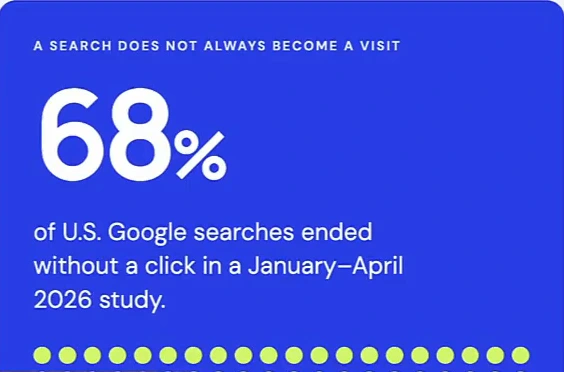
Most searches no longer end on a website. The slide that opens the video below cites a SparkToro/Similarweb study of January–April 2026 in which 68% of U.S. Google searches ended without a click — the searcher read the answer in an AI Overview, an AI Mode response or a chatbot and moved on. A zero-click search strategy is what you do about that: if the answer is going to be read inside the search result, your job is to be the source of the answer. This article is the system the video lays out for that — a business knowledge base of checked "answer cards", built from six sources you already have, that feeds your website, your Google Business Profile, your social posts and the AI assistants answering questions about you. It is not a replacement for the website, and the presenter says so in the first thirty seconds; the website becomes one output of a bigger system.
What zero-click search changes
There used to be one path: someone asks Google, visits your website, reads the answer. The new path has three steps that never touch your site — ask an AI a question, read the answer in search, choose a next step. The customer learns about you before visiting your website, and often instead of visiting it. Three consequences follow, and the slide names them: search can give the answer itself; Google is testing ads inside AI answers and some shopping tools let people buy without leaving Google; and AI agents — assistants that do tasks, not just answer questions — need clear, current facts about your business to act on. The slide is careful to add that "no click does not always mean AI answered the question", which is the right caveat; our AI Overviews and AI Mode statistics report has the click-through data behind it.
The strategic point is simple: the information on your website has to be structured so that it shows up as the answer in AI search and AI Overviews, and that information has to come from somewhere reliable. The presenter calls that somewhere your business brain — a knowledge catalog. It is the same problem our guide to ranking in Google AI Overviews approaches from the page side; this is the approach from the facts side.
The business brain: six sources, one catalog
A knowledge catalog is an organized collection of useful facts about your business — checked, connected, current. The video's diagram puts it at the center of six sources, three internal and three external:
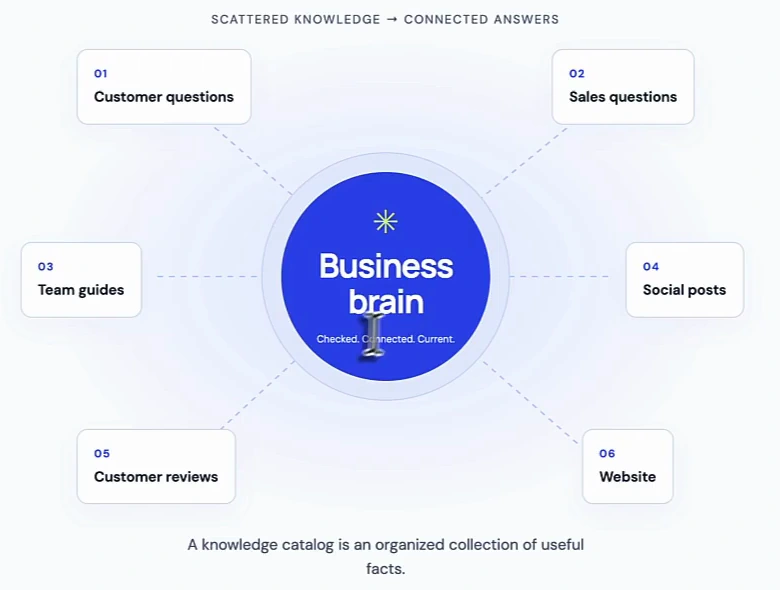
- Customer questions — what people ask when they need help, on the phone, by email, in person. Repeated questions show what needs a clearer answer.
- Sales questions — what people want to know before they choose you.
- Team guides — the processes and SOPs your team actually follows; the same material that trains new hires and keeps everyone on the same page.
- Social posts, customer reviews and the website — the external side. The catalog feeds these; they do not feed the catalog, except where a review or a comment turns out to be a new question.
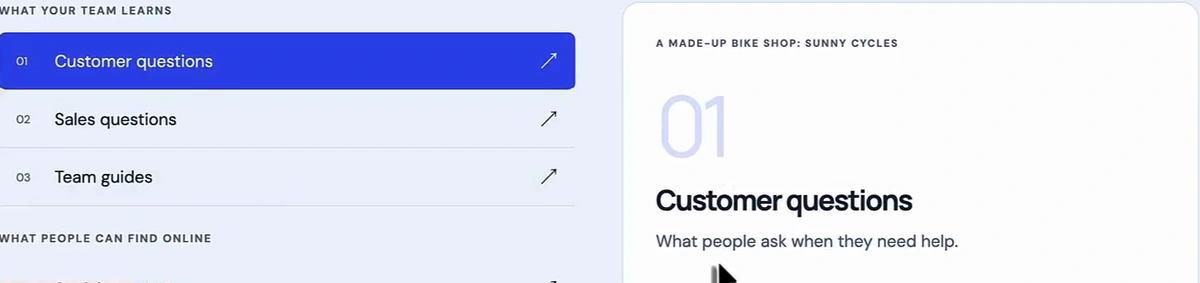
The video's running example is a made-up bike shop, Sunny Cycles. Its most repeated customer question is "Do I need to book a bike repair?" — a question the shop answers a dozen times a month by phone and nowhere online. That gap is the whole method in miniature: the internal knowledge exists, the external answer does not, so the AI answering that question for a customer has nothing of the shop's to go on.
Answer cards: one question, one checked answer, proof attached
The unit of the catalog is an answer card, and the format is strict on purpose. One question, one clear answer, written in the words customers use, one topic per card. The proof stays attached: the file or page that supports the answer is saved with it, and a person has checked it. Related facts are linked — a booking question leads to a timing question, so the two cards point at each other. The bike-shop card reads: "Do I need to book a bike repair? You can bring your bike in without booking. We check it first, then tell you when the repair can be done." Underneath it: the source (the shop's repair guide, section 2), the date it was checked, and the related cards (repair time, price estimates).
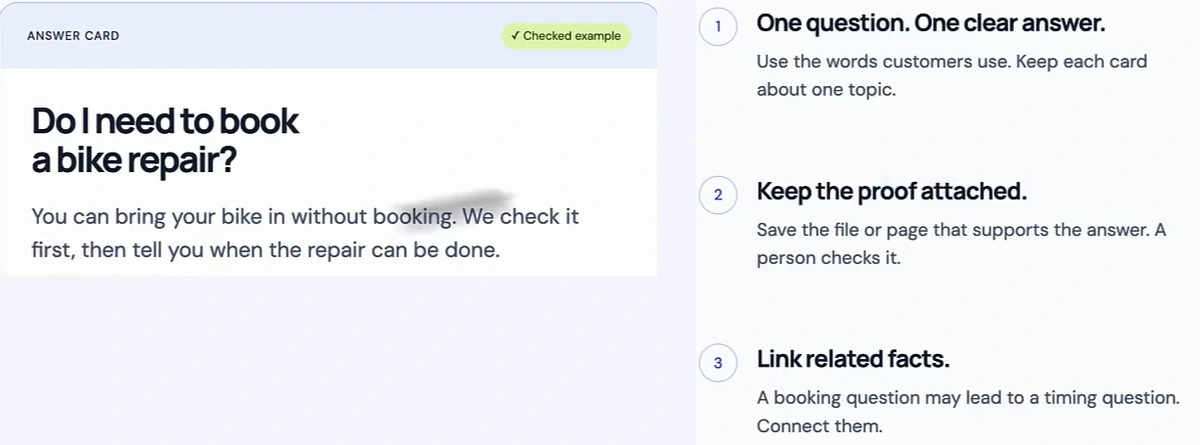
This is also what makes the catalog usable by an AI. A model given a pile of PDFs will paraphrase; a model given one checked answer per question, with its source, will repeat the answer. The format is doing the work that optimising a website for AI agents does at the page level, one fact at a time.
Keep it alive: collect, clean, check, connect, refresh
"A living library, not a dusty folder." A knowledge base does not get better because you add more files to it; it gets better because the loop keeps running. The video's loop has five steps, each with the bike-shop version:
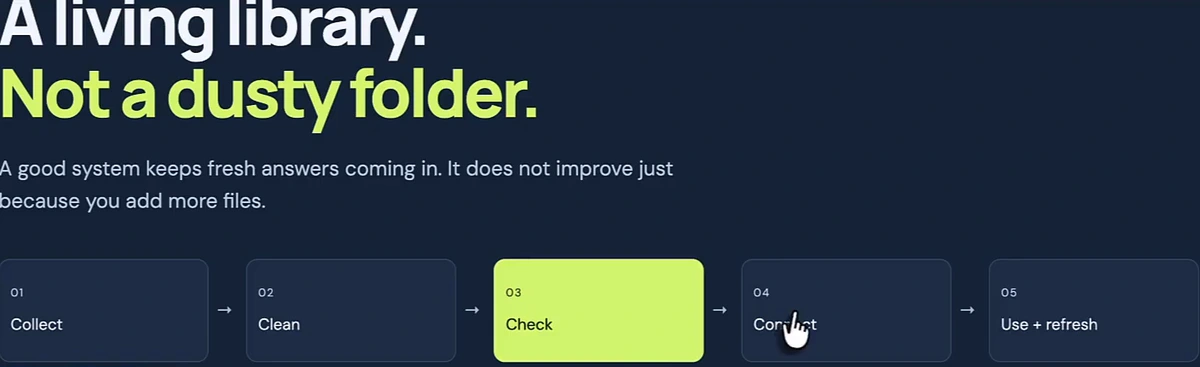
- Collect one useful signal. A customer asks whether a repair needs a booking; add the question, without their personal details.
- Clean the note. Group repeated questions together, keep their meaning, remove private details, label the topic ("repair bookings").
- Check the real answer. The manager reads the current repair guide. An old message says "book first"; that answer is marked out of date.
- Connect the useful facts. Link the approved booking answer to its source and review date, and to the related cards on repair time and prices.
- Use and refresh. Publish from it, and when a question or a rule changes, the loop starts again.
The presenter's note on automation is the sane one: a tool can move new notes into a review list, but a person still checks facts before they go into the catalog. The check is the step that makes everything downstream trustworthy.
One checked fact, four jobs
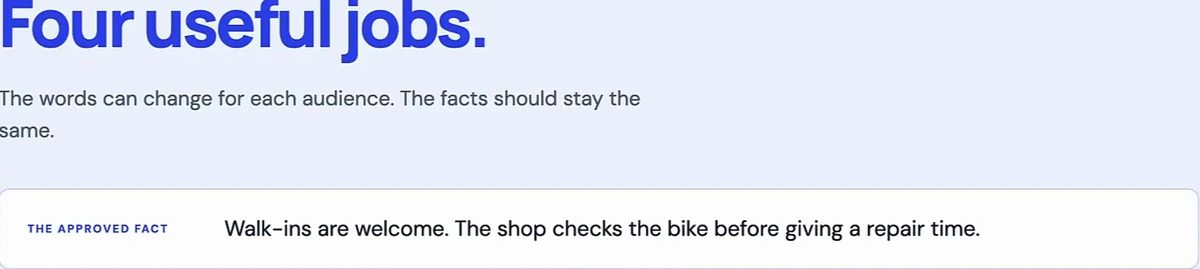
Once a fact is approved, it gets reused in four places with different wording and the same substance: marketing, sales, customer help and team training. The approved fact for the bike shop is "Walk-ins are welcome. The shop checks the bike before giving a repair time." Customer help turns that into "Yes — bring it in without booking, we'll check the bike and explain the repair time before you decide." Team training turns it into "No booking is needed for a walk-in; check the bike first, then explain the work." The words change for each audience; the fact does not, which is exactly what you want an AI to see when it reads all four.
Find the gaps: what people ask vs what your pages explain
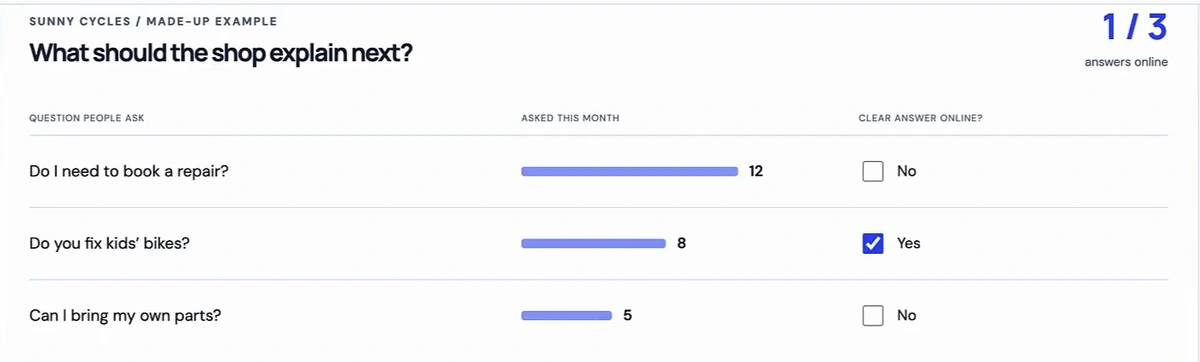
This is where the catalog turns into an SEO plan. Compare what people keep asking with what your public pages actually explain; a common question with no clear public answer is a content idea. The bike shop's tally for the month: "Do I need to book a repair?" asked 12 times, no clear answer online; "Do you fix kids' bikes?" asked 8 times, answered; "Can I bring my own parts?" asked 5 times, not answered. One of three questions has an answer online. The next thing to publish is obvious — a short FAQ and a simple video on booking — and it was chosen by counting, not by guessing keywords.
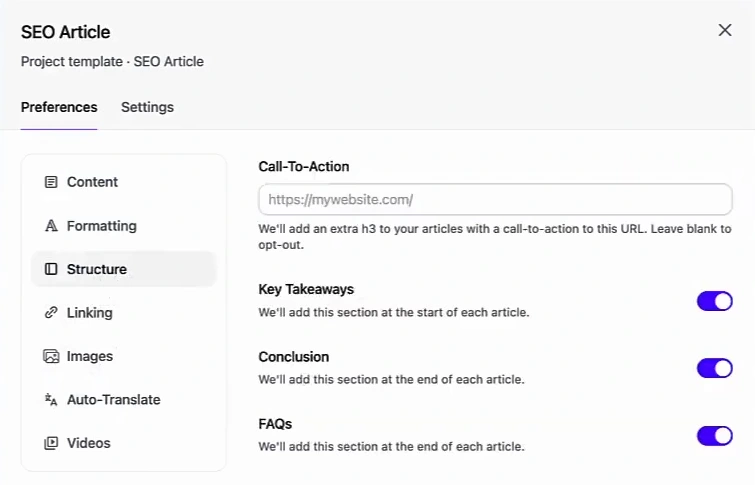
Every unanswered question then becomes content in the two channels where AI search actually looks: an SEO article on the website, and a Google Business Profile post for a local service business. The presenter uses Arvow for both. An SEO article can be generated with the customer's question as its keyword, and the project template carries the brand assets — sitemap for internal linking, images, formatting, the sections you want in every article — so the output is technically sound rather than generic.
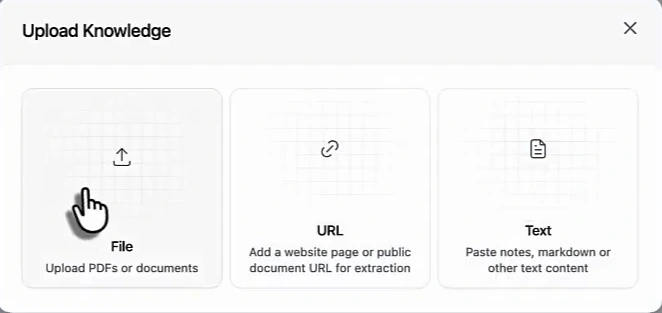
The feature that fits this system most directly is the Knowledge Base connection. Arvow's Knowledge Base takes a file, a URL or pasted text, and retrieves it on demand when generating content. The presenter's suggestion is to keep the catalog at a URL, keep that URL updated, and let the tool write from the current version of your facts rather than from whatever the model assumes about your business. (Brand facts that belong in every article go in the project's Brand Brief instead; the Knowledge Base is for facts retrieved when relevant.)
For a service business, the same questions go out as Google Business Profile posts. Connect the profile once and the tool creates and schedules posts that answer them, so the blog drives search traffic, the profile answers the question where local searchers already are, and both are pulling from the same checked facts. The how-to is in our guide to Google Business Profile automation, and the reason it matters for AI answers specifically is in how Google Business Profile shows up in AI search.
Where to build the knowledge base
The video offers three tools, in order of effort, all starting from the same place: a Google Drive folder with your FAQs, business facts and team guides, checked before you connect anything.
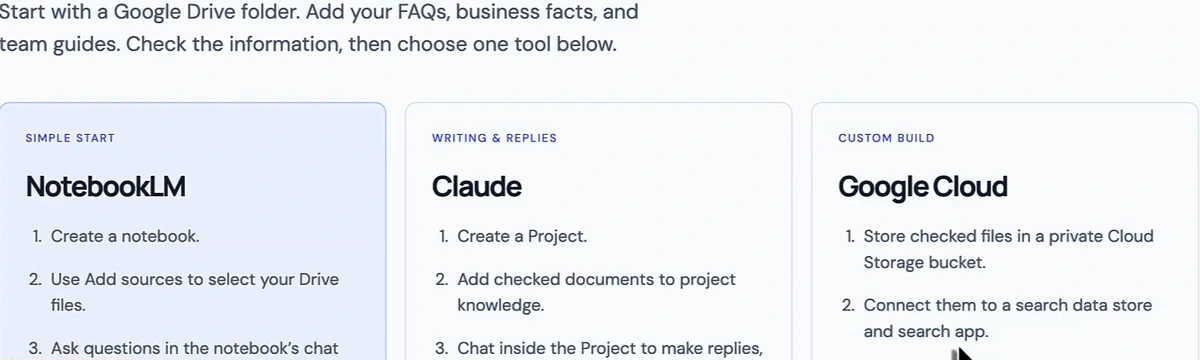
- NotebookLM (the simple start): create a notebook, add your Drive files as sources, ask questions in its chat. It can be made public if you want part of the catalog to be discoverable.
- Claude (writing and replies): create a Project, add the checked documents to its knowledge, and write replies, posts and guides inside it. Keep the originals and replace the uploaded copies when a fact changes.
- Google Cloud (custom build): checked files in a private storage bucket, connected to a search data store and app, with an AI agent on top if you have a developer. More setup and ongoing cost, but the presenter notes you can also connect indexed content to Search Console and make the public part of it searchable.
Most of the catalog stays internal. The website, the profile and the posts are how the public part gets out, and the catalog controls what goes where.
Your experience is the part nobody can copy
The last principle is the one that makes this more than a content pipeline. A competitor can copy a headline; they cannot copy years of real customer questions, tested work steps and lessons learned on the job. Put those in the catalog — the actual questions, the steps your team follows, what went wrong and how you fixed it — and every answer generated from it carries firsthand experience and credentials, the attributes Google has been explicit about rewarding. A generic post answers the question; a post written from your catalog answers it the way only your business could.
The order to do it in
- Start one Drive folder with your FAQs, business facts and team guides. Check them before anything else touches them.
- Turn the repeated questions into answer cards — one question, one checked answer, source and date attached, related cards linked.
- Tally the questions against your public pages. Every common question with no clear answer online is your next article or profile post.
- Publish from the catalog, not from scratch: connect it to your content tool, generate the article and the GBP post from the same fact, in the words each audience uses.
- Run the loop. New question or changed rule → collect, clean, check, connect, refresh. Then watch whether the AI answers move; our guide to getting mentioned in AI search covers how to measure it.
The website era is not ending. The era of the website being the only place your answers live is. Build the place they come from.
Arvow generates SEO articles and Google Business Profile posts from your own knowledge base — connect it as a file, a URL or text, set your brand assets once in the project template, and every answer you publish comes from facts you have checked. See how AI search ranking works.

Generate, publish, syndicate and update articles automatically
The AI SEO Writer that Auto-Publishes to your Blog
- Cancel anytime
- Articles in 30 secs
- Plagiarism Free