
The 5-Point SEO Audit Checklist I Use to Rank #1 on Google and AI Search (2026)

Give me sixty seconds and I will give you the five things to audit on a page before you spend another euro trying to rank it. It is the checklist I run on my own pages at Arvow, it covers Google and the AI assistants with the same five checks, and none of it needs a paid tool.
The checklist on one screen
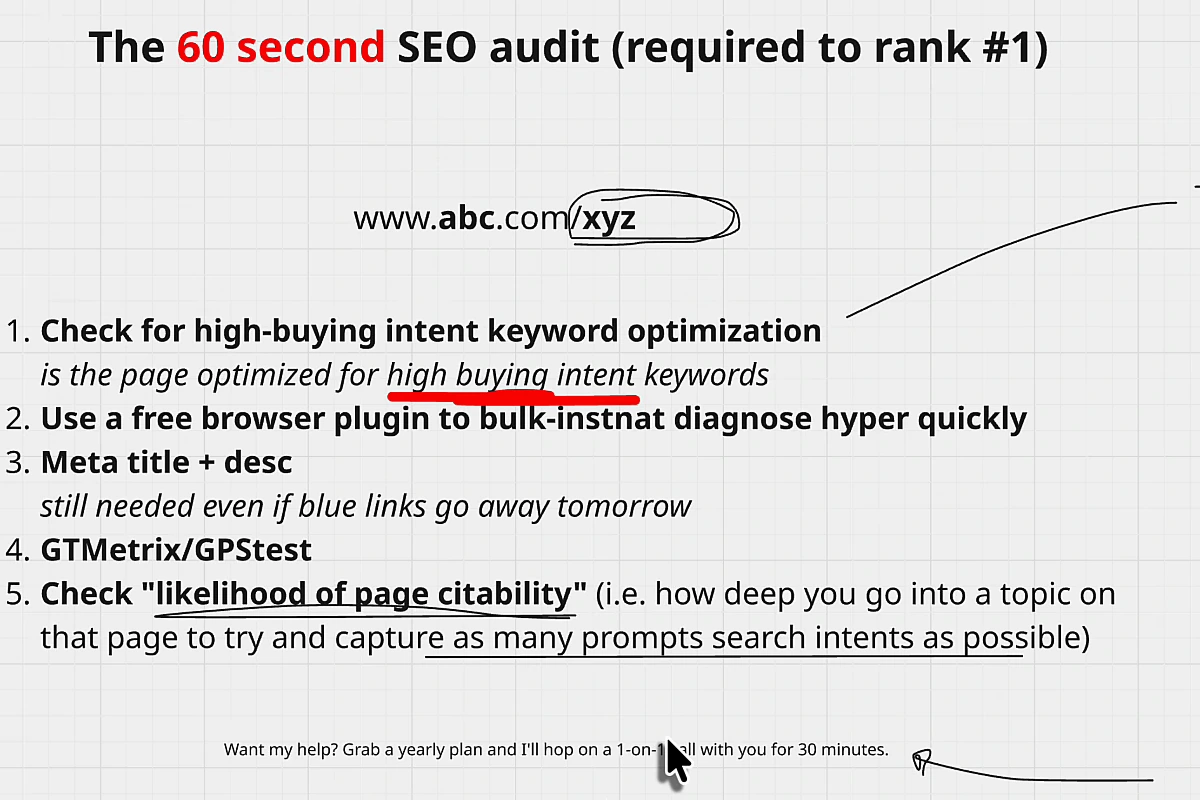
- Is the page built around a high buying-intent keyword?
- Run a free browser extension over it for an instant technical read.
- Meta title and meta description, still needed even if blue links disappear tomorrow.
- Speed, with GTmetrix and PageSpeed Insights, then hand the fixes to someone else.
- Likelihood of being cited: how deep the page goes on its topic.
The first and fifth checks are judgment calls. The middle three are mechanical, and the AI agents in the Site Optimizer can do most of the fixing for you; I show that in check three. If you want the three leverage plays that come after the audit, they are in the rank-number-one article; this one is about getting the page itself right first.
Check 1: is the page optimized for a high buying-intent keyword?
The example I always use is an iPhone repair shop. The site can rank for "how to repair an iPhone", which might get a thousand searches a month, or for "where to repair an iPhone" and "how much does it cost to repair an iPhone", which might get a hundred. The person searching "how" wants to do it themselves. The person searching "where" or "how much" wants to pay someone. Lower volume, far higher intent, and intent is what you are buying. Traffic on its own can be worth zero.
The matrix is buying intent against traffic. Go for the two high-intent quadrants, whatever the volume.
| Low traffic | High traffic | |
|---|---|---|
| High buying intent | Go for it first | Go for it, expect competition |
| Low buying intent | Later, if ever | Very hard to compete for; convert later with a guide, an email sequence or an offer inside the content |
You do not need a tool for this step. You know your business better than any keyword database: sit down and list what a customer with a credit card in hand would type. The low-competition keyword method is the longer version if you want the data behind the guesses.
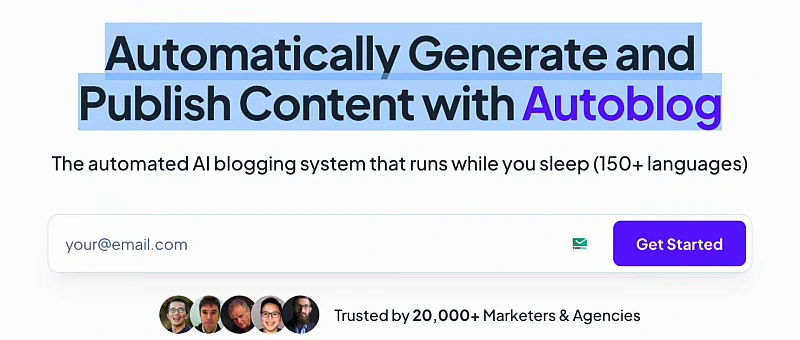
Then the mechanical half: is the keyword actually on the page? In the URL, in the H1, through the first paragraphs, in the FAQ, and as variations rather than the same string repeated. For the autoblog page on my own site the keyword is "autoblog"; it is in the URL and in the H1, and the page also says "auto blogging", "automated AI blogging" and "AI blogging", which are the same intent said four ways.
Check 2: run a free browser extension for an instant diagnosis
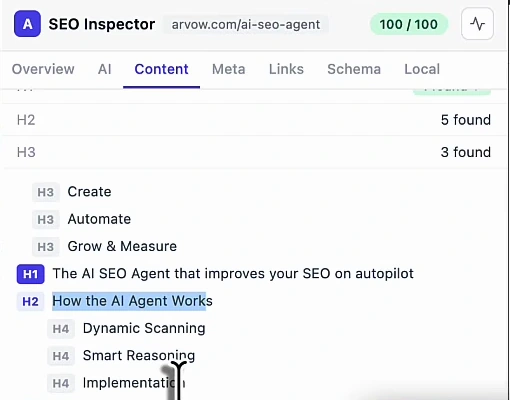
There are many SEO toolbar extensions for Chrome and they are mostly free. I use ours, because I built it, but the point of this check is the habit, not the brand: one click gives you a bulk read of what is broken on the page you are looking at, with no code inspection and no crawl. Meta title, meta description, canonical, broken links, images without alt text, how many H1s there are, the heading hierarchy, schema, and local signals if you are a local business.
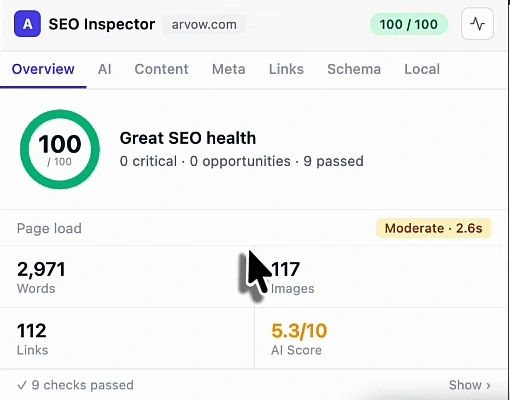
The Content tab is the one I open most. It lists every heading in order, so you can see whether the page has one H1 and a sensible hierarchy under it.
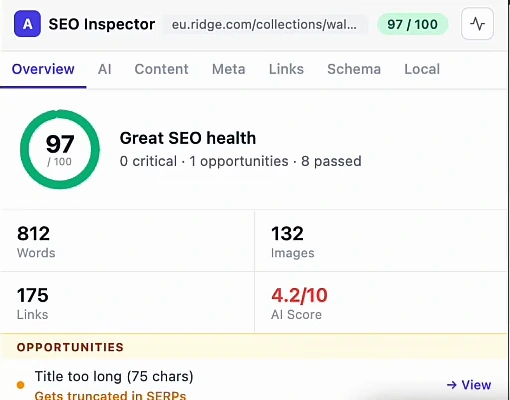
It works on anyone's site, which makes it a competitor check too. I opened a wallet brand's collection page in the video: 97 out of 100 on the technical side, 812 words, 132 images, 175 links, one opportunity flagged because the title runs to 75 characters and gets truncated in results, and a 4.2 out of 10 on the AI tab.
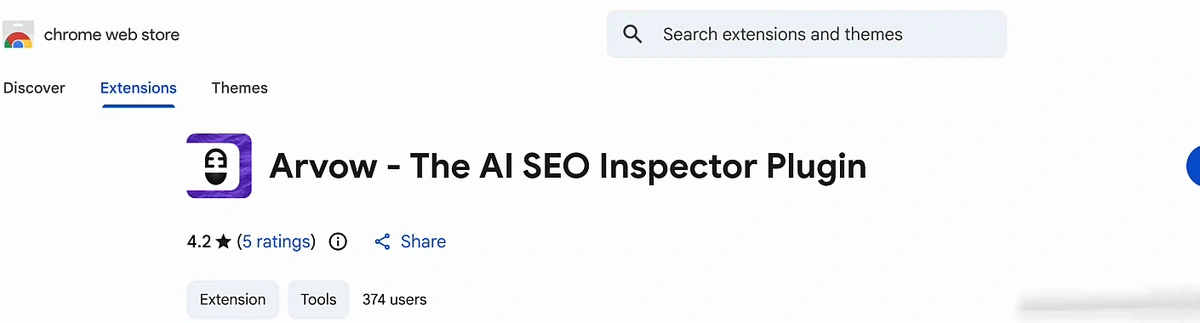
Ours is in the Chrome Web Store as "Arvow - The AI SEO Inspector Plugin", free, with a 4.2-star rating from five ratings and 374 users on the day I recorded. It can also connect to Google Search Console to cross-check what the page ranks for. The extension page lists every tab; if you prefer another toolbar, use that one. Just use one.
Check 3: meta title and meta description, still needed when blue links go away
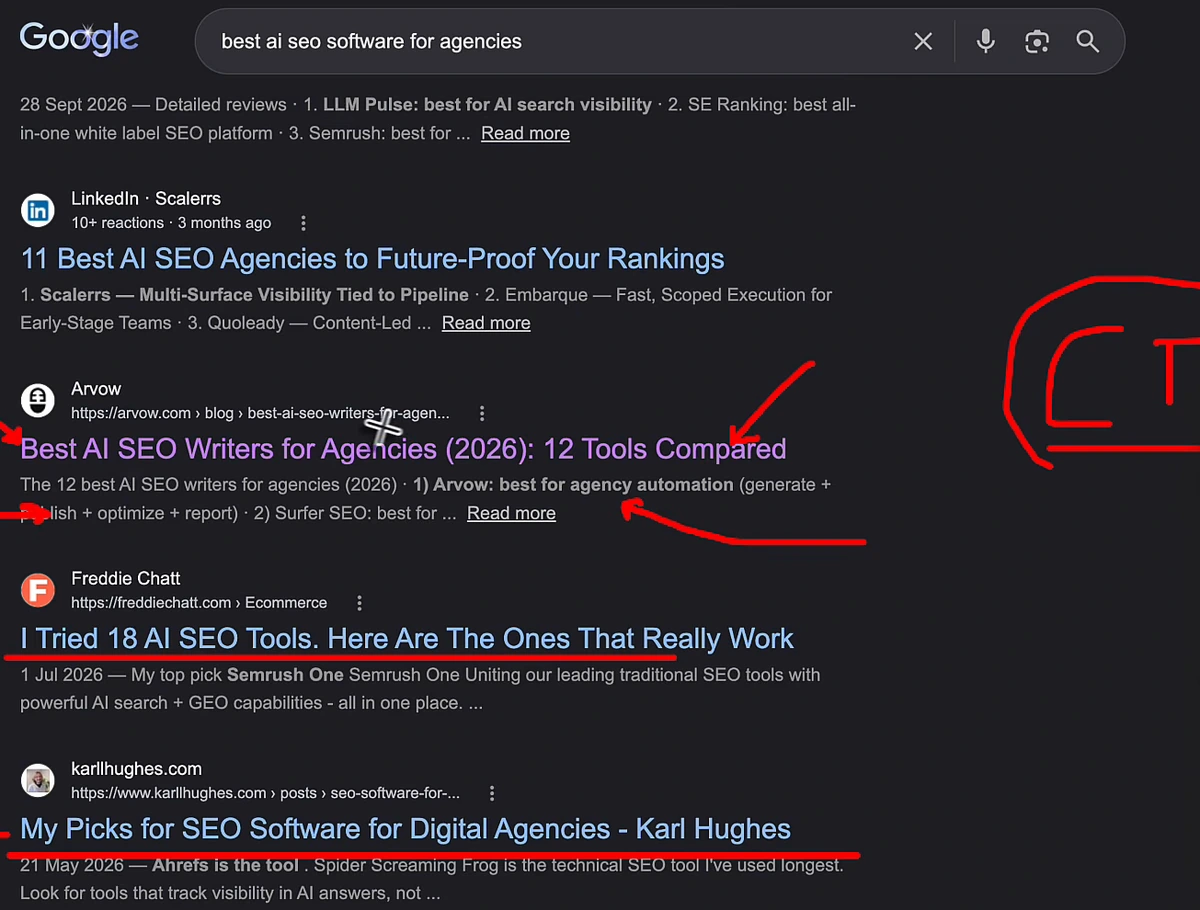
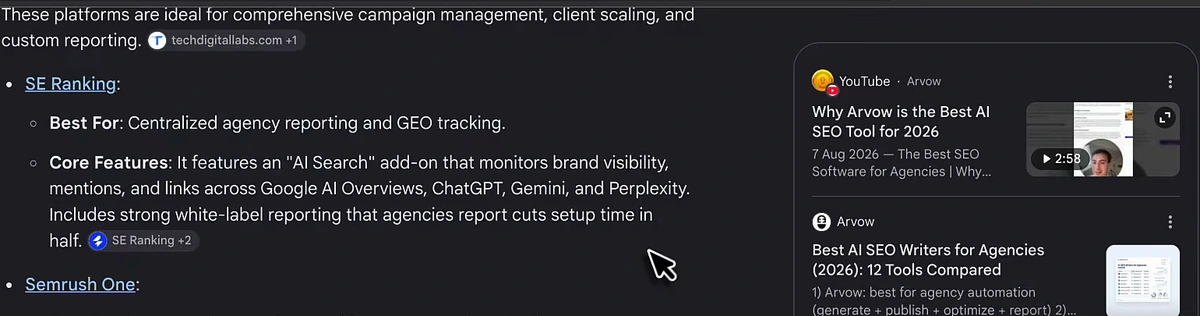
People have started treating meta titles and descriptions as a relic. They are not, for two reasons. First, they are a place to put the keyword, which helps ranking and helps AI mentions. Second, they decide who gets clicked. Take the results for "best AI SEO software for agencies": a LinkedIn listicle, our own "Best AI SEO Writers for Agencies (2026): 12 Tools Compared", a personal "I Tried 18 AI SEO Tools" post and "My Picks for SEO Software for Digital Agencies" from an individual. Someone who wants a human opinion clicks the last two; someone who wants a comparison clicks ours. The title decides the click.
And in AI answers the blue links do not vanish; they move. Open the sources panel on an AI answer and each source shows its meta title and meta description. For the prompt "best AI SEO software for agencies", whose answer is more likely to be pulled in: the page whose title has "AI SEO", "software" and "agencies" in it, or the page with a random title? Keyword in the title, every time.
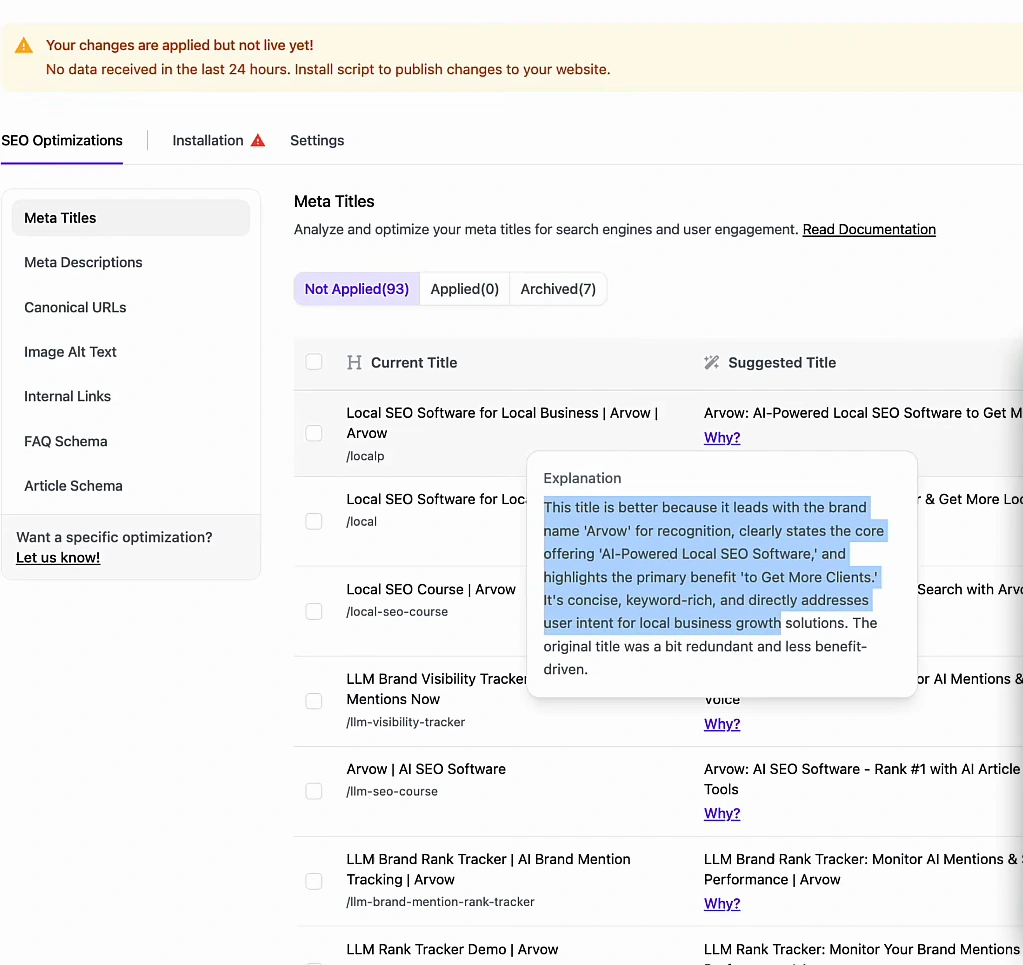
This is also the check you no longer need to do by hand. In the Site Optimizer the agent analyses the pages on a site and, for each one, shows the current meta title next to a suggested one with a reason. On arvow.com it had 93 titles waiting: for the local SEO page it proposed leading with the brand, naming the offer and stating the benefit, and explained that the original was "a bit redundant and less benefit-driven". Agree, hit Apply, done; or tick twenty rows and apply them in bulk.
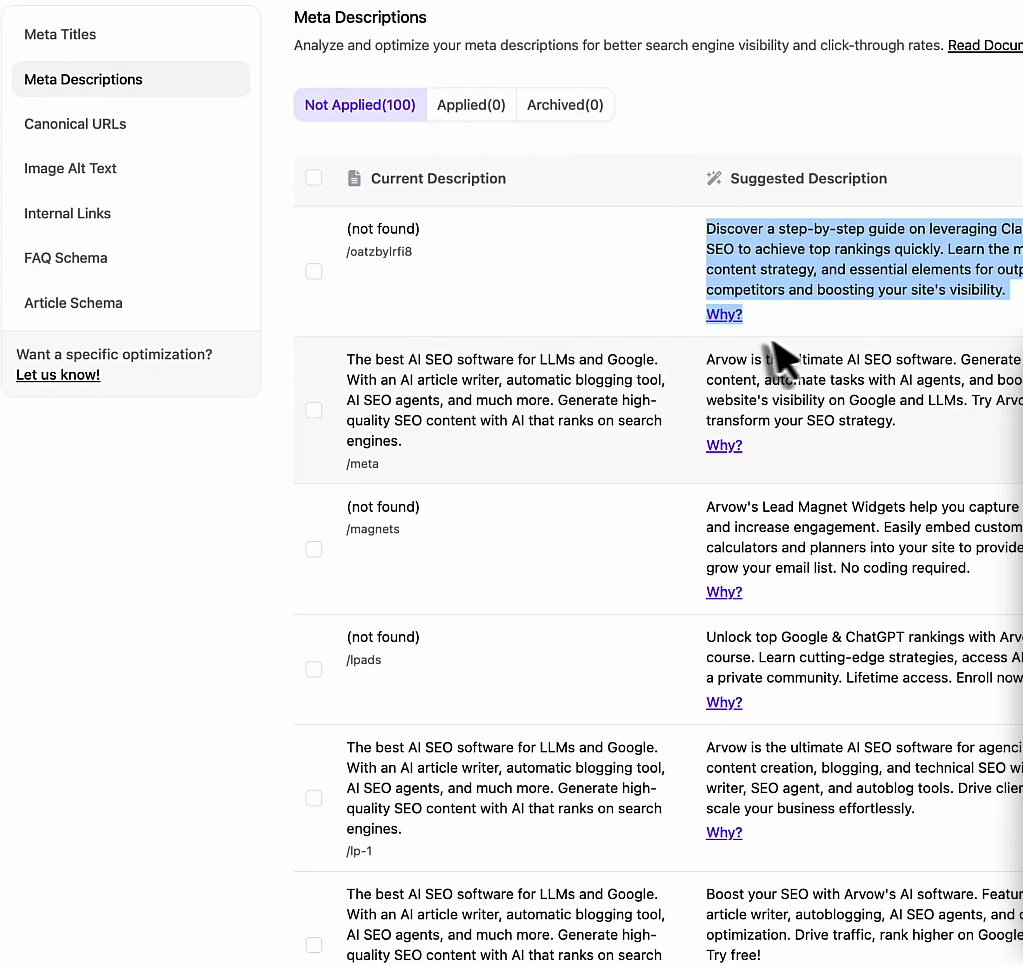
Meta descriptions work the same way, and the queue surfaces the pages that have none at all. Several of ours came back as "not found", with a suggested description ready to apply. No credentials, no logging into the CMS; the script does the change.
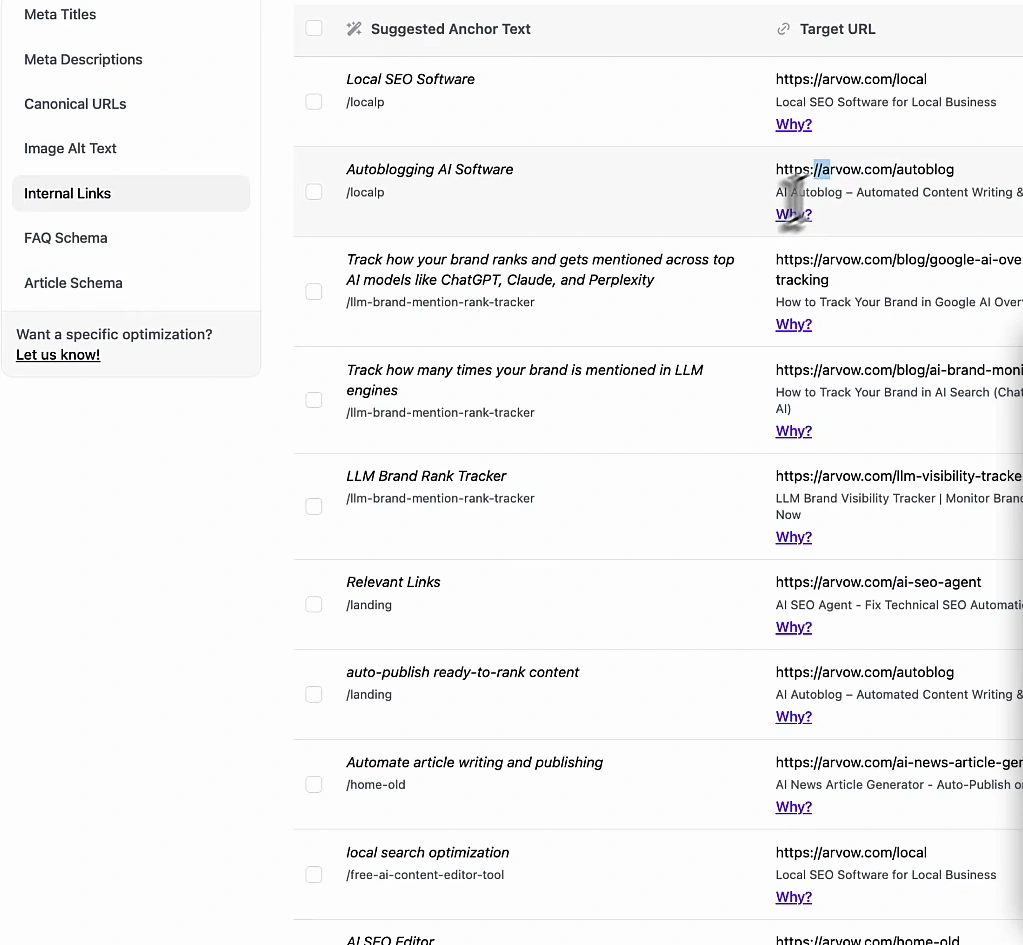
The same screen handles the other things the extension flags: alt text for every image without one, and internal links. The internal-link queue proposes an anchor, a target page and a reason, row by row. The internal linking article covers why that matters so much, and the alt text article shows the approval workflow in detail.
Check 4: speed, with GTmetrix and PageSpeed Insights
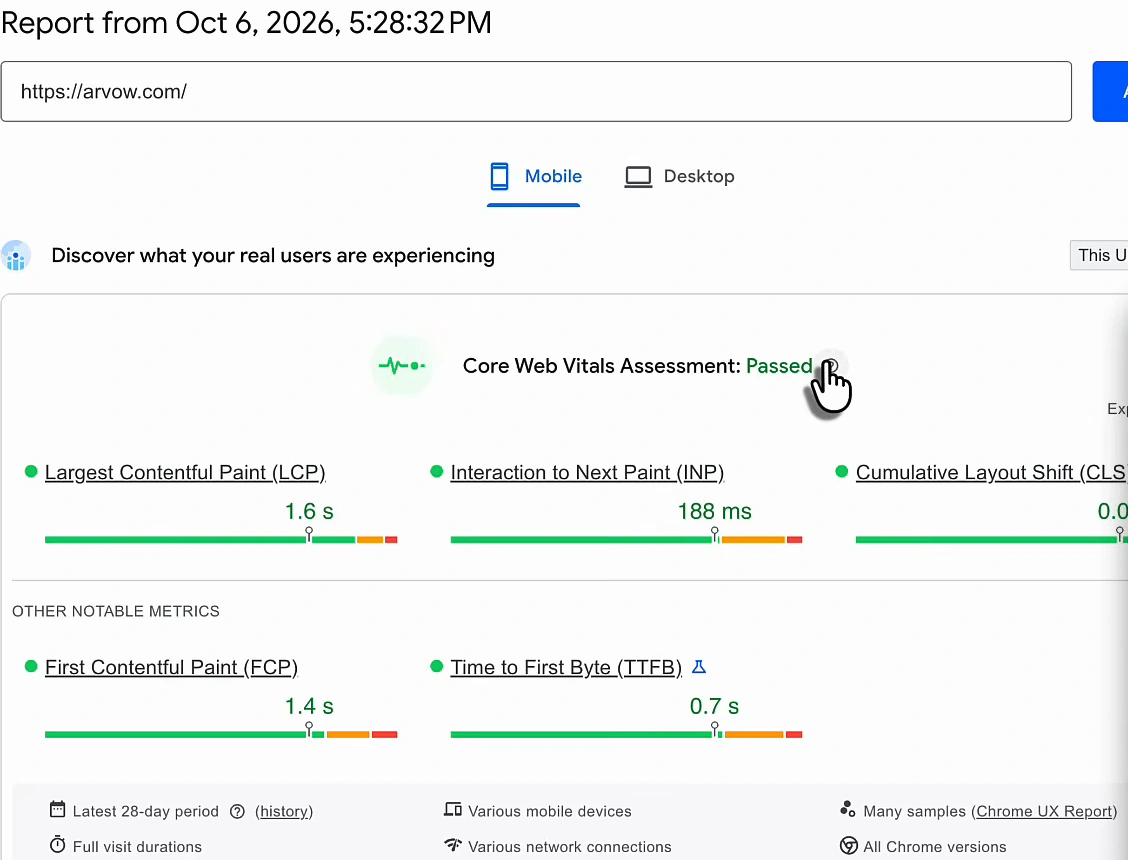
You can rank first and get mentioned by every assistant, and if the page takes ten seconds to load the visitor leaves before the sale. Two free tools: GTmetrix and Google's PageSpeed Insights. Paste the URL, read the verdict. I ran arvow.com on PageSpeed Insights on 6 October 2026 and the mobile field data passed Core Web Vitals: largest contentful paint 1.6 seconds, interaction to next paint 188 milliseconds, first contentful paint 1.4 seconds, time to first byte 0.7 seconds.
Then do not fix it yourself: screenshot the report, send it to your developer or to someone on Fiverr or Upwork, and spend your hours on the checks only you can do. I am not sponsored by either tool.
Check 5: the likelihood of the page being cited
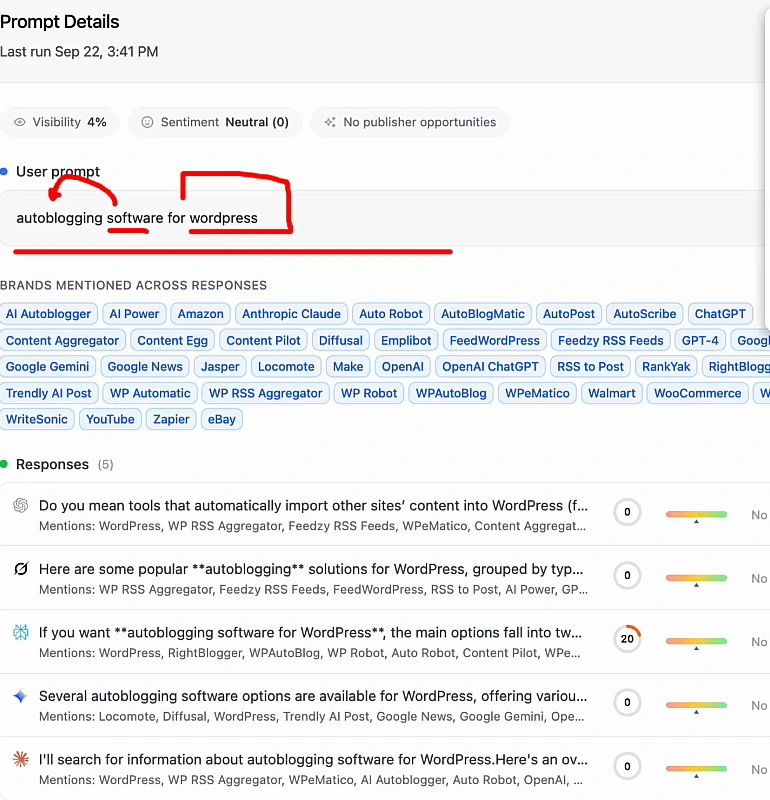
The last check is the one that matters most for AI search: how deep does the page go into its topic? The deeper it goes, the more differently-worded prompts it can satisfy, and the more often an assistant pulls it in. People say the same thing in infinite ways. In our brand monitor I track the prompt "autoblogging software for wordpress". Someone else types "I have a WordPress site that I need to have AI automate the research, generation and publishing of posts to my site automatically, what do you recommend?" Same CMS, same job, same intent, and the assistant's answer is essentially the same. Google does this too: "what are PayPal's fees to send money" and "I want to send money in PayPal but I'm worried about the fees" return the same AI Overview.
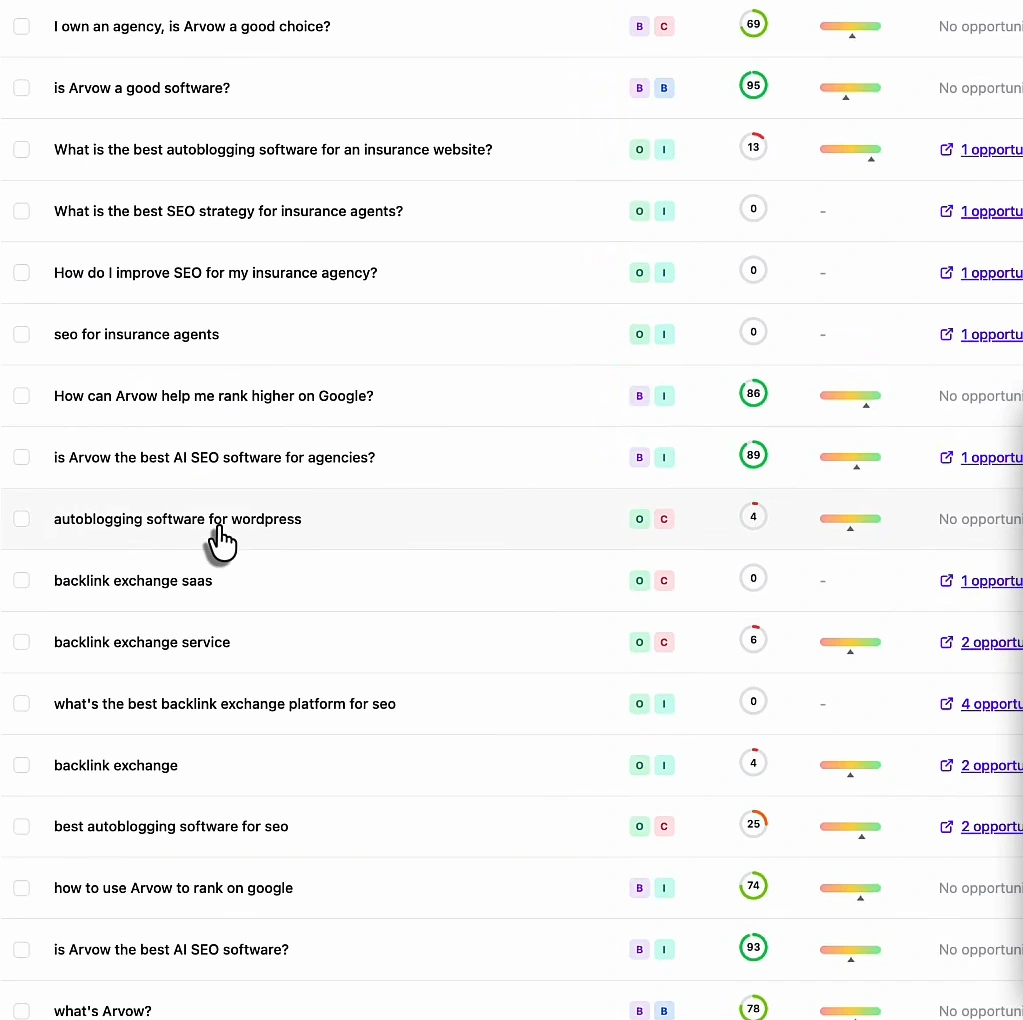
Open that prompt and the picture is precise: visibility 4%, five assistant responses, one of them mentioning us at a score of 20 and the other four not at all, while forty-odd other brands get named across the answers. The way to move that number is not to write a page titled with the exact prompt; it is to make the page that should answer it go deeper, so it also covers the long version, the "does it handle research as well as writing" version and the "will it publish for me" version.
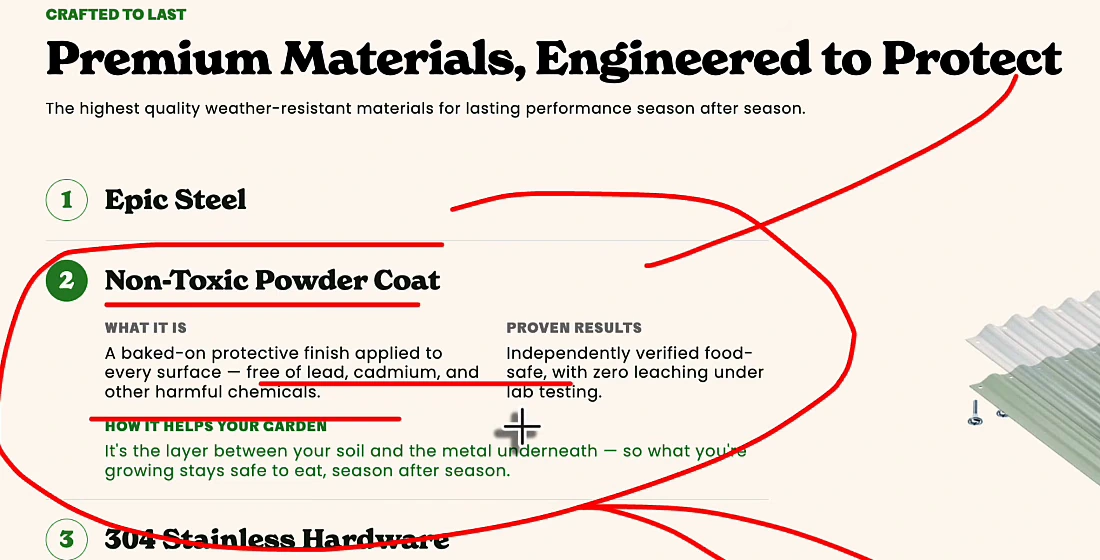
The example I give in the video is a company that sells metal garden beds. Their product page has a section on materials: steel, a non-toxic powder coat, stainless hardware. The powder-coat block says it is free of lead and cadmium, independently verified food-safe, zero leaching under lab testing. Good. Now think about the prompts around it: is it safe for growing vegetables, is it safe around kids, does the coating hold up in frost, what does "food-safe" actually mean for a raised bed. An assistant only browses a page when it believes the page satisfies the prompt in front of it; depth is how you give it that belief.
It is the same discipline as classic SEO: one page, one topic, every question around it answered. The AI search mentions guide is the long version, and the visibility tracker is where the prompt-level numbers above come from.
Two things I checked after recording
First, the yellow banner in the Site Optimizer screenshot is real: on my own site the agent's queue showed 93 titles, 100 descriptions and a stack of internal links "applied but not live yet" because the script had not reported data in 24 hours. The suggestions are only worth the install. Second, in the video I offer a 30-minute one-on-one call to anyone who buys a yearly plan within 60 days of the upload, which puts the deadline around 11 December 2026. That offer lives in the video, not on the pricing page, where one-on-one coaching is listed only on the Ultimate plan, so take it as my offer rather than a plan feature and mention the video in the chat when you claim it.
The five checks, in order
- Buying intent first. Pick the keyword a paying customer types, then put it in the URL, the H1, the body and the FAQ, with variations.
- One click of a free toolbar for the technical read, on your page and on the competitor's.
- Meta title and description with the keyword in them. They decide clicks in results and show up as the source card in AI answers. Let the agent queue the rewrites.
- Speed test, then delegate the fixes.
- Go deeper on the topic so the page can satisfy every way the prompt gets phrased.
The Site Optimizer agent that queues the meta titles, descriptions, alt text and internal links in check three is on every Arvow plan, and the LLM brand monitor from check five is on Business and above. See the plans.

Generate, publish, syndicate and update articles automatically
The AI SEO Writer that Auto-Publishes to your Blog
- Cancel anytime
- Articles in 30 secs
- Plagiarism Free