
Website Launch Checklist: 30 Things to Ask Claude Before You Launch an AI-Built Site (2026)


A site built with Claude, Lovable, Bolt or any other AI builder can look finished and still be invisible: not indexed, not found, not showing up in AI Overviews, with a contact form that posts to nowhere. Tim The SEO Guru's video is a 30-point website launch checklist written for exactly that site, and every point is phrased as a prompt you paste into Claude rather than a task you do by hand. This article is the checklist, group by group, with the cards from his board, the places where his spoken advice goes further than the card, and what to do after you press publish.
Start with this prompt
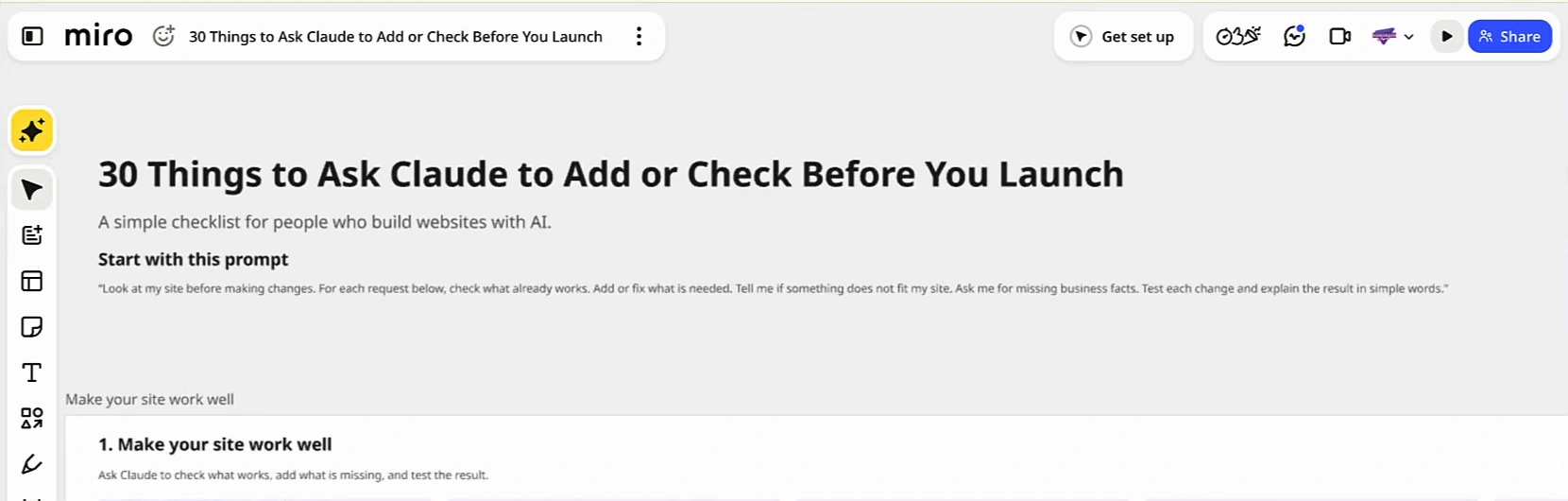
Before any of the 30 requests, the board gives Claude a standing instruction: "Look at my site before making changes. For each request below, check what already works. Add or fix what is needed. Tell me if something does not fit my site. Ask me for missing business facts. Test each change and explain the result in simple words." Tim's point is that the prompt works in Claude or in whatever AI builder made the site. The three clauses that matter are check before changing, ask for missing facts instead of inventing them, and test each change. They stop the two failure modes of AI-built sites: rewriting things that already worked, and filling gaps with made-up business details.
Group 1: make your site work well (checks 1 to 10)
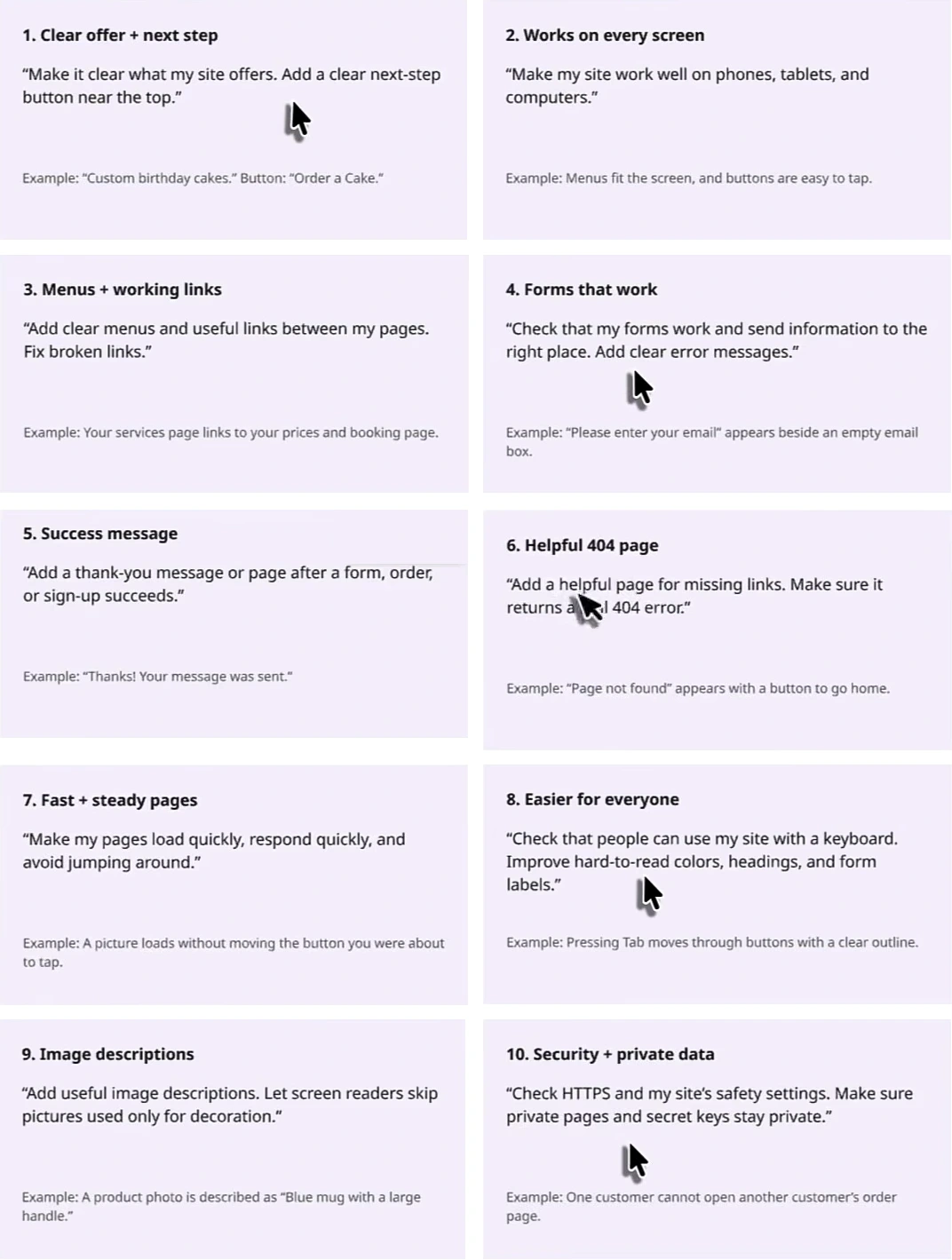
Tim calls a broken site "a big red flag" and puts function before anything about search. His emphases on this group: the next-step button has to be above the fold "so people can take action immediately"; phones first, because that is where most visitors are; forms must send to the right place and show an error when a field is empty; and the 404 page must return a real 404 status, not a styled page that returns 200. Card 10 is the one AI-built sites fail most quietly: API keys pasted into front-end code and private pages reachable without a login. The example on the card, one customer who cannot open another customer's order page, is the test to run.
Group 2: help people find your site (checks 11 to 15)
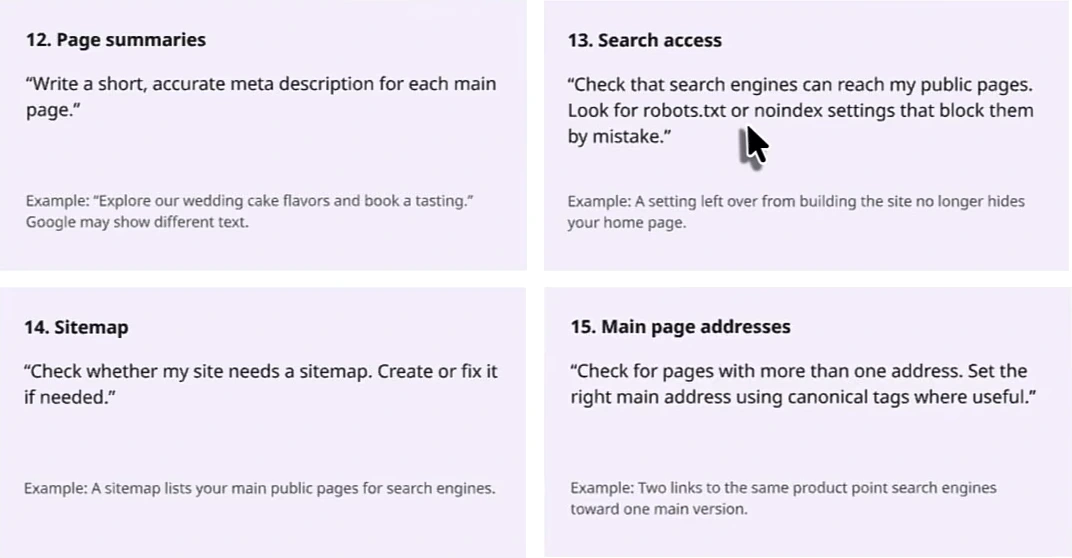
This is the SEO group, and it is deliberately short: titles, meta descriptions, crawl access, a sitemap and canonicals. Tim spends his time on check 13, because a noindex tag or a robots.txt block left over from the build is "a big mistake that people make", and the site will never rank while it is there. The card's example is precise about the cause: a setting left over from building the site that still hides the home page. Check 15 is the other one AI builders get wrong by default, generating the same page at two or three addresses; the fix is one canonical address per page. Once the site is live, the deeper pass is our SEO audit checklist, and if the site was built with Claude Code the Claude Code SEO prompts cover titles, schema and internal links in more depth than one card can.
Group 3: handle visitor information (checks 16 to 18)
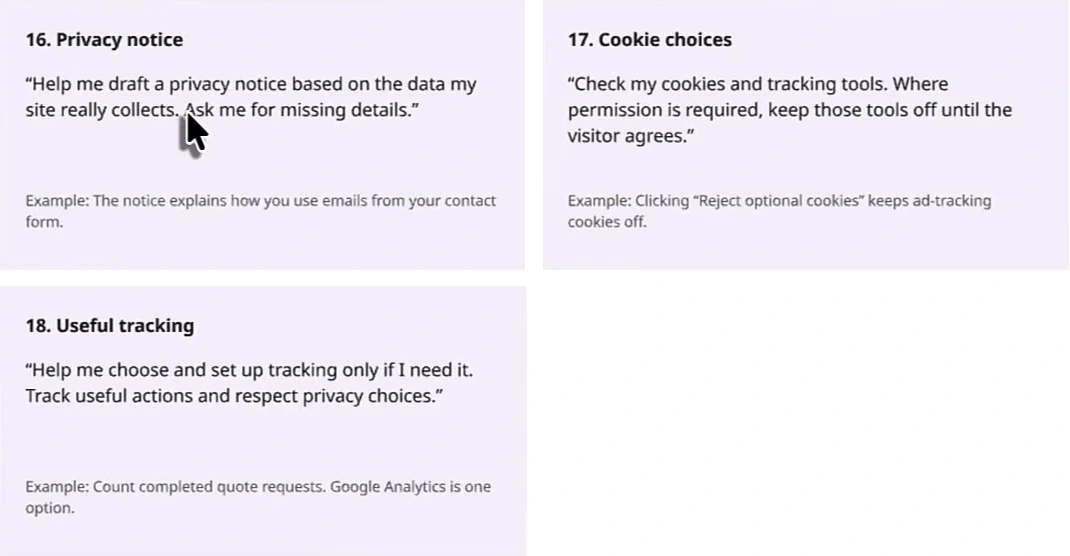
Three cards, and the order matters: first a privacy notice written from what the site really collects, then cookies and tracking tools kept off until a visitor agrees where consent is required, then tracking only if you need it, measuring useful actions such as completed quote requests. The word "only" on card 18 is doing work. An AI builder will happily wire in analytics, a pixel and a chat widget on day one; the checklist asks whether you need any of them yet, and keeps whatever you add behind the consent choice from card 17.
Group 4: help visitors trust you (checks 19 to 23)
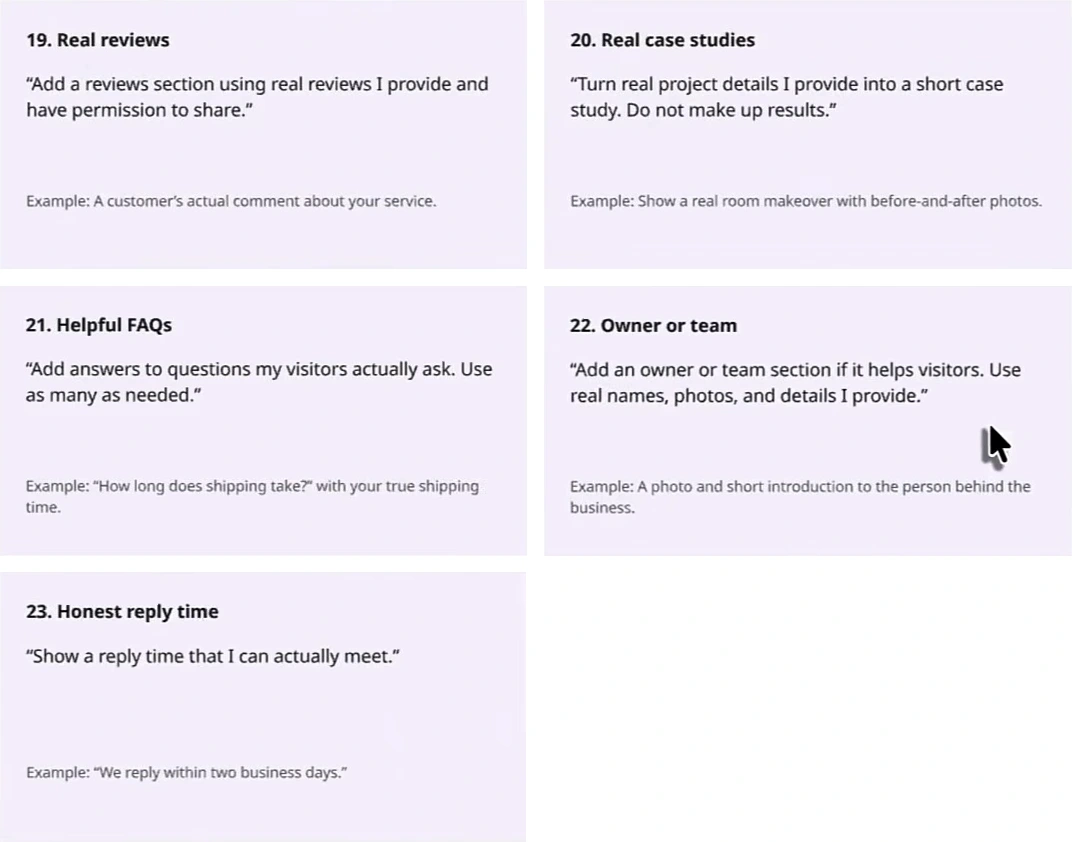
"Know, like and trust is a big part of website success," Tim says, and the group heading carries the rule that makes it safe to hand to an AI: use real information and skip anything you do not have yet. Reviews you have permission to share. Case studies from real project details, with "do not make up results" written on the card. FAQs built from questions visitors actually ask, as many as needed. An owner or team section with real names and photos, if it helps. A reply time you can actually meet. Every one of these is a place where an AI builder, asked for "a testimonials section", will invent five customers; the prompts are written so it cannot. The FAQ card is also the one with the most search value, because question-and-answer blocks are what AI answers lift most easily, and the non-commodity rule applies: the answers have to be yours.
Group 5: useful finishing touches (checks 24 to 30)
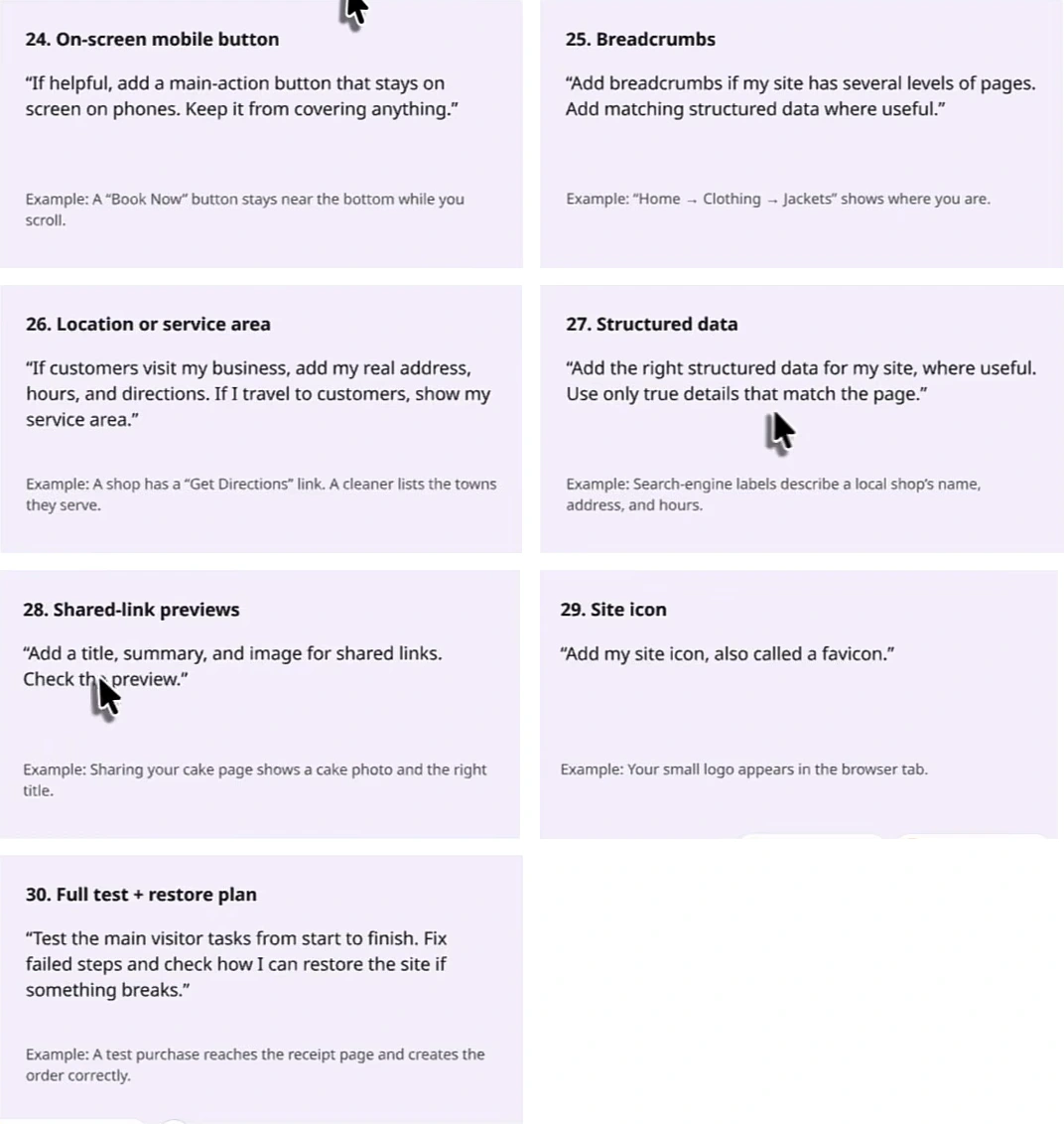
The last group is optional by design: "ask Claude whether each feature fits your site." A sticky mobile call-to-action that does not cover anything. Breadcrumbs with matching structured data if the site has several levels. The local card is the one that decides whether a service business shows up in a map pack: a real address, hours and directions if customers visit you, a service area if you travel to them. Structured data "using only true details that match the page" is the same honesty rule as group 4, applied to markup. Shared-link previews are the title, summary and image a link shows in a message or on social, which almost every AI-built site ships blank. And check 30 is the one Tim would not skip: test the main visitor task from start to finish, and know how you restore the site if something breaks. Our website redesign SEO guide has the restore side in more detail for sites that are replacing an existing one.
Before you press publish
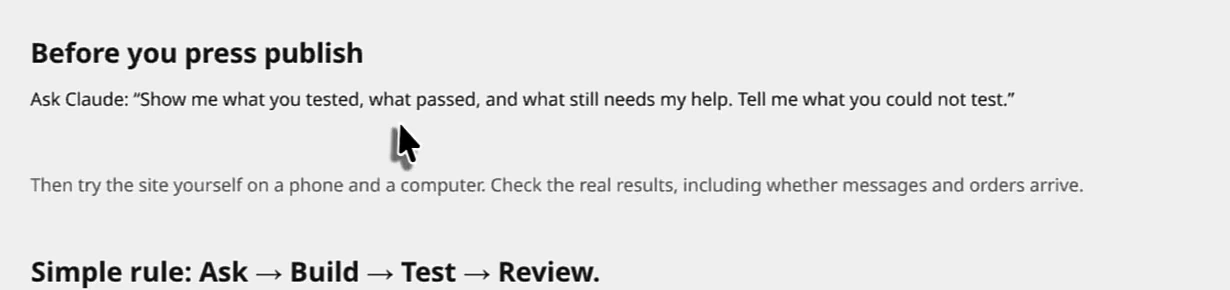
The board ends with one more prompt: "Show me what you tested, what passed, and what still needs my help. Tell me what you could not test." Then the human step: open the site on a phone and a computer, send the form, place the test order, and check that the message and the order actually arrive. Tim's summary is the four-word loop on the card, ask, build, test, review, and his aside is that "surprisingly enough, a lot of people miss these things" because the builder said the site was done.
| Group | Checks | The one Tim stresses |
|---|---|---|
| Make your site work well | 1 to 10 | A next-step button above the fold, and a 404 page that returns a real 404 |
| Help people find your site | 11 to 15 | No robots.txt or noindex block left over from the build |
| Handle visitor information | 16 to 18 | Tracking tools off until the visitor agrees |
| Help visitors trust you | 19 to 23 | Real reviews and case studies only, nothing invented |
| Useful finishing touches | 24 to 30 | The full test plus a restore plan |
What the video does not show
- No prompt is run on camera. The video reads the board; it does not open Claude, paste a card and show the result. Expect each prompt to produce a change you then verify, which is what the closing prompt is for.
- Nothing on what to publish after launch. The checklist gets a site to findable and trustworthy; it says nothing about the pages and posts that bring search traffic. That is the job of the 30-day SEO plan and internal linking once the site is live.
- The last three and a half minutes are a product tour. From 5:50 Tim walks through Arvow's knowledge base, SEO and news articles, turning YouTube videos into posts, the keyword planner, site explorer, Google Business Profile posts and review replies, automatic backlinks and the LLM brand monitor. Those are covered feature by feature in AI agents for SEO.
Running the checklist this week
- Paste the opening prompt into Claude or your builder, with the site URL, before any of the 30 requests.
- Work group 1 first and fix anything broken before touching SEO; send yourself a form submission and a test order.
- Run checks 13 to 15, then confirm in Search Console that the home page is indexable and has one canonical address.
- Gather the real material for group 4 (reviews with permission, one real project, the questions customers ask) before prompting, so there is nothing for the AI to invent.
- Pick the group 5 features that fit, add the local card if customers visit or you travel to them, and check a shared link's preview.
- Ask the closing prompt, then test on a phone and a computer yourself, and write down how you would restore the site.
FAQ
Does this checklist only work with Claude?
No. The cards are written as plain-language requests and Tim says to use them in Claude "or any AI builder". The opening prompt's instruction to check what already works and ask for missing facts is the part to keep whichever tool you use.
Is this a replacement for an SEO audit?
It is a pre-launch pass. Group 2 covers the five technical basics that stop a new site from being indexed at all; a full audit of an existing site goes further on keywords, speed and whether pages are likely to be cited.
Should I run it before or after launch?
Tim says before launch "or even after", to clean up a site that is already live. The order is the same either way: function, findability, privacy, trust, finishing touches, then the closing test.
Site launched and nothing to publish on it yet? Arvow's AutoBlog turns your knowledge base, real reviews and FAQs into the pages and posts that bring the search traffic the checklist prepares you for.
Generate, publish, syndicate and update articles automatically
The AI SEO Writer that Auto-Publishes to your Blog
- Cancel anytime
- Articles in 30 secs
- Plagiarism Free