
The 30-Day SEO Plan to Get Your Website Found (2026)

Most small-business websites go live and then quietly sit there — not indexed properly, not trusted by Google, not answering the questions customers actually type. The plan below fixes that in four weeks. It comes from the video embedded here, where the presenter walks a printable 30-day SEO plan he built for local businesses: one clear job each week, a five-item checklist per week, and an eight-point checklist for the service page you fix at the end. We have kept every task as shown, added where each one sits in the Arvow workflow, and been honest about what a month can and cannot do.
The 30-day SEO plan at a glance
The structure is four weeks, each with one goal. Week one, get found: give search engines your address. Week two, build trust: make your business details consistent everywhere. Week three, be helpful: answer three real customer questions with three articles. Week four, check and fix: read what Search Console says, repair one service page, refresh one weak post. Twenty tasks in total, and the presenter's estimate for week one is about twenty minutes.
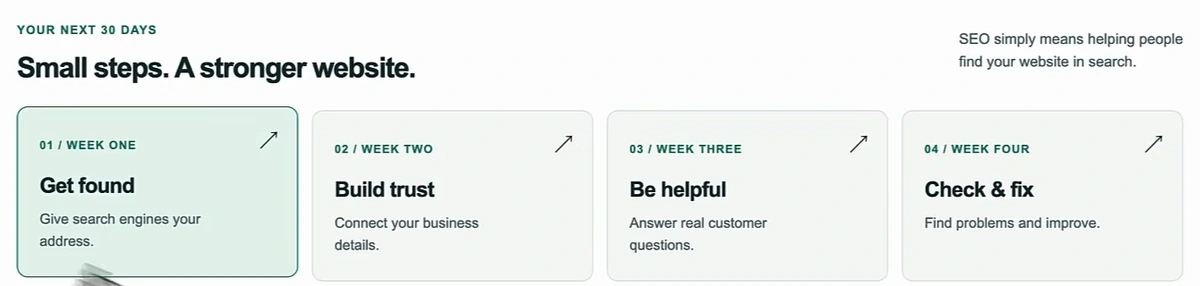
| Week | Goal | The tasks |
|---|---|---|
| 1 · Days 1–7 | Get found | Connect Search Console · submit your sitemap · inspect key pages · add the site to Bing · list the business in directories |
| 2 · Days 8–14 | Build trust | Set up Google Business Profile · match business details everywhere · add services, hours, photos · ask for honest reviews · connect social pages |
| 3 · Days 15–21 | Be helpful | Choose three customer questions · plan one article each · draft them · make each answer worth reading · publish on a schedule you can keep |
| 4 · Days 22–30 | Check & fix | Read the Pages report · run a technical check · improve one service page · refresh one blog post · record progress |
If you are starting from zero and want the longer view of the same pillars, our guide on how to start SEO from scratch covers the strategy behind them; this page is the calendar.
Week 1: help search engines find you
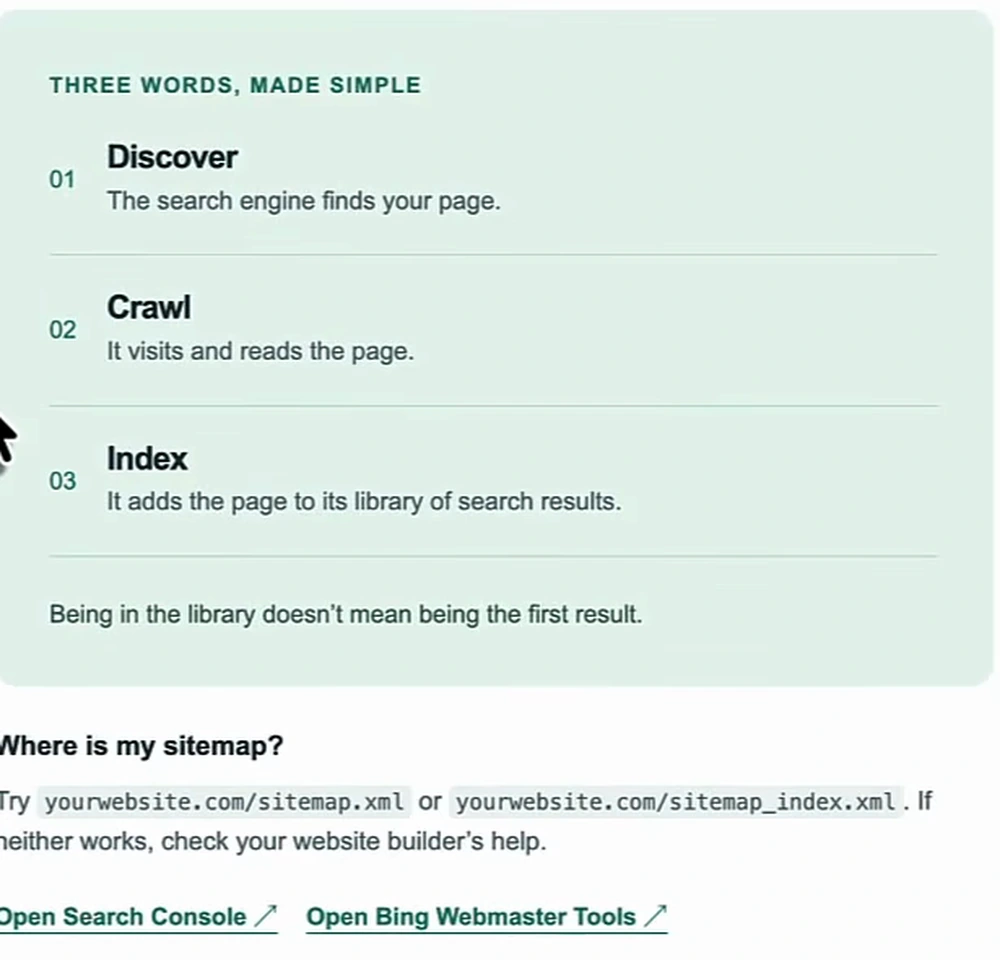
A surprising number of sites have pages Google has never indexed. No index, no impressions, no traffic — everything else in the plan is wasted until this is done. The presenter's framing is three words: discover, crawl, index. The search engine finds your page, visits and reads it, and adds it to its library. Being in the library does not mean being the first result, but it is the entry ticket.
- Connect Google Search Console. Add your website and follow the verification steps to prove you own it.
- Send Google your sitemap. A sitemap is a list of your pages. Try
yourwebsite.com/sitemap.xmloryourwebsite.com/sitemap_index.xml— it is usually one of the two — then paste that address into Search Console → Sitemaps. - Ask Google to check your key pages. Use URL Inspection on the home page and the main service pages and request indexing where needed. As the plan puts it, this is a request, not a promise.
- Add your site to Bing Webmaster Tools. Same sitemap, second search engine, five minutes.
- List your business in useful directories. Ask Claude or ChatGPT to list the local and industry directories for your area — there are usually at least ten — and enter the business in each. Name, address and phone number must match exactly across all of them; mismatched details hurt how both the algorithms and the AI assistants perceive the business.
If a page stays stuck at "Crawled – currently not indexed" after this, the fix is usually on the page rather than in Search Console; our post on blog indexing works through the common causes.
Week 2: make your business easy to trust
Week two is the Google Business Profile week, and it applies only to businesses that meet customers in person — online-only businesses skip it. The theme is one line from the plan: same name, same details, less confusion. Your website, your Business Profile, your social pages and your local listings should all tell the same story.
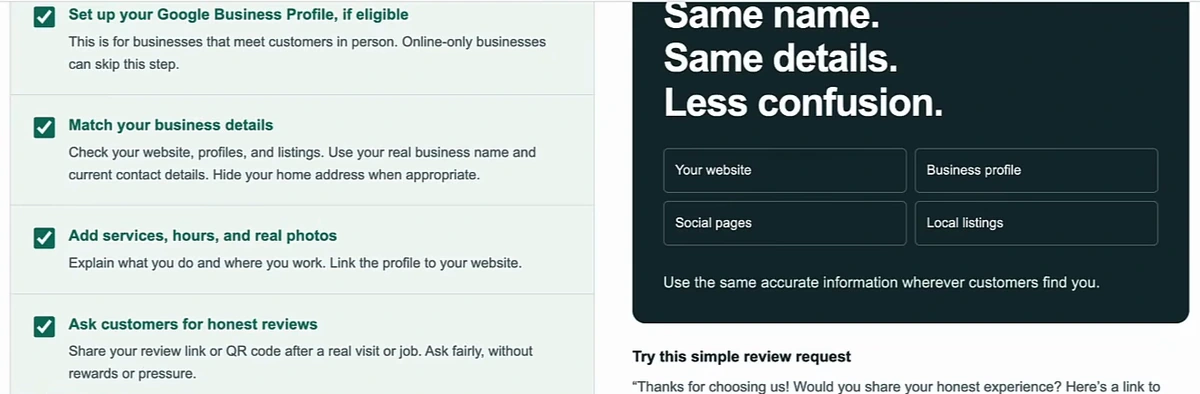
- Set up your Google Business Profile with your real business name and current contact details. Hide your home address when appropriate.
- Match your business details across the website, profiles and listings you created in week one.
- Add services, hours and real photos, explain what you do and where you work, and link the profile to your website.
- Ask customers for honest reviews. Share your review link or a QR code after a real visit or job. Ask fairly, without rewards or pressure. The plan's script is short: "Thanks for choosing us! Would you share your honest experience? Here's a link to leave a review."
- Connect your active social pages — link them to the profile and back to the site, and add them as platform properties in Search Console so you can track their Google traffic.
The presenter names three levers for the profile: review frequency, review quantity, and replying to reviews. When he searches "plumber in Buffalo" on camera, the point is that the businesses in the first three map results get the traffic and most people never click "More businesses". Getting there is the subject of our Google Business Profile SEO guide, and the review side specifically is in Google reviews SEO. Posting to the profile consistently matters too, and it is one of the things week three automates.
Week 3: answer three real questions
Content week is deliberately small: three questions, three articles. The questions come from customer emails, calls, and Google's People Also Ask box, and the filter is that they fit services you actually sell. The plan's example is a local dog trainer: When should I start puppy training? How do I stop my dog pulling on walks? What happens in a first training session? Each article follows the same shape — answer, give an example, explain the next step.
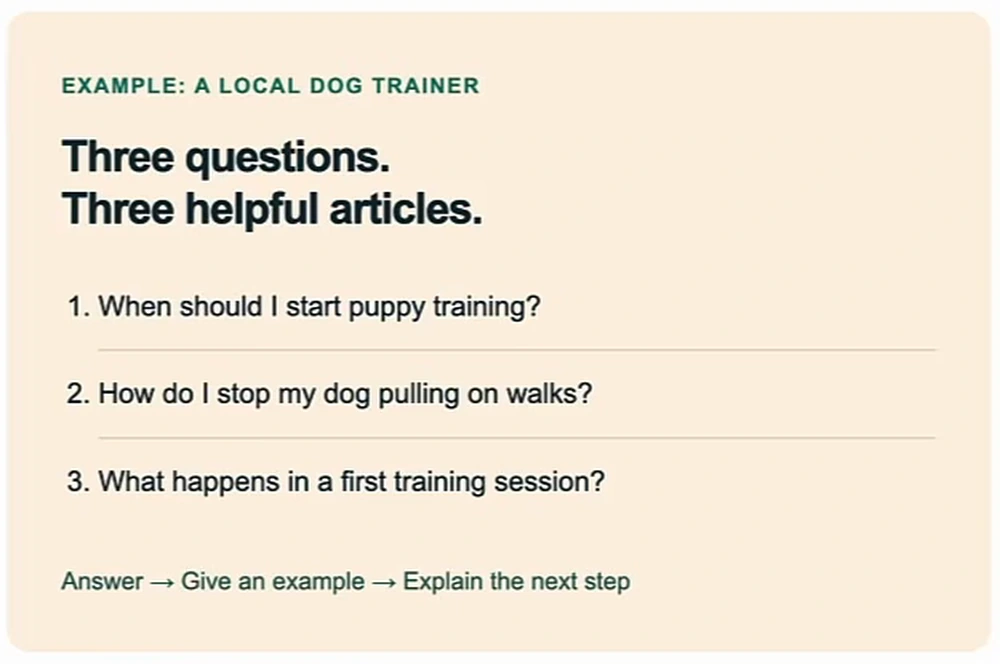
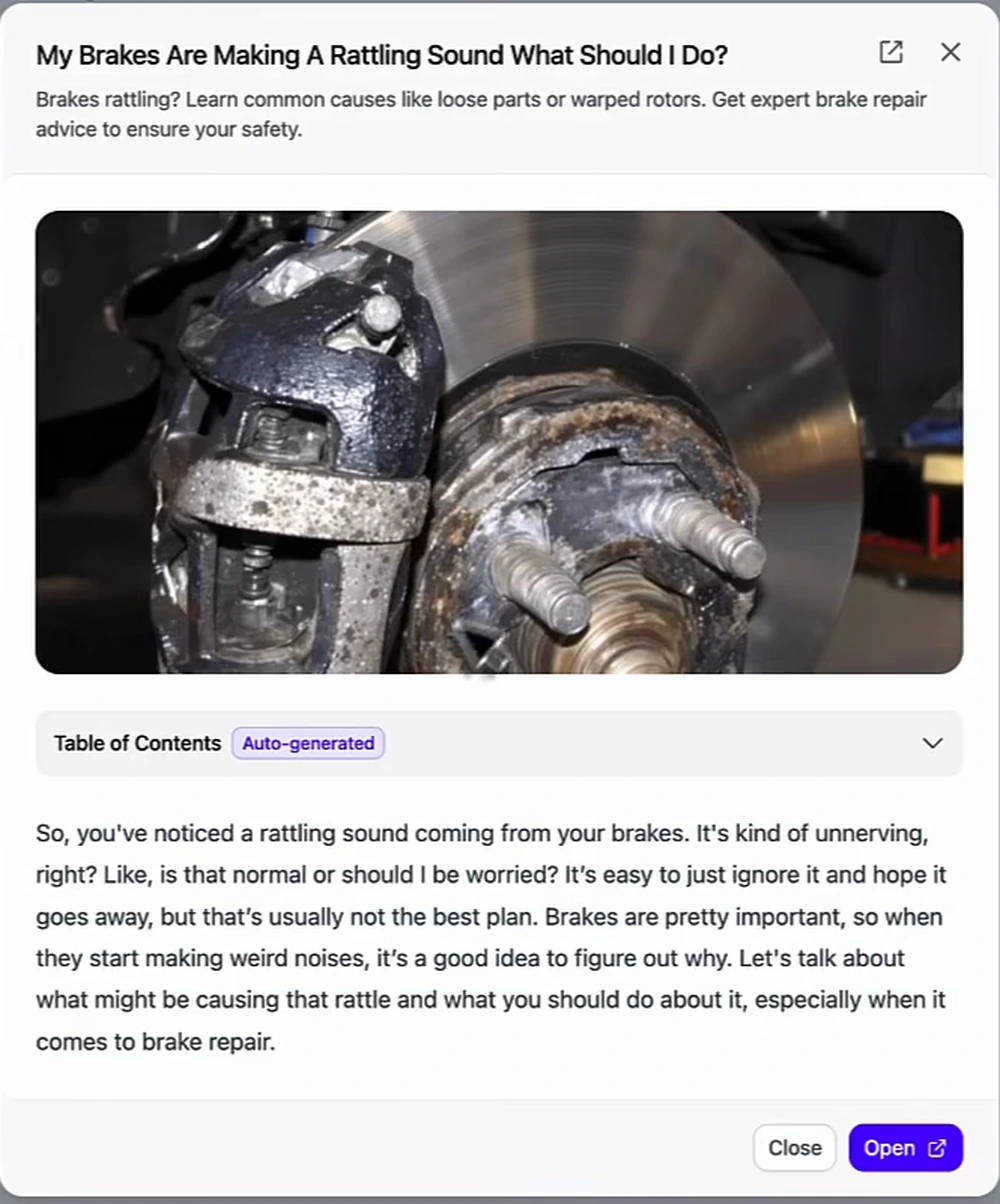
These are bottom-of-funnel questions, which is why three is enough to matter. Someone asking "my brakes are making a rattling sound, what should I do?" is a customer this week, not a reader. The plan's five tasks:
- Choose three useful questions.
- Plan one article for each — use the question as the topic, give a short answer first, then explain it with clear steps.
- Create a draft with Arvow, if you like. Add your own facts, examples and experience.
- Make each answer worth reading. Check every claim, add useful photos, reliable sources, and links to related pages on your own site.
- Publish on a schedule you can keep. First article this week, the next two weekly, or a pace that works for you. Consistency beats volume.
What the Arvow part looks like
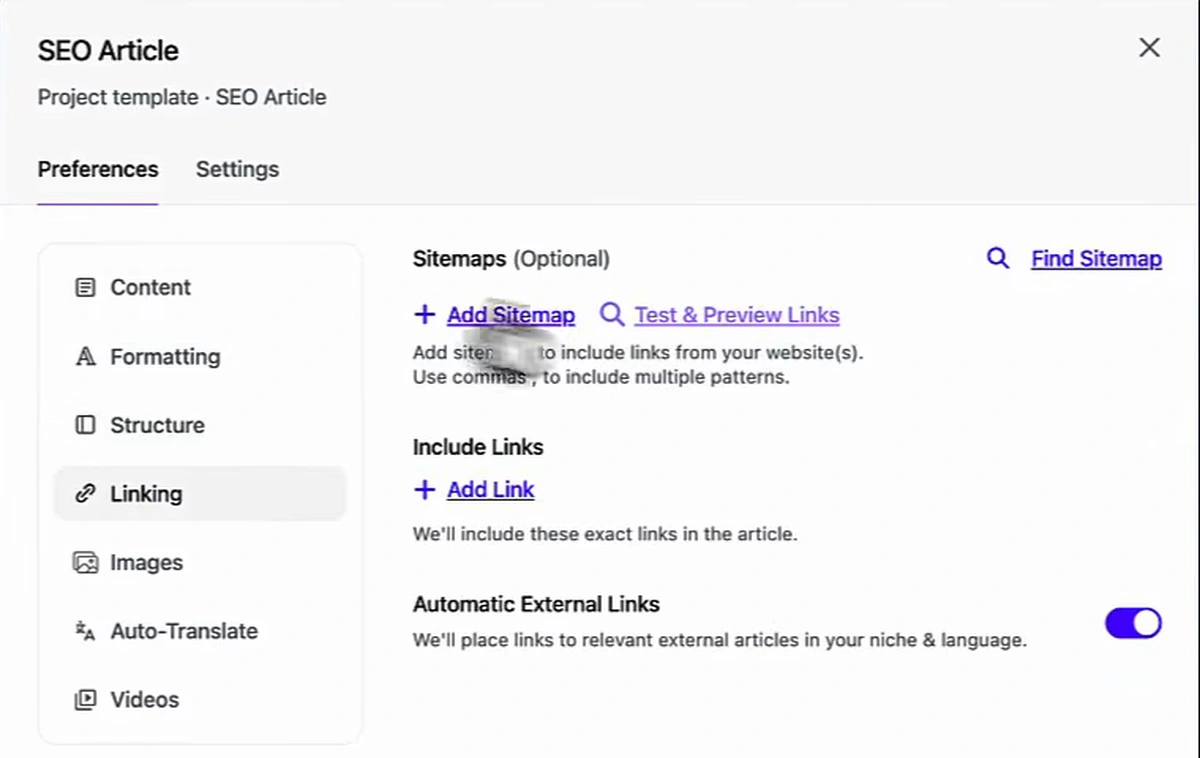
The presenter drafts in Arvow because the template carries the brand. Inside the SEO Article template you set the language, tone and point of view once, then on the Linking tab you add your sitemap so the generator can link to your service pages, whitelist the exact links you want included, and toggle automatic external links to trusted sources. Images, videos and structure have their own tabs. The result is an article that is specific to your business rather than a commodity answer.
The generated example on screen is the brake-noise question above: title, meta description, featured image, an auto-generated table of contents, H2s and H3s, alt text, and internal links to the relevant service pages. It reads like an answer, not an essay, which is the point of week three.
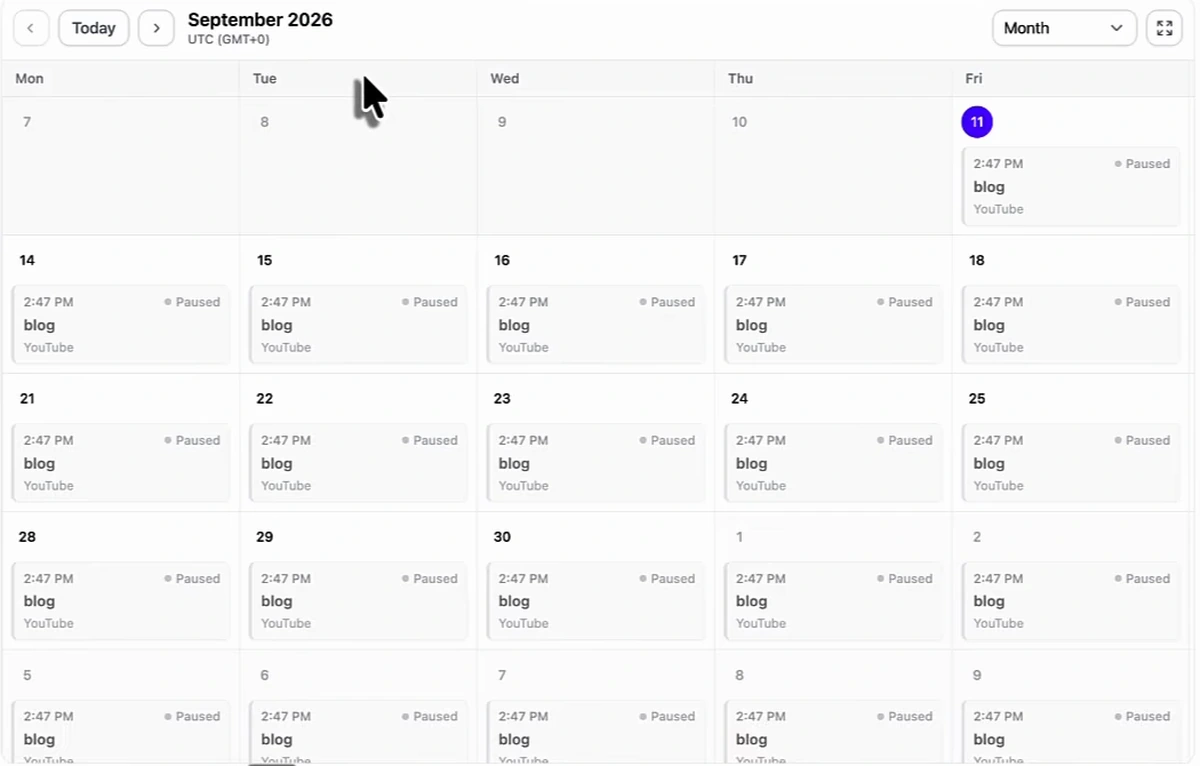
Two automations sit next to this for local businesses. Connect a destination — WordPress, Shopify, Webflow, Wix, Squarespace, Ghost, or a webhook — and AutoBlog publishes on the cadence you choose, daily or a couple of times a week, from the template you picked. Connect the Google Business Profile you set up in week two, and the same project can generate Business Profile posts on a schedule and reply to new reviews automatically. Those two profile tasks are the ones most owners drop after the first fortnight, so automating them is what keeps week two's work compounding; the setup is covered step by step in Google Business Profile automation.
Week 4: check what works, fix what doesn't
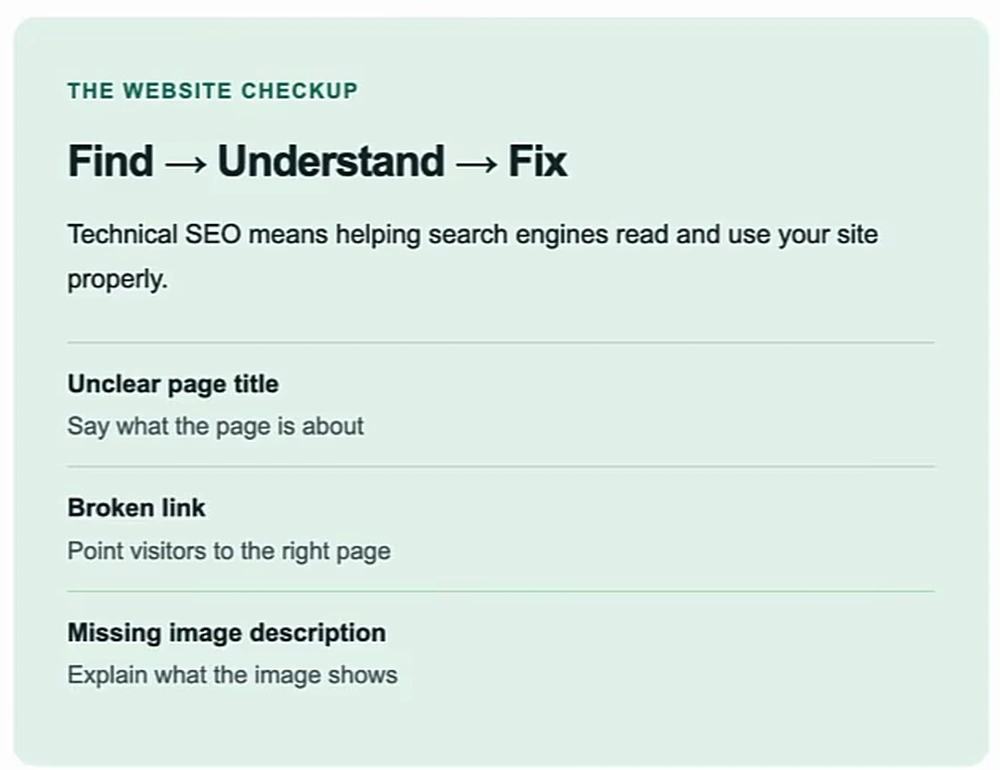
The last week is a checkup. A website needs one the way a bike does: look for problems, fix them, check again. The plan's technical framing is find → understand → fix, and the three examples it gives are an unclear page title, a broken link, and a missing image description.
- Check your important pages in Search Console. Open Indexing → Pages, read why a page is not indexed, and decide whether it needs a fix.
- Run a technical SEO check. The presenter uses Arvow's site audit, which scans the whole site for title, heading, link and image issues and can apply the fixes in one click.
- Improve one service page with the eight-point checklist below.
- Refresh a blog post that needs help. Correct old facts, answer missing questions, add first-hand examples.
- Check again and record your progress. After meaningful fixes, re-inspect the URL and request a fresh crawl. Note impressions, clicks, and real enquiries.
The eight-point service-page checklist
The plan's own test for the page you pick is "would you trust this service page?" — before you ask Google to check it, make sure a real customer can understand it.
| # | Check | What it means in practice |
|---|---|---|
| 1 | Say what you do and where | A clear heading such as "Puppy training in Austin". Only list places you really serve. The H1 is service plus location. |
| 2 | Show how it works | Explain the steps from first contact to the finished job. |
| 3 | Answer common questions | Cost or how to get a quote, timing, and what is included. |
| 4 | Check the page on a phone | Text readable, images load, links work, page loads fast. |
| 5 | Explain who the service helps | Describe the problem you solve and what the customer gets. |
| 6 | Give real reasons to trust you | Genuine reviews, examples, photos, relevant qualifications. |
| 7 | Make the next step obvious | A clear call, booking or contact button — above the fold. |
| 8 | Check the search basics | A useful page title, a short description, image descriptions, and links from related pages. |
The presenter adds one structural rule that outlasts the 30 days: every service gets its own page, and later every service-and-location pair gets one — "sink repair Miami", "sink repair Coral Gables", then "toilet installation Miami", and so on. Start with the service pages for your main location and add the location variants afterwards. If your local pages exist but the phone still is not ringing, the diagnosis in how to fix your local SEO is the next read.
What to expect after 30 days
Be realistic about the timeline. Week one gets pages into the index and week two gets the profile eligible to rank in the map pack; those two produce the earliest visible change, especially for a business that was previously unindexed or had mismatched listings. Week three's articles take longer — new pages on a small site typically need weeks to settle into their positions, so the traffic from them lands in month two and three. Week four is where the plan turns into a habit: the checkup is meant to be repeated, not finished.
The month is front-loaded work, most of it under an hour a week, and the presenter's point is that momentum comes from doing all four weeks rather than any one of them well. Where Arvow shortens it is the repetitive part — drafting the answer articles from your own brand assets, publishing them on schedule, keeping the Business Profile posted and every review answered — so that week three and the profile half of week two keep running after the calendar ends.
Run week three on Arvow: add your sitemap and brand assets to the article template once, connect your CMS and Google Business Profile, and the answer articles, profile posts and review replies keep going on schedule after the 30 days are up.

Generate, publish, syndicate and update articles automatically
The AI SEO Writer that Auto-Publishes to your Blog
- Cancel anytime
- Articles in 30 secs
- Plagiarism Free