
Website Redesign SEO: 10 Mistakes That Wipe Out Years of Rankings (2026)

A website redesign is the fastest way to lose rankings you spent years earning, and it is happening more often now that people rebuild sites in an afternoon with Claude, Codex or ChatGPT and ship them without anyone checking the SEO. In the video below, Tim from Tim The SEO Guru works through a thread in r/DoSEO that asked a simple question: what SEO issues caught you off guard after a website redesign? Ten replies, from people who learned the hard way, add up to a migration checklist. This article is that checklist, with the reasoning behind each item and what to run after launch.

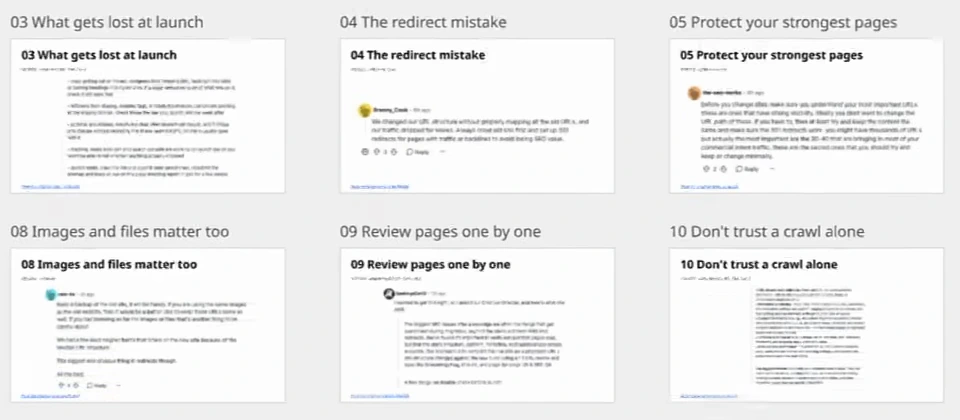
1. Map every old URL to a real new page
The first reply is the one almost everyone in the thread repeats: redirects seem obvious, and they are still the thing that goes wrong. Every old URL needs a one-to-one match on the new site. A blanket redirect to the homepage or a category page throws away what the old page had built up, and on a site that has been live for years the mapping is a big job precisely because that is where the value sits. Do the spreadsheet. Old URL, new URL, one row per page, and test the 301s before launch rather than after.
2. Crawl before you change anything
The same commenter adds the step most teams skip: crawl the current site and keep the export, then crawl staging before launch and compare the two URL by URL. Titles, meta descriptions, H1s, canonicals, how much text is on each page, and how many internal links point at each page. That last one is the sneaky one. New navigation menus and footers tend to drop links to deeper pages, nobody notices, and those pages slide weeks later for no visible reason. You can only catch it if you have the before number.
3. What quietly gets lost at launch
The second half of that reply is a list of launch-day casualties. Copy gets cut or moved because designers like trimming text, tucking it into tabs, or turning headings into styled divs; if a page ranked because of what was on it, check that it still says the same thing in real headings. Staging leftovers slip through: a noindex tag, a robots.txt disallow, canonicals pointing at the staging domain. Check those on launch day, not a week later. Structured data often does not get rebuilt. Image URLs change without redirects and the image-search traffic goes with them. And make sure GA4 and Search Console are working on launch day, or you will not be able to tell whether anything dropped. In launch week, crawl the live site against the saved crawl, resubmit the sitemap, and watch the page indexing report in Search Console for a few weeks.
Tim's point about designers is worth keeping: a lot of what looks best from a design standpoint is weak from an SEO standpoint, and a lot of what does the SEO work does not look great. The redesign brief has to say which wins where.
4. The redirect mistake, told by someone who made it
One reply is a short confession: they changed their URL structure without mapping the old URLs, and traffic dropped for weeks. The fix they give is the standard one, crawl the old site first and set up 301s for every page with traffic or backlinks. If you only do one thing on this list, this is it.
5. Protect your strongest pages
Another reply reframes the whole job around a small set of URLs. You might have thousands of pages, but the 30 or 40 that bring most of your commercial-intent traffic are the ones that matter, and the advice is not to change their URL paths at all. If you must, keep the content the same and make sure the 301 works. The commenter calls them "the sacred ones that you should try and keep". Tim puts it as the Pareto principle: 20% of the pages bring 80% or more of the traffic, so those are the 20% you protect first. The internal linking guide is the companion read here, because those pages also need to keep the links that point at them.
6. Check what the new CMS can do
A CMS vendor's reply is self-interested but correct: before you commit, check how the new platform handles URLs, metadata, structured content and internal linking, and make sure editors can manage SEO fields without a developer. A redesign should make future content easier to manage, not add a new technical dependency every time someone wants to change a title.
7. Test the entire conversion path
This one is about measurement rather than rankings, and it is the reason many redesign post-mortems reach the wrong conclusion. Submit a test enquiry from your main organic landing pages, on mobile, then check that it reached the CRM and recorded exactly one conversion. Repeat after launch. A broken form or a duplicate event makes the redesign's SEO results look misleading in either direction: the rankings held and the leads "fell", or the leads "doubled" because every submission fired twice.
8. Images and files have URLs too
Keep a backup of the old site; you will need something from it. If the new site reuses the old images, keep their URLs the same, and if images or downloadable files were indexed, treat them like pages. The commenter had lead-magnet forms break on the new site because the media URL structure changed underneath them. Then they say what everyone says: the biggest and most obvious thing is still redirects.
9. Review pages one by one
One commenter asked their agency's creative director, and the answer is the most process-minded one in the thread: the biggest SEO issues after a redesign are the ones overlooked during migration, beyond the obvious broken links and redirects. It is not enough to verify that pages load; the site structure, the content, the metadata and the relationships between pages all have to survive. Their method is a comparison of the live site, or the proposed URL structure, against the new build using a one-to-one URL review, Screaming Frog, Claude, and page-by-page UX and SEO QA. Tim's addition is that this comparison used to be the expensive part and is now cheap, because Claude can crawl and compare two versions of a site far faster than a person can.
10. Do not trust a crawl alone
The last card is the same creative director's checklist, and it works as the summary of the whole thread:
- URL structure and redirects: every old URL has a documented destination, with no missing pages, redirect chains, loops or duplicate URLs.
- Metadata and indexing: titles, descriptions, H1s, canonicals and index settings correct; staging noindexed, and that setting removed on production at launch.
- Content and internal linking: content migrated accurately, internal links pointing at the right URLs, breadcrumbs and sidebars and related-content relationships preserved. Orphaned pages are easy to miss.
- Schema and technical: validate structured data, XML sitemaps, robots.txt and language tags.
- Post-launch verification: re-crawl the old URLs to confirm the redirects, verify the live sitemap and index settings, and monitor performance and Core Web Vitals.
Their biggest lesson: automated crawls catch technical errors, but targeted page QA is what finds missing content, broken relationships between pages and the other migration issues that quietly affect SEO.
The checklist by phase
| When | Do |
|---|---|
| Before the rebuild | Crawl and save the current site. List the 30 to 40 URLs that bring the commercial traffic. Benchmark traffic, keywords and top pages. Check the new CMS's SEO fields. |
| Before launch | Crawl staging and compare URL by URL: titles, descriptions, H1s, canonicals, text volume, internal links per page. Build the redirect map. Test a conversion end to end on mobile. Keep image and file URLs. |
| Launch day | Remove noindex and robots blocks from production, fix canonicals pointing at staging, confirm GA4 and Search Console are receiving data, re-test the forms. |
| Launch week and after | Re-crawl old URLs for redirect chains and loops, crawl the live site against the saved crawl, resubmit the sitemap, watch the page indexing report and Core Web Vitals, review the protected pages one by one. |
Two things to run after launch
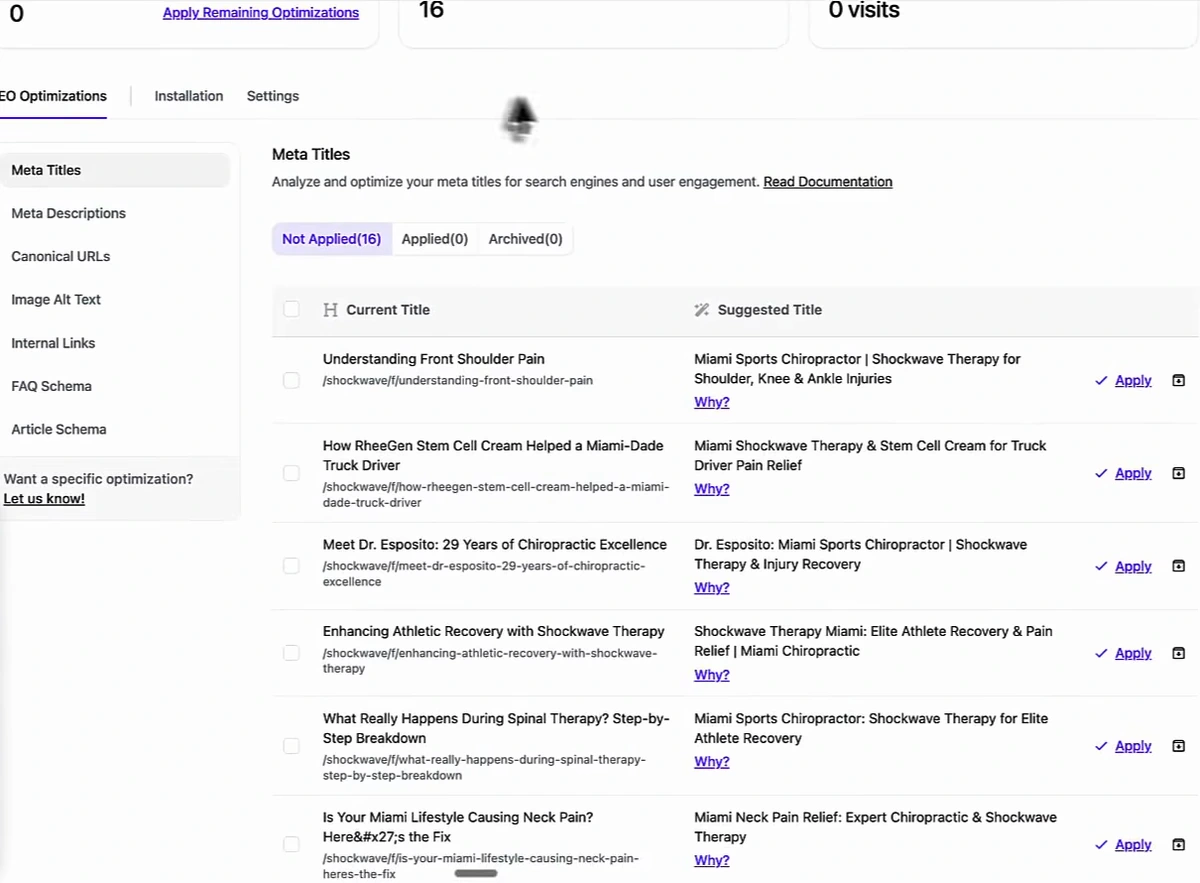
The thread is about what to protect; the second half of the video is about tooling, so here is the honest version of how it fits. The Site Optimizer in Arvow analyses the pages on a site and queues suggested meta titles, meta descriptions, alt text and internal links, each with a reason and an Apply button. After a relaunch that is the fastest way to find the titles the rebuild flattened and the internal links the new navigation dropped, which are the two casualties the thread names most. The screenshot below is from a demo project in the video, not a customer site.
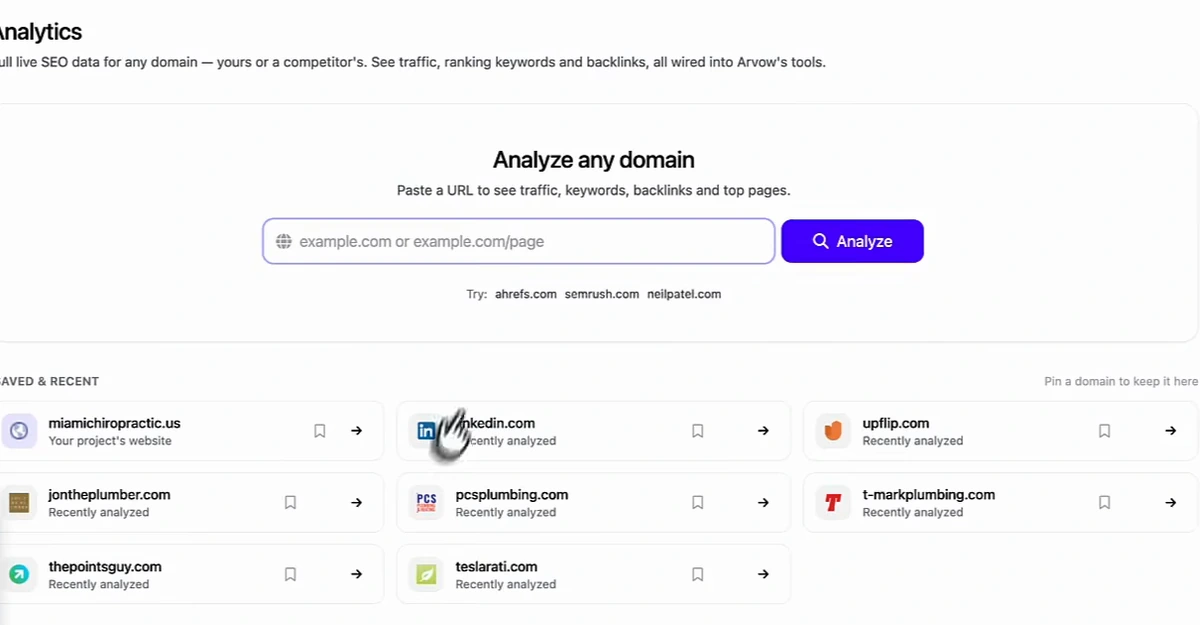
The other one belongs before you touch anything. The Site Explorer pulls traffic, ranking keywords, backlinks and top pages for any domain, including your own, so you have a benchmark that is not a memory. Save it the week before the rebuild. If organic traffic moves after launch, the traffic drop guide explains how to tell a migration problem from a Google update, and a before snapshot is the first thing it asks for.
Two more links for the other end of the project. If the site you are redesigning has already lost its traffic, the dead-website case shows an AI-built relaunch done with the SEO intact. And once the redirects are in and the sitemap is resubmitted, the URL indexer pushes the new URLs for crawling instead of waiting for Google to find them.
The Site Optimizer that queues titles, descriptions, alt text and internal links after a relaunch is the AI SEO agent, included on every Arvow plan.

Generate, publish, syndicate and update articles automatically
The AI SEO Writer that Auto-Publishes to your Blog
- Cancel anytime
- Articles in 30 secs
- Plagiarism Free