
Your Google Business Profile Is Your Ticket Into AI Search: 7 Steps (2026)

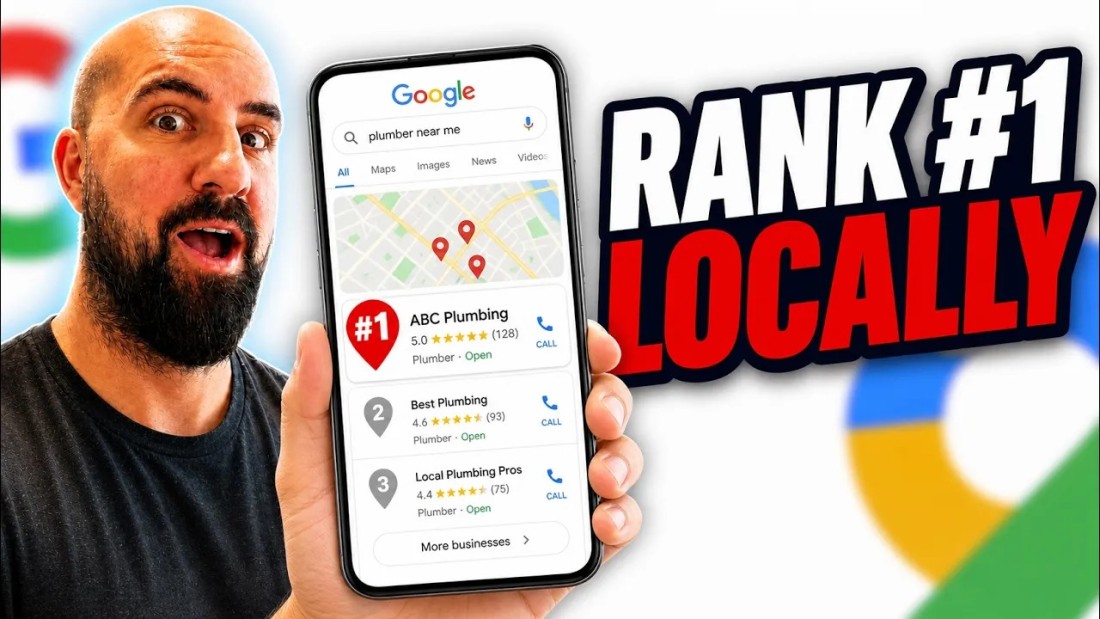
The pitch for optimizing a Google Business Profile used to be one thing: rank in the map pack. In 2026 it is two things, and the second one is quietly becoming the bigger deal — AI Overviews and AI search citations pull local answers straight from Google Business Profiles, using the profile's data to decide whether a business is legitimate enough to recommend at all. An incomplete or inconsistent profile does not just rank lower on Maps anymore. It gets skipped by the AI layer entirely.
That is the framing of an August 2026 walkthrough by Tim The SEO Guru: seven Google Business Profile steps, demonstrated live on the Buffalo, NY plumber market, with the tools he uses for each. This article walks through all seven, with the on-screen evidence.
The whole playbook on one board
The walkthrough works off a seven-note board. Here it is in two rows, before we take the tips one at a time.


And the note that reframes why any of this matters now:
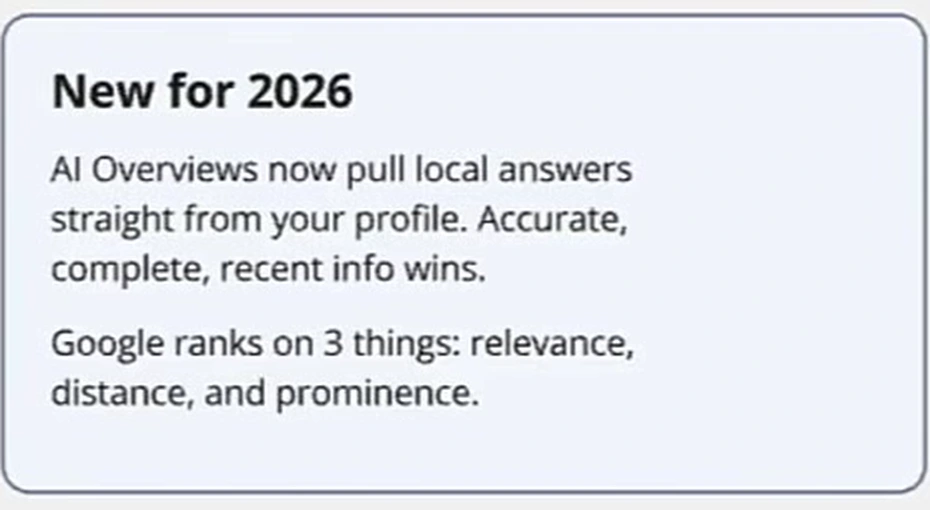
The ranking fundamentals underneath have not changed — Google still scores local results on relevance, distance, and prominence. What changed is who consumes the profile: it is now source material for AI answers, and AI systems are pickier about certainty than the map pack ever was. Keep that lens on while reading the seven steps; every one of them is about making the profile easier for a machine to trust. For the broader version of that argument beyond local, we keep a running list of AI search ranking tips.
1. Pick the right primary category — by spying, not guessing
Primary category is called out as the top ranking factor on the profile, and the method for choosing it is refreshingly unclever: find the businesses already ranking top for your keyword and copy what they picked. The walkthrough does this on a live plumber in buffalo search using GMB Everywhere, a free Chrome extension (with paid upgrades) that overlays each listing's categories directly on the results.
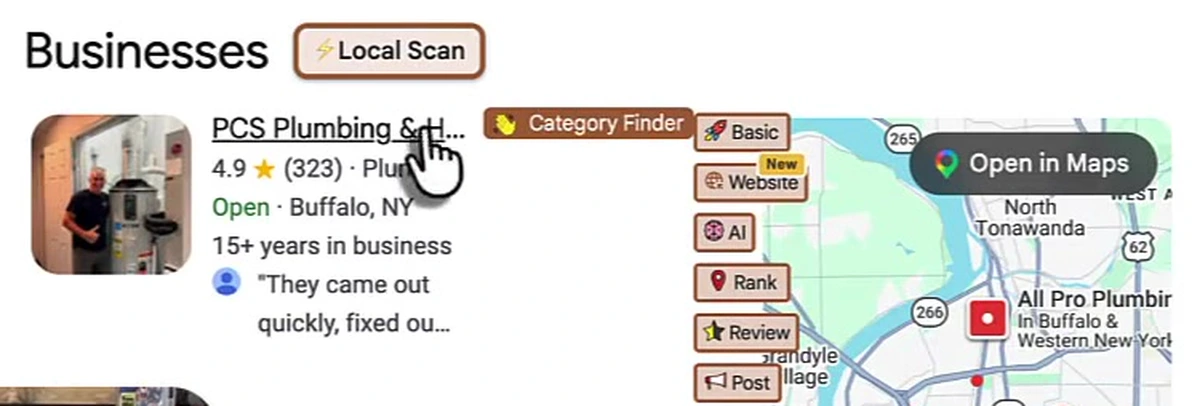
Two rules ride along with it. Copy the primary category from the winners, then add secondary categories for every other real service — the ranking businesses in the walkthrough carry several relevant categories, and the note is that a profile with one lonely "Plumber" category leaves traffic on the table against one with a full, relevant set. And order matters: strongest category first, no irrelevant ones padded in.
2. Use your real business name
Keywords in a business name genuinely help — but only when they are the actual, real-world name. The board's warning is blunt: stuffing extra keywords into the name now gets profiles suspended by what the video calls Google's AI spam sweeps, and the name should match your signage exactly. "Toilet Repair Kelly's Plumbing" does not match the website, the storefront, or anywhere else the business appears — and that mismatch is exactly the kind of inconsistency the next tip is about.
3. Be located in the area you serve, and keep NAP identical everywhere
Google favors businesses physically close to the searcher, so the guidance is a real, staffed address inside the target city (which rules out the virtual-office shortcut). Then the consistency rule: name, address, and phone identical everywhere they appear online.
The reasoning is the AI-search argument in miniature. Inconsistent NAP data creates uncertainty about whether the business is what it says it is — and an AI answer engine facing uncertainty does not hedge, it just cites someone else. The same discrepancies that used to cost you a few map-pack positions now decide whether you exist in the answer at all.
4. Fill out the whole profile — every field
Clear, keyword-rich description covering services and cities. Every field completed: services, products, hours, attributes, Q&A. The board's claim is that a complete profile now ranks higher outright — and completeness is also what the AI layer paraphrases when it describes your business. The walkthrough's example of what "complete" looks like in the wild:
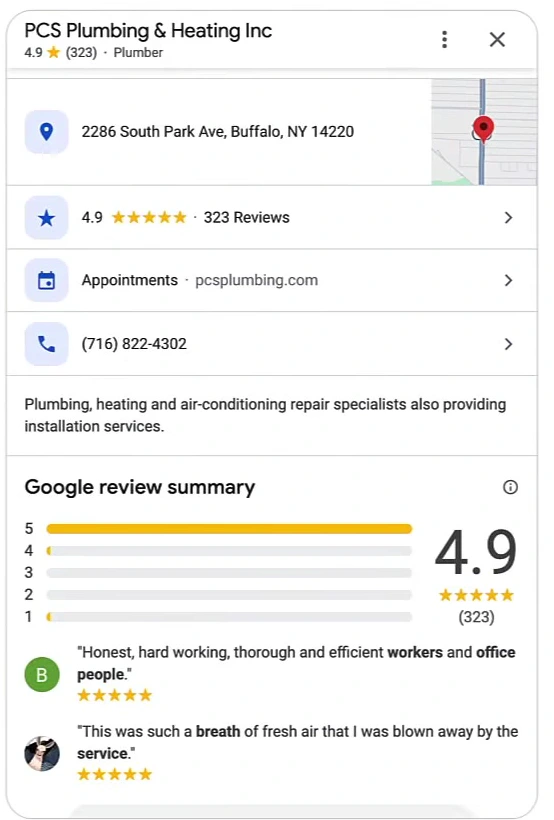
The practical note attached: attributes are customers' filters, not decoration. A business that is wheelchair accessible and does not say so loses the customer who needed to know — Google cannot surface what the profile never stated. That logic repeats for every field.
5. Add fresh photos and video, on a schedule
High-quality photos and video of real jobs, uploaded on a regular schedule. An active photo library drives clicks and direction requests, and Google reads both as engagement signals — the board treats staleness as its own ranking problem. For a working local business this is the cheapest tip on the list: the jobs are already happening; the only discipline is capturing them.
6. Get reviews and respond fast
The interesting claim here is about what stopped mattering most: recent reviews and a fast response rate now matter more than raw count. Ask every customer, send the direct review link, and reply to positive and negative reviews alike. Here is what that looks like from the market leader in the walkthrough's Buffalo example — a 4.9-star profile with roughly 4,400 reviews at the time of recording, where the owner still answers individual five-star reviews:
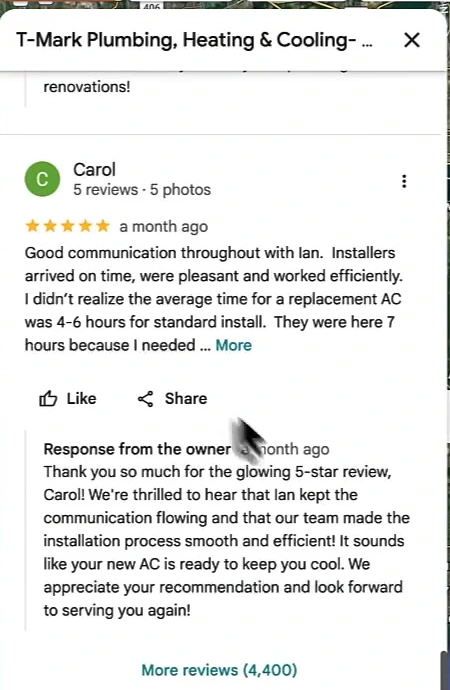
Review replies also feed text back into the listing — the response in that screenshot works the installer's name and the service into plain language a machine can parse. We went deeper on the ranking mechanics of reviews in Google reviews as an SEO channel; this walkthrough's addition is the speed argument, which is also the strongest case for automating the replies rather than batching them for Friday afternoons.
7. Optimize the page you link to
The profile's website link should not point at a generic homepage. Link to a page built for the exact service and city: keywords in the title, H1 and H2 tags, name, address and phone displayed on the page and matching the profile, and local backlinks pointed at it — the board's line is that one local news site outweighs dozens of generic directory links. And the logical extension of the walkthrough's opening claim: if AI answers are built from your profile, the page your profile links to had better agree with it.
This is the step that connects the profile back to ordinary SEO: the landing page is subject to everything that decides whether you rank #1 on Google Maps and everything we covered in the link-building side of Google Business Profile SEO, which this checklist deliberately leaves out of scope.
The automation layer
Three of the seven steps are recurring work — posts, review responses, and fresh landing content — and the walkthrough runs them through Arvow rather than by hand. Two Google Business Profile features are shown: Google review automation, which replies to incoming reviews automatically so the fast-response rule from step 6 holds without anyone camping the inbox, and Google Business Profile post automation, shown here freshly configured:
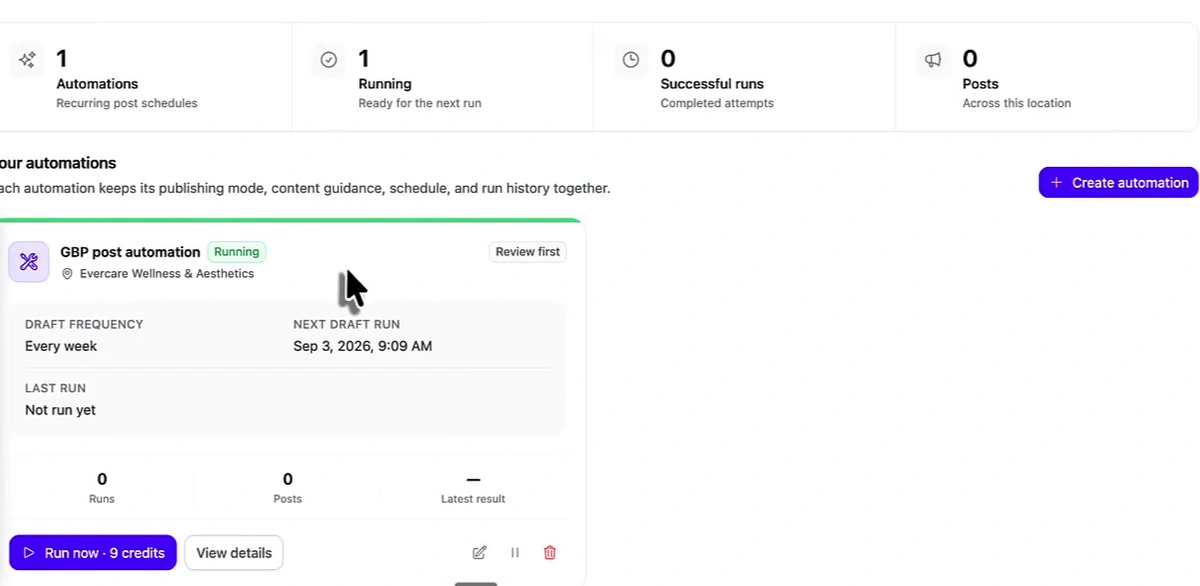
Worth being precise about what the screenshot shows: an automation that was just set up — scheduled weekly, zero runs yet — not a wall of results. The relevant design choice is the "review first" mode: posts are drafted on schedule and held for human approval, which keeps the cadence benefit of step 4's business posts without handing the profile to a robot unsupervised. The same platform generates the service-and-city pages and SEO articles that step 7 wants the profile linking to.
The checklist, compressed
- Primary category: copy the winners for your keyword (GMB Everywhere makes this a five-minute job), add every relevant secondary category, strongest first.
- Name: your real-world name only — keyword-stuffed names risk suspension.
- Location: real staffed address in the target city; NAP identical everywhere online.
- Completeness: every field — services, products, hours, attributes, Q&A — plus a keyword-rich description naming your cities.
- Media: real-job photos and video on a recurring schedule.
- Reviews: ask everyone, send the direct link, respond fast to praise and complaints alike — recency and response rate beat raw count.
- Landing page: exact service + city page with matching NAP, proper heading tags, and local links pointed at it.
None of it is complicated, which is the point the walkthrough closes on: most local competitors are missing several of these, and the profile that is accurate, complete, and recent is the one both the map pack and the AI answer decide to trust. If you run profiles for multiple locations or clients, the same checklist applies at scale — we covered that tooling separately in Google Business Profile management software for agencies.
Want steps 4–7 to run themselves? Arvow automates Google Business Profile posts (draft-first, so you approve everything that publishes) and review replies, and builds the SEO-optimized local pages your profile should be linking to.

Generate, publish, syndicate and update articles automatically
The AI SEO Writer that Auto-Publishes to your Blog
- Cancel anytime
- Articles in 30 secs
- Plagiarism Free