

Plenty of local businesses have a website that's technically alive and commercially dead. Someone built it years ago, it lists the services and a phone number, and it has sat untouched ever since. No blog, no new pages, no rankings. When a site like that shows zero traffic, the owner usually decides SEO isn't for them. It usually just means nothing on the site gives Google a reason to show it.
The video below walks through a way to revive a dead website with AI in two moves. First, rebuild the design from one prompt. Second, connect the site to a content engine that publishes articles on a schedule. The example is a real commercial cleaning company in the Dallas–Fort Worth area. This article follows the same steps with the screens from the recording. We also re-checked the site ourselves, and found two things worth knowing before you copy the workflow.
What a dead website looks like
The starting point is an Ahrefs overview of the company's domain. Every number that matters is zero.
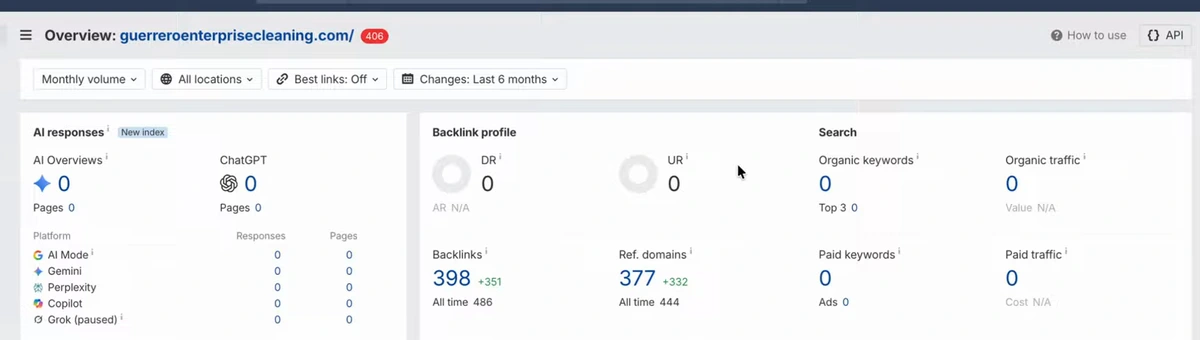
Three things in this screen are worth reading carefully:
- Zero organic keywords and zero traffic. Google isn't ranking the site for anything Ahrefs tracks. That's the "dead" part.
- Zero AI responses. AI Mode, Gemini, Perplexity and Copilot show nothing either. AI assistants can't recommend a business they have no pages about.
- 377 referring domains, and still DR 0. Most of those links appeared in the last six months (+332). Links that leave Domain Rating at zero carry no authority. More links of that kind won't fix anything; see how to increase domain rating for what does move it.
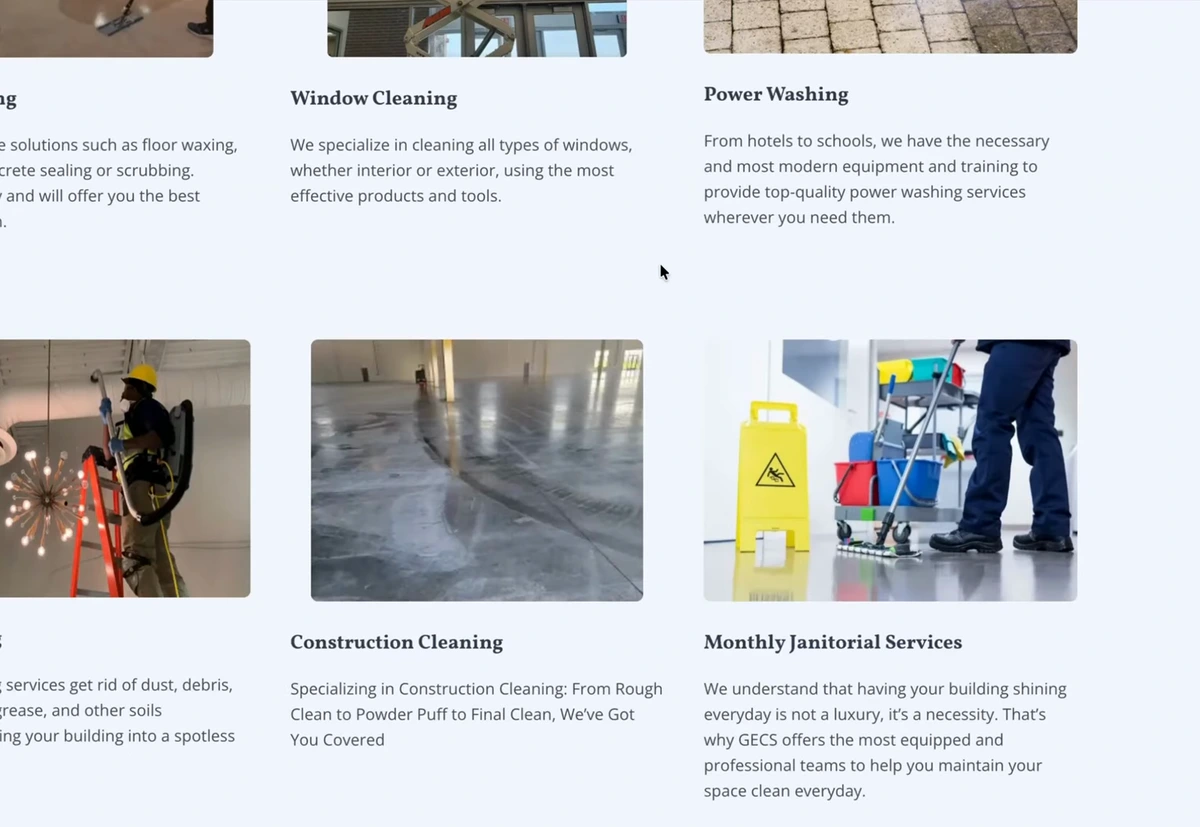
The site itself is a four-page WordPress build: home, about, services, contact. It isn't broken. It lists real services, an address and a quote form. It was a reasonable small-business site when it was made. It just never grew.
Before you rebuild: two checks we ran on the live site
The video goes straight to the redesign. We looked at the live domain first (on September 28, 2026), and two findings change how you should read that Ahrefs screen.
1. The red "406" means SEO tools are blocked, not Google
That badge is the HTTP status Ahrefs got when it tried to load the homepage. We requested the page with different crawler user agents. The host returns 406 to AhrefsBot and SemrushBot. It returns 200 to Googlebot, Bingbot, GPTBot, OAI-SearchBot, ClaudeBot and PerplexityBot. The robots.txt allows everything, so the block comes from the hosting layer, not from the site owner.
So the search engines and AI crawlers can read the site. The zero traffic is real, not a crawling accident. What the block does do is make SEO tools less reliable for this domain, which matters once you start measuring the revival. If your own dead site shows a 4xx badge in Ahrefs or Semrush, check the status with each crawler before you trust the numbers, and ask your host to allow the SEO bots.
2. The site on the domain is still the old one
At the time of our check, the domain still serves the original WordPress site, with no blog link in the navigation. The rebuild in the video was a demonstration of the workflow. It isn't a before-and-after with results. The presenter says he expects results within 60 days if you follow the steps, and that is his estimate, not something the video measures. Treat what follows as a setup guide.
Step 1: Modernize the design with one prompt
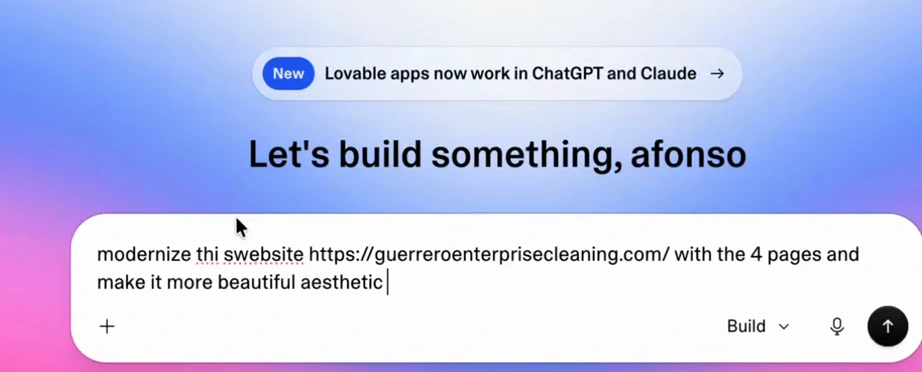
The redesign uses Lovable, an AI website builder (the presenter says ChatGPT or Claude Code can do the same job). The whole brief is one line: the site's URL, "with the 4 pages", and a request to make it more modern and beautiful. No new content is added on purpose, so the comparison stays like for like.
About five minutes later there's a new four-page site with the same services, phone number and contact details. It has a dark hero, service cards with AI-generated photos, and a "Get a quote" button in the header. Every image and line of copy can be swapped by hand or edited with another prompt.
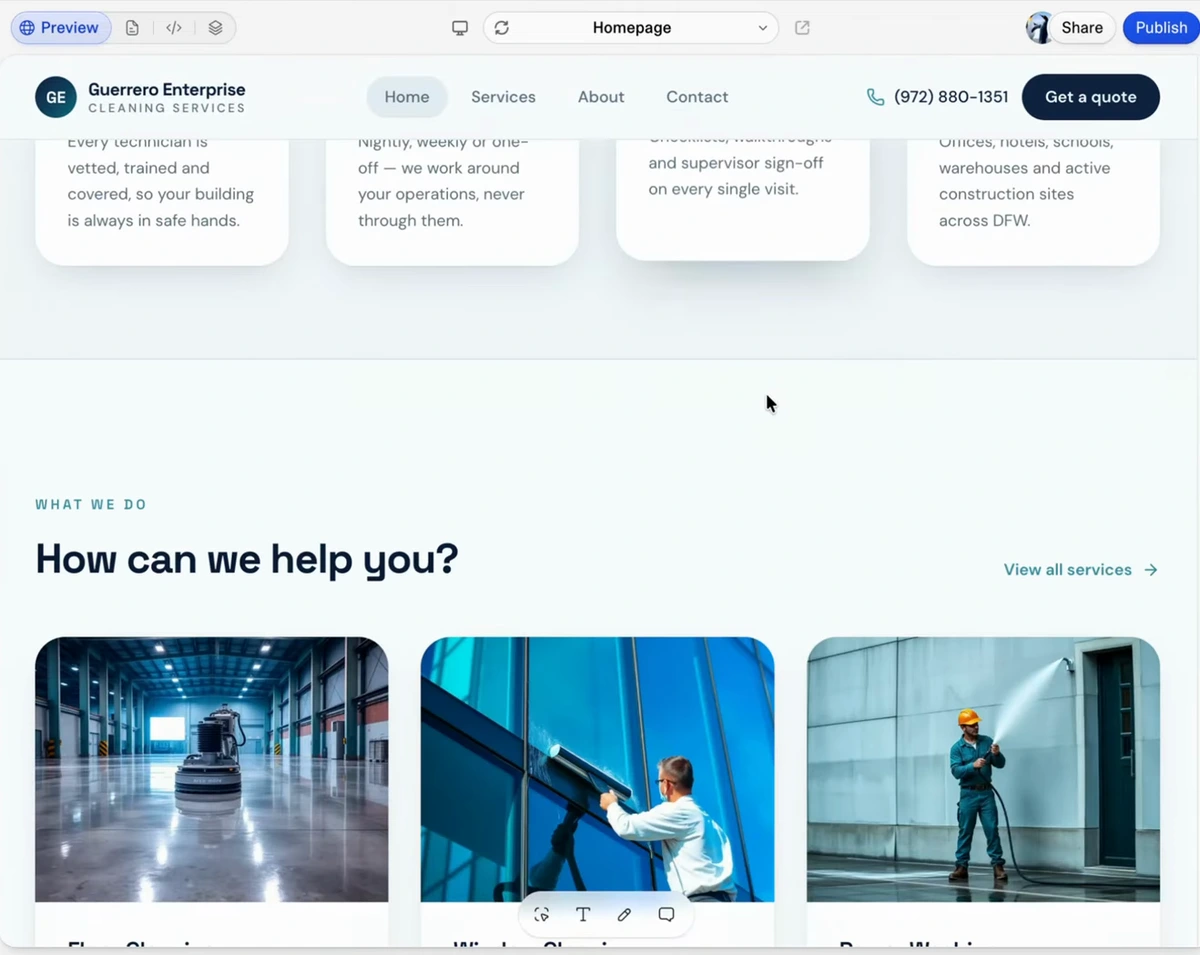
The presenter is clear that this step alone does nothing for traffic. A cleaner four-page site is still a four-page site. It will convert visitors better, but it gives Google no more to rank than before. The revival comes from step 2.
One thing to check if you use an AI builder: make sure each page's text is in the HTML the server sends, not only drawn in by JavaScript after the page loads. Google renders JavaScript, but many AI crawlers read the raw HTML only. Run "view source" on a published page (or curl it) and search for a sentence from the body. Our guide to optimizing a website for AI agents covers the rest of that checklist.
Step 2: Add a blog the content engine can publish to
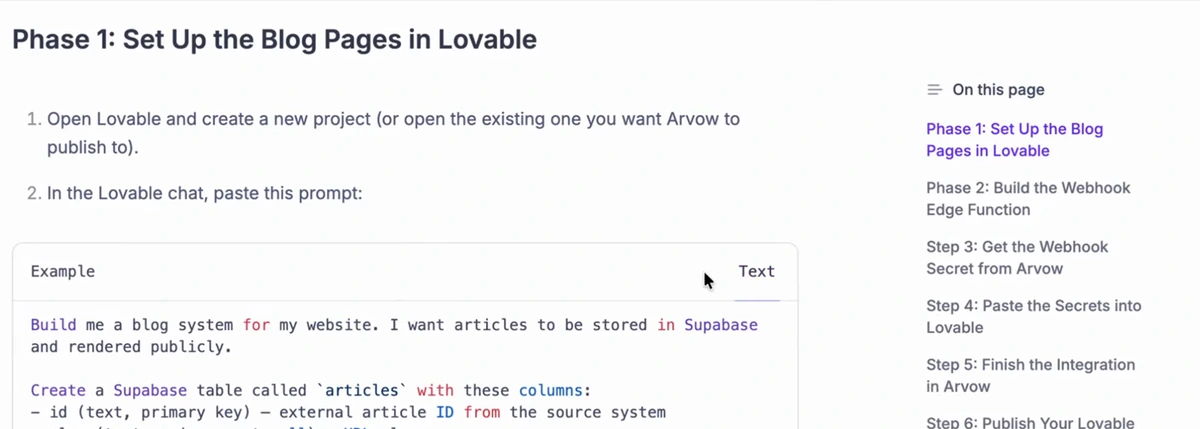
The content engine in the video is Arvow. To connect it to a Lovable site, you create a new integration, pick Lovable, and follow a guide that is mostly one prompt to paste into Lovable's chat. That prompt builds a blog system with articles stored in Supabase and rendered publicly. It creates an articles table and a blog listing page with individual article pages, and sets up a webhook the engine can publish to.
After the connection is live, a test article ("Arvow integration test") appears on the new site's blog page. That test post is the proof the pipe works.
Step 3: Let the AI write the brand brief
Next, create a project for the site: paste the URL, pick the country and language, and click "Generate from website". The tool reads the site and drafts a brand brief. This is what makes the articles about this business rather than generic cleaning content.
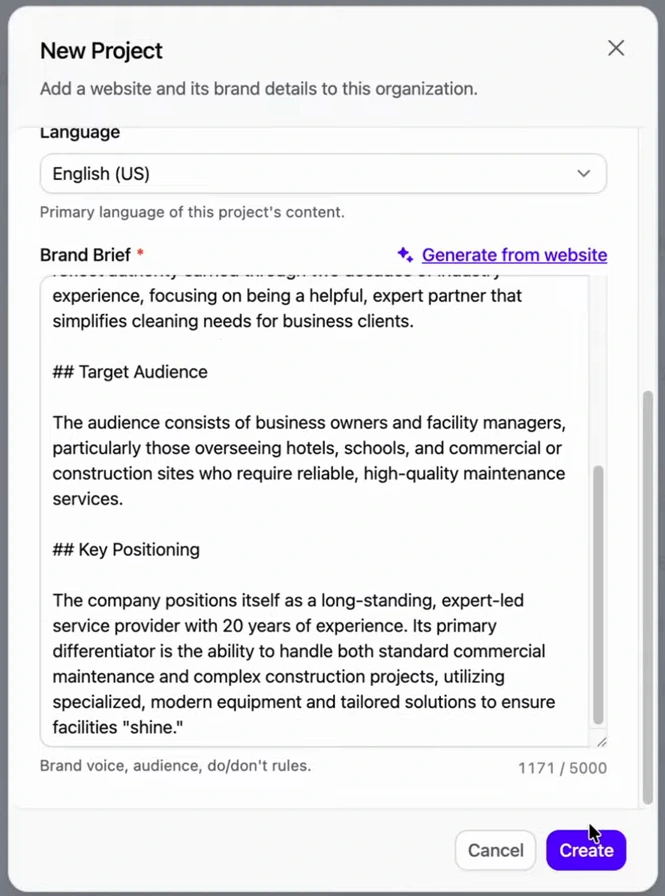
Read the brief before you save it. It's pulled from the old site's copy, so anything outdated there (a service you've dropped, a claim you can't back up) ends up in every article. Fixing it here fixes it everywhere.
Step 4: Set up the campaign and the keyword feed
Campaigns come in four modes: No AutoBlog (you do everything by hand), Planned AutoBlog (labeled "Recommended": you choose the inputs, it generates and publishes), Full AutoBlog (inputs, writing and publishing all automated) and AutoBlog with Review. The video picks Full AutoBlog.
The campaign needs a feed, which decides what gets written about. The options are an SEO keywords feed, a news feed, an RSS feed and a YouTube channel feed. For a service business the keyword feed is the right one. It takes the site URL, a few keyword seeds and competitor URLs, then finds keywords from those.
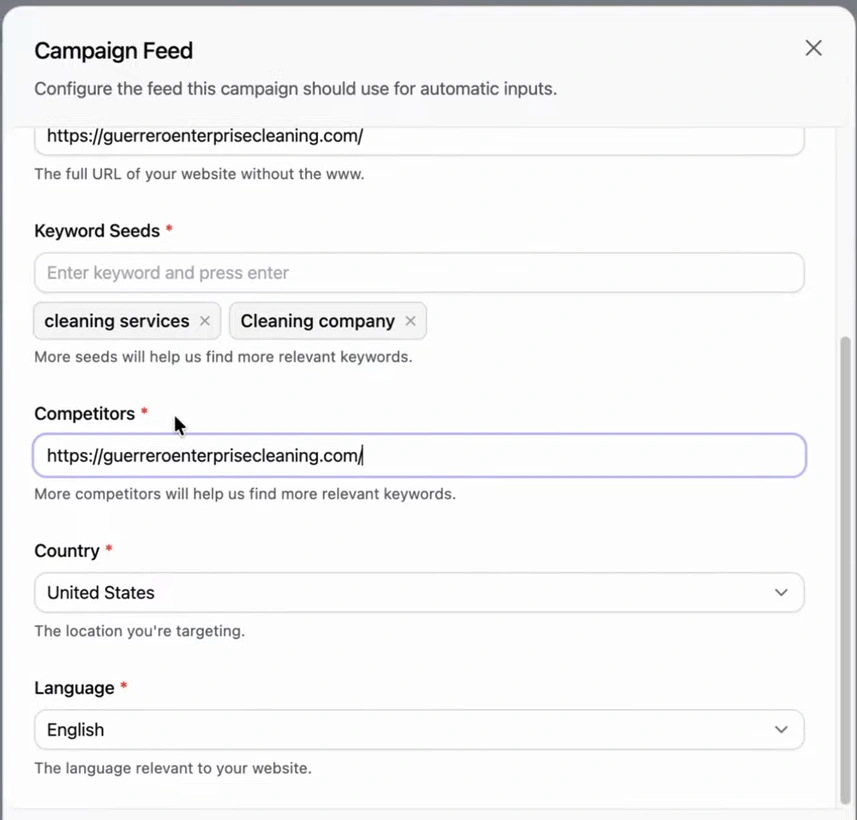
This screen is where the demo cuts a corner you shouldn't. The presenter had no competitor list, so he entered the company's own site as its competitor. The competitor list is where the keyword ideas come from, so for a real revival, spend five minutes on it. Search your main service plus your city, then add the sites of the businesses in the map pack and the top organic results. Use more seeds too: one per service ("window cleaning", "post-construction cleaning", "janitorial services") beats two broad ones. Our guide on how to find low competition keywords explains why a new site should start with the easy ones.
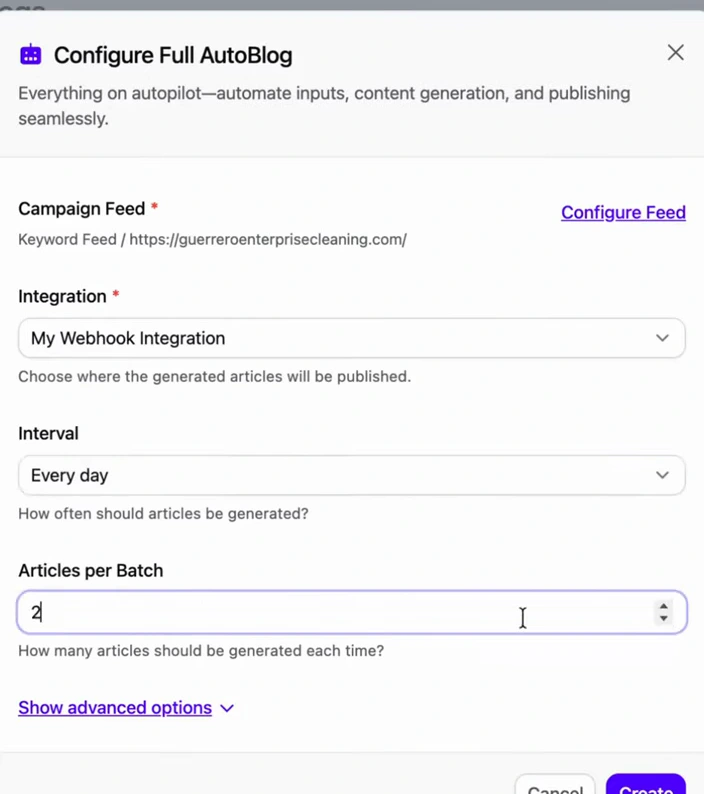
The schedule is set to two articles a day, which the presenter recommends for the initial push. That's about 60 articles a month landing on a site that had four pages. If the site is a client's, or you want to read everything before it goes live, choose Planned AutoBlog or AutoBlog with Review instead. The engine is the same, but a person approves each article.
Step 5: Tune the article template
The article template controls what every generated post contains: the featured image and how many in-article images, key takeaways, a conclusion, FAQs, tone of voice, point of view and formality. The setting the presenter singles out is internal linking. Point the template at the site's sitemap and each new article links to existing pages.
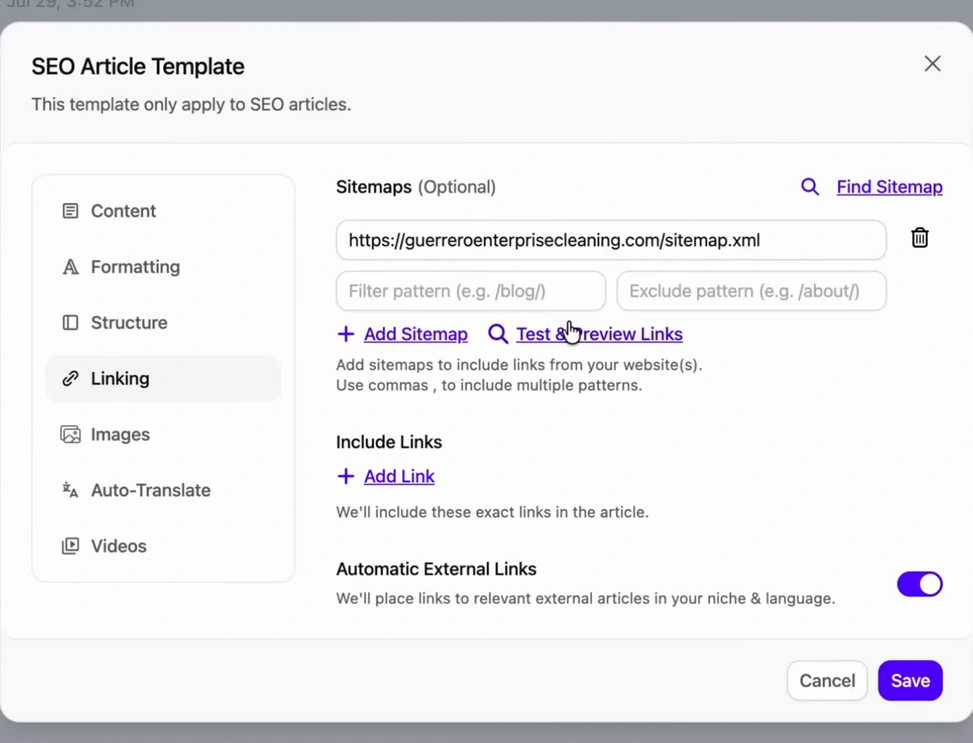
For a revived site this matters more than usual. The articles are there to bring in readers, but the service pages are where the leads happen. Every article that links to "commercial cleaning in Dallas" sends that page some authority. Our internal linking strategy guide covers how to aim those links.
What comes out the other end
To show the output, the video opens a finished article from a different business: "AC Repair in Plano, TX". It has a featured image with alt text, a table of contents, a clean H2 structure, a price table, FAQs and a closing call to action with the company's phone number and booking link.
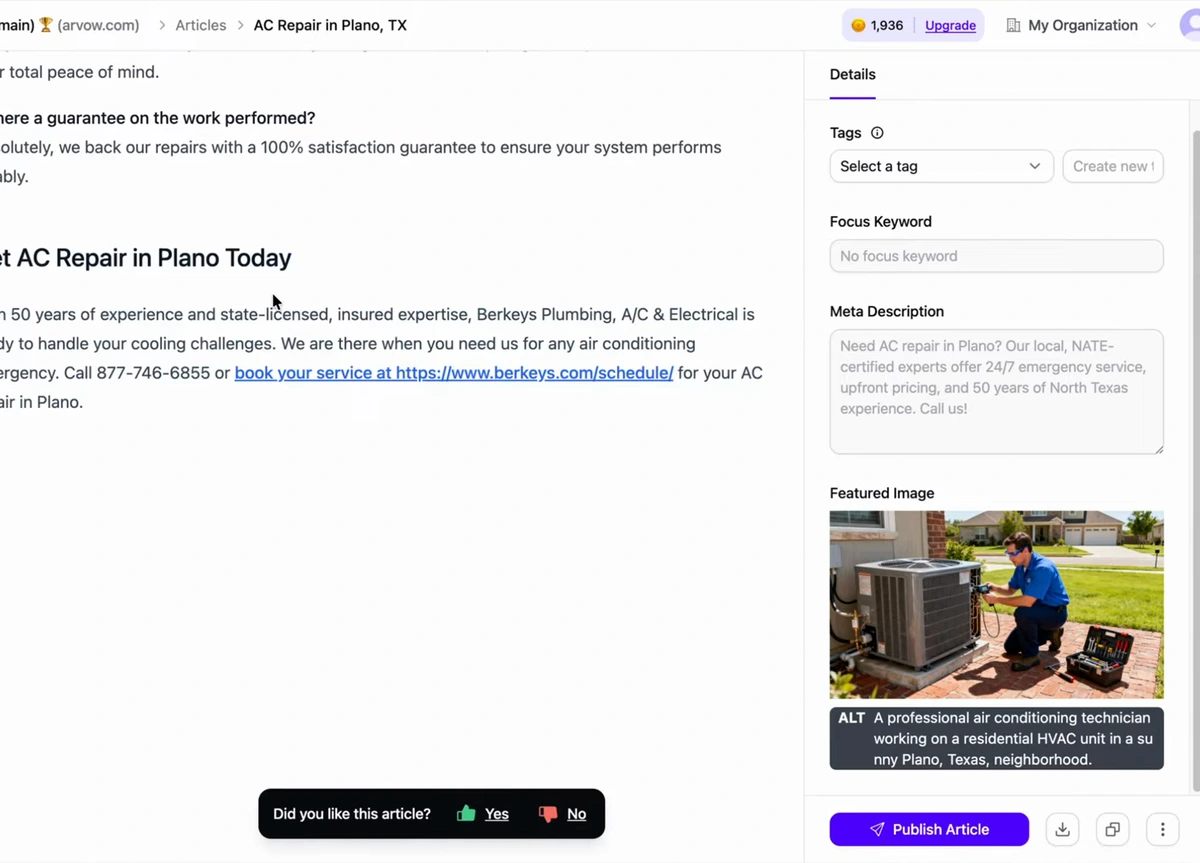
Look at the sidebar before you switch the autopilot on. The meta description and image alt text are filled, but the Focus Keyword field is empty. We saw the same thing in a microsite build. The article still targets its topic in the title and headings, but check that field on your first few posts. If your setup relies on it (for example, to see which article targets which query), fill it in.
The dead-website revival checklist
| Step | What the video does | What to add |
|---|---|---|
| Diagnose | Ahrefs overview: zero traffic, zero AI mentions, DR 0 | Check the status badge. A 4xx for SEO bots means your measurements are unreliable |
| Redesign | One Lovable prompt: "modernize this website… with the 4 pages" | Confirm the page text is in the raw HTML, not only rendered by JavaScript |
| Blog | Lovable integration prompt: Supabase articles table, blog pages, webhook | Publish one test post and open it logged out |
| Brand brief | Generated from the old site | Edit anything outdated before saving |
| Keyword feed | Two seeds; own URL as competitor | One seed per service; real competitors from the map pack and top results |
| Cadence | Full AutoBlog, two articles a day | Use Review mode on a client site |
| Template | Images, FAQs, internal links from the sitemap | Check the focus keyword on the first posts |
| Measure | Presenter's estimate: results within 60 days | Track it in Google Search Console, since some SEO tools may be blocked |
If you're starting a site from nothing rather than reviving one, the setup is the same but the first month looks different. See how to start SEO from scratch.
FAQ
How do you revive a dead website?
Diagnose it first (traffic, rankings, AI mentions, and whether crawlers can reach it). Then fix it on two fronts. Modernize the design so visitors convert, and add a blog that publishes useful articles on a steady schedule, so Google and AI assistants have pages to show. A redesign alone doesn't bring traffic. The new content does.
Can AI rebuild an old website?
Yes. In the video, a single prompt to Lovable with the old site's URL rebuilt a four-page WordPress site in about five minutes, keeping the same services and contact details. ChatGPT and Claude Code can do similar work. Check the published pages' raw HTML afterwards, because AI crawlers that don't run JavaScript only see what the server sends.
Why does my website get zero traffic?
Usually because it has too few pages that match what people search. A four-page site covers "who we are" and "what we do", and not the hundreds of specific questions customers type. Weak or no authority, and crawlers being blocked, are the other common causes. Check all three.
How long does it take to revive a dead website?
The presenter's estimate is under 60 days if you follow the workflow. The video doesn't show measured results for this site, so treat that as a target, not a promise. Track progress in Google Search Console from the day the first article goes live.
Want a blog that writes, links and publishes itself on a schedule you choose? See how Arvow's AutoBlog works.

Generate, publish, syndicate and update articles automatically
The AI SEO Writer that Auto-Publishes to your Blog
- Cancel anytime
- Articles in 30 secs
- Plagiarism Free