
ChatGPT Sites Backlinks: Can a Page Hosted by ChatGPT Give You a 72 DR Link? (2026)

In October 2026 Tim The SEO Guru published a short video with a bold title: "ChatGPT Made Me a 72DR Backlink!" The method is simple. You ask ChatGPT's new Sites feature to build a landing page around one buying-intent keyword, add your own positioning, link the page to a service or booking page on your site, flip it from private to public, and repeat for every service you sell. ChatGPT hosts the page, so there is nothing to deploy.
This article walks through the method as the video shows it, then does the part the video skips: what ChatGPT Sites is, where the pages live, and what you can verify about the "backlink" before building twenty of them. Short version: sound as a linkable-asset play, but the 72 DR figure is never shown in the video, and we could not confirm it either.
What ChatGPT Sites is
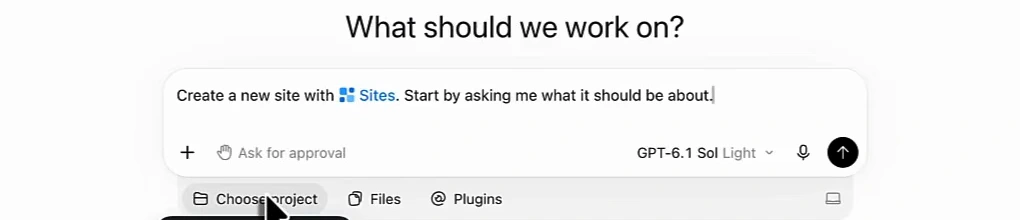
Sites is the part of ChatGPT's Work mode that builds and hosts a web page from a chat prompt. In the video the presenter opens the Sites panel from the left sidebar of the ChatGPT desktop app, clicks Create Site, and the composer pre-fills "Create a new site with Sites. Start by asking me what it should be about." You describe the page, ChatGPT generates it, and it appears in a list with a date and a "Shared with" column.
Several facts about the feature matter for this strategy, and none are in the video. We checked them on 22 October 2026. OpenAI's help pages refuse automated fetches, so the plan and region rows come from launch coverage and guides that quote those pages; treat them as "reported", not "confirmed by us".
| Question | What we found | How sure |
|---|---|---|
| Where do published sites live? | On the domain chatgpt.site, not chatgpt.com. The bare domain redirects to chatgpt.com/features/sites, and www.chatgpt.site serves a "No site here" page from a /_sites/ asset path. The URL bar in the video reads "seo-made-simple-30-day-plan.<workspace>…", which fits a sub-domain per site. | Verified with our own requests |
| Who can publish? | Paid plans only (Plus, Pro, Business, Enterprise, Edu are the ones named). Free users cannot publish to a hosted URL. | Reported in launch coverage |
| Where is it available? | Not in the European Economic Area, Switzerland or the United Kingdom at launch (July 2026). If you are in Europe you may not see the Sites panel at all. | Reported in launch coverage |
| Who can see a site? | Sites start private. The audience options are only you and admins, selected people, your workspace, or anyone on the internet. In Enterprise workspaces an admin has to switch public publishing on first. | Reported; matches the "Only you" column in the video |
| Can you use your own domain? | Reported as possible on some plans if you already own the domain, and not in Enterprise at launch. One guide says no custom domains at all, so expect this to vary by plan. | Conflicting reports |
| Are public sites indexed by Google? | Not stated anywhere we could find. One vendor post claims a site:chatgpt.site search returns results; we could not reproduce that check here. | Unverified |
The strategy, step by step
Here is the sequence the presenter follows, with his own emphasis preserved.
1. Pick one bottom-of-the-funnel keyword per page
Not a topic, a query. The presenter's examples are a specific question and answer, a listicle, a comparison or "versus" page, a guide or a checklist, with the searcher's exact question in the title, answered immediately, then expanded. The sorting rule is the one in our guide to free backlinks and linkable assets: a page people would bookmark beats one they would skim.
2. Prompt for an SEO landing page, and give it your website
The prompt he describes is plain: "create a landing page that's SEO optimised for this question, this topic, this keyword, and then create a guide, a comparison table, a chart." Then he adds the two things that make the page his rather than generic: the URL of his own site, so ChatGPT picks up the brand style, and a case study or unique positioning. He says it twice, "the more uniqueness the better", and "we don't want to generate a random generic landing page". That is the same line we drew in our piece on commodity content: a page that any model could have written for anyone is not an asset, it is filler with your logo on it.
3. Link the page back to a money page, not the homepage
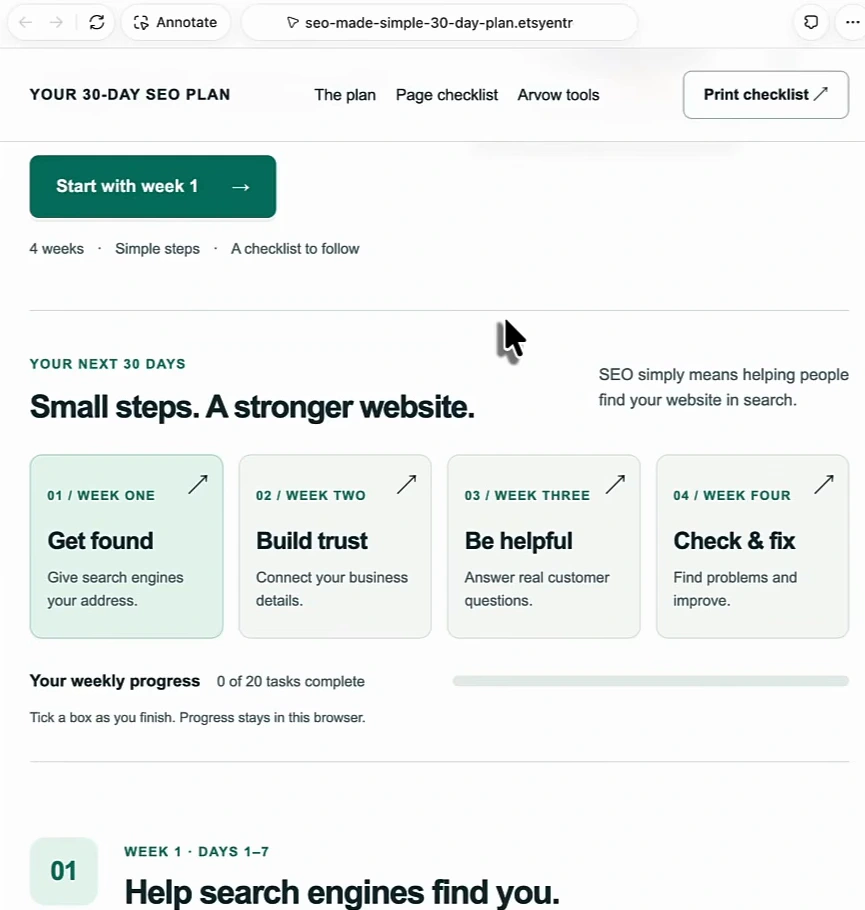
The example site in the video is a "30-Day SEO Plan" page with a nav bar, a start button, four week cards, a checklist and a print button. Its nav includes an "Arvow tools" item, which is where the link back lives. The presenter is explicit that the link should go to a service page, a booking page or whichever page converts for that keyword, "not just send it all to your homepage". That is also right for whatever authority the link carries: a link to the page that answers the same question is a relevance signal; a link to the homepage is a vanity metric.
4. Switch the site from "Only you" to public
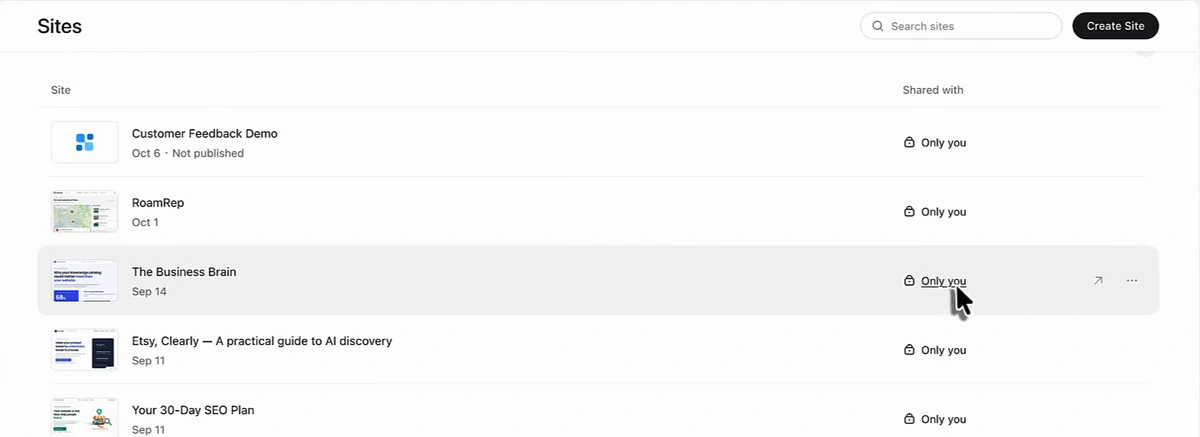
ChatGPT creates the URL and hosts the page, but every site starts private. The presenter's instruction is to open the site's sharing control and change it from "only you" to public, after which, in his words, "it is indexable, it is searchable". Note that the video does not show that switch being made: every site in his list, including the 30-Day SEO Plan he opens, still reads "Only you" in the "Shared with" column. We are not saying he never did it; we are saying the video does not show it, which matters for the next section.
5. Repeat for every service, guide and comparison
"You can do this as many times as you deem necessary for all of your services." That scale is the appeal: no hosting, no template, no deploy. It is also where it goes wrong, because twenty near-identical pages on someone else's domain, all linking to you, is a pattern search engines have seen before. Keep each page genuinely different.
What the video does not show
The title promises a 72 DR backlink. Here is what is and is not on screen.
- No backlink report. There is no Ahrefs, Semrush or Search Console frame anywhere in the seven and a half minutes. The DR figure is spoken in the title and as "a couple of 70 plus DRs" in the intro; it is never displayed.
- No public site. As above, every site in the list is "Only you". A private page cannot be crawled, so at the moment of recording none of these pages could have been a backlink.
- No indexed page. The presenter never searches for the page in Google, and we found no documentation stating that public ChatGPT Sites are indexable or carry a noindex tag. This is the open question.
- The domain is new. Any DR for chatgpt.site is a rating of a domain that only started hosting pages in July 2026, separate from chatgpt.com's own authority. Tools assign authority to the registrable domain, and we have no way to confirm what any of them currently show for chatgpt.site without a paid account. It could be 72. It could also be far lower, and it will move.
One precedent is worth knowing. In mid-2025 OpenAI briefly let users make shared conversations discoverable by search engines; once they appeared in Google results, OpenAI removed the option and de-indexed them within days. Sites is a different product with an explicit public option, but visibility on an OpenAI-hosted page is a setting the platform controls, not you. Build on it as you would on Medium or LinkedIn: useful, not load-bearing.
How to treat it so it is still worth doing
None of this makes the method useless. It makes it a linkable asset play rather than a guaranteed-authority play. The difference is what you expect from each page.
| If you treat it as | You expect | Our view |
|---|---|---|
| A free 72 DR backlink | Authority to flow to your money page from day one | Unproven. Nothing in the video or the documentation supports it yet. |
| A hosted landing page for a question you answer well | Traffic from people who find the page, plus a relevant link for anyone who cites it | Reasonable, provided the page is public, indexable and not a copy of your own blog post. |
| A quick way to spin up twenty pages | Twenty links | Risky. Thin duplicates on a third-party domain get discounted. |
What a link from a strong domain actually does is measured in our three real backlink examples and the quality versus quantity test.
The Arvow half of the workflow
The second part of the video is the loop the presenter runs with Arvow, which is what keeps the pages non-generic. He generates bottom-of-the-funnel articles in Arvow, publishes them on his own site, then hands one to ChatGPT as the source for a Sites page ("a guide or resource that makes sense for this article") and links the Sites page back to the article. The article is the canonical version on your domain; the Sites page is the companion that points home.
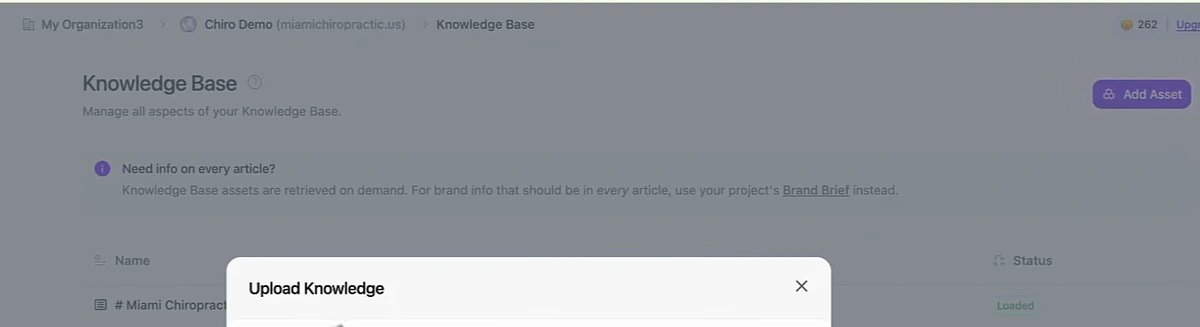
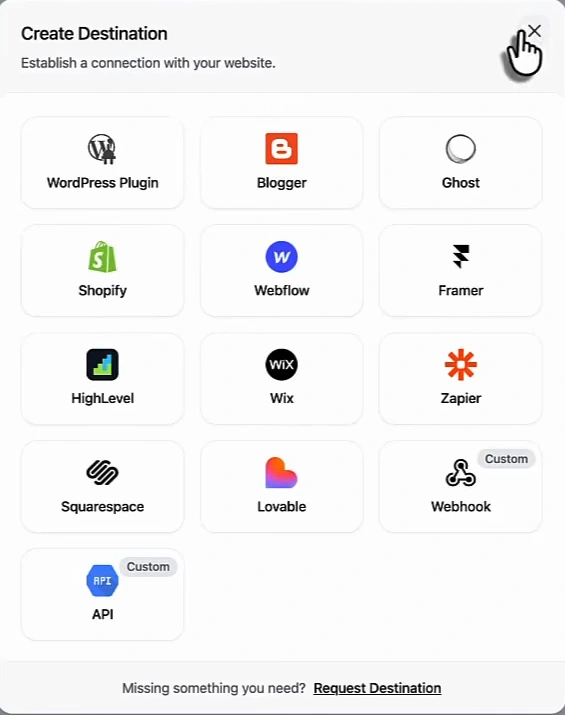
Two parts of the Arvow setup do the heavy lifting: the knowledge base, where you upload files, URLs and text so every article is written from your own material, and the destination, where the article publishes (WordPress, Shopify, Webflow, Framer, Wix, Ghost, HighLevel, Squarespace, Lovable, Zapier, a webhook or the API).
Done this way, the ChatGPT page is never your only copy of anything. If OpenAI changes the visibility rules, the article on your domain is untouched and you lose a companion page you can rebuild in five minutes. That is the right amount of dependence on a three-month-old feature.
Before you count it as a backlink
A short checklist, in the order that catches the most problems.
- Open the site in a private window. If it asks you to sign in, it is not public, whatever the sharing menu said.
- Read the page source. Look for a robots meta tag with "noindex", and check whether your link carries a rel attribute such as "nofollow" or "ugc". Either one changes what the link is worth, as we showed with the sponsor links in what a $500 backlink gets you.
- Search for the page by its exact title in Google. If it is not there after two weeks, the domain is not being indexed for you, and the page is a landing page you can share, not a backlink.
- Check your backlink report after four weeks. If the link is not there, the "DR" is not reaching you.
- Keep a copy. Deletion is permanent and the feature is in beta.
Earlier guides here covered the other way of using ChatGPT for links, writing the outreach: building backlinks with ChatGPT and the free backlinks workflow. Those still work and do not depend on OpenAI hosting anything.
Want the articles, the knowledge base and the automatic backlinks handled in one place? See how Arvow automates SEO.
FAQ
What are ChatGPT Sites backlinks?
Links to your website placed on a page that ChatGPT's Sites feature built and hosts for you on the chatgpt.site domain. You create the page from a prompt, add a link to your service or booking page, and set the site's audience to public.
Is a ChatGPT Site really a 72 DR backlink?
The video that popularised the idea does not show any backlink report, and we could not find a published domain rating for chatgpt.site. Treat the number as unverified until you see the link in your own backlink tool.
Do public ChatGPT Sites get indexed by Google?
OpenAI's documentation that we could access does not say. Test it yourself: publish a page, wait two weeks, and search for its exact title. If it is not indexed, it is still a page you can share, but it is not a backlink.
Can I use ChatGPT Sites from Europe?
At launch the feature was reported as unavailable in the European Economic Area, Switzerland and the United Kingdom, and it requires a paid plan everywhere. Check whether the Sites panel appears in your sidebar before planning around it.

Generate, publish, syndicate and update articles automatically
The AI SEO Writer that Auto-Publishes to your Blog
- Cancel anytime
- Articles in 30 secs
- Plagiarism Free