Modern Web Guidance: How to Install Google's Fix for AI-Built Websites (2026)

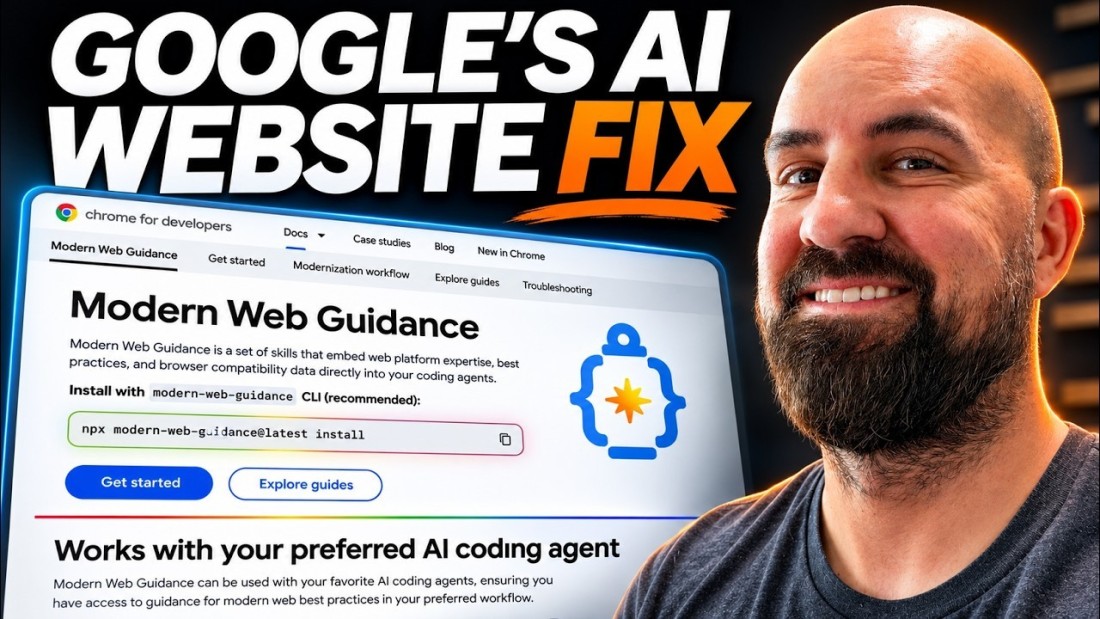
Modern Web Guidance is a free set of agent skills from the Chrome team that teaches AI coding agents such as Codex, Claude Code and Copilot to use current web standards instead of the outdated patterns in their training data. Version 1.0 shipped on 10 November 2026. In a November 2026 video, Tim The SEO Guru installs it in Codex and explains why he pairs it with his content workflow. This article covers what it is, how to install it, what it can and cannot do for SEO, and the content half of Tim's process.
Modern Web Guidance at a glance
| Question | Answer |
|---|---|
| What is it? | A set of agent skills, also packaged as a plugin and an npm CLI. It is not an MCP server. |
| Who makes it? | The Chrome team. Since 1.0, Firefox and Edge contribute too. |
| When did it launch? | Early preview at Google I/O on 19 May 2026. Stable 1.0 on 10 November 2026. |
| What does it cover? | CSS, HTML, JavaScript, web UI, Core Web Vitals and performance, accessibility, security, forms, privacy and web AI. |
| What does it cost? | Nothing. It is open source under the Apache 2.0 licence. |
| Is it a ranking factor? | No. Google's pages for it never mention Search or rankings. |
What problem does it fix?
AI website builders learned to code from years of old web pages. So they often reach for the patterns that were common five or ten years ago. They add a JavaScript library for something the browser now does natively. They ship extra packages the page does not need. The site works, but it is heavier and slower than it has to be.
Tim's summary in the video is that AI "is pulling in old standards", and the goal is to keep AI-built sites "lean and fast". That matches how Chrome describes the project.
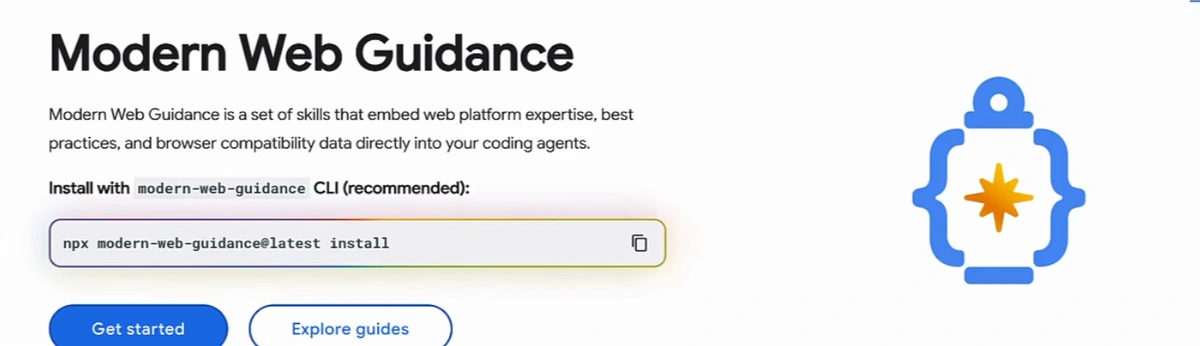
Each guide inside it carries browser compatibility data. If you set no target, the agent defaults to features that are widely available across browsers, and it adds fallbacks where needed. You can read the full description on the Modern Web Guidance page.
How to install Modern Web Guidance
There is one command that works with any supported agent and keeps itself updated. Chrome recommends it:
npx modern-web-guidance@latest install
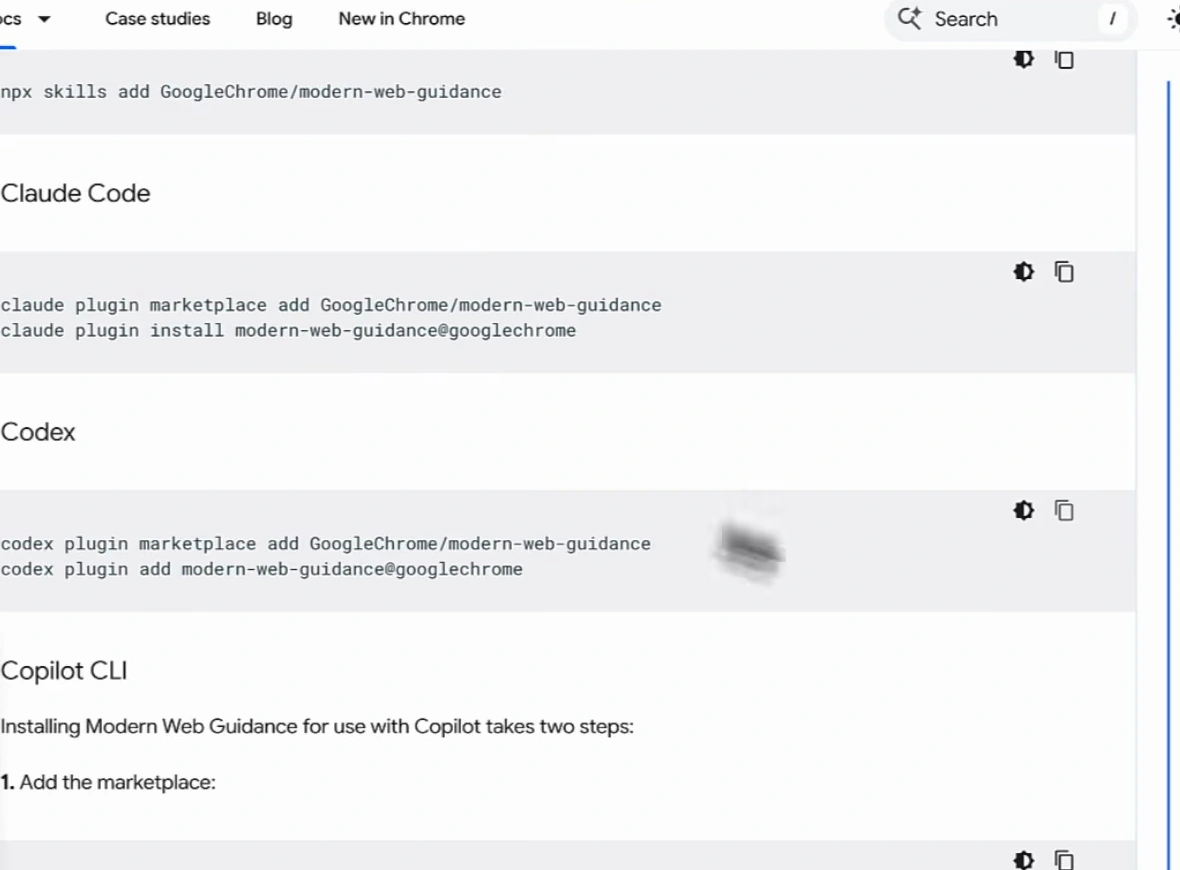
If you would rather install it as a plugin inside one agent, the get-started page lists a command for each. These are the main ones as of November 2026:
| Agent | Command |
|---|---|
| Codex | codex plugin marketplace add GoogleChrome/modern-web-guidancecodex plugin add modern-web-guidance@googlechrome |
| Claude Code | claude plugin marketplace add GoogleChrome/modern-web-guidanceclaude plugin install modern-web-guidance@googlechrome |
| Gemini CLI | gemini extensions install https://github.com/GoogleChrome/modern-web-guidance --auto-update |
| Antigravity CLI | agy plugin install https://github.com/GoogleChrome/modern-web-guidance |
| Vercel skills | npx skills add GoogleChrome/modern-web-guidance |
The page also lists Copilot CLI, the Antigravity IDE, JetBrains WebStorm, the GitHub CLI, Goose, Grok and Kimi Code. Cursor is not on the list.
Installing it in Codex
Tim copies the two Codex lines from the page and pastes them into Codex. That is the whole install. Codex worked for 25 seconds and reported back.

How to use it on new and existing sites
Once the skills are installed, the agent can call on them during any build. There are two ways to use it.
- New builds. Ask the agent to follow Modern Web Guidance when it builds the site. Tim notes that after install the agent often references the guidance without being asked.
- Existing sites. Version 1.0 added a modernization workflow that scans a codebase. The documented prompt is
/modern-web-guidance Modernize the code in this directory.
Review the changes before you deploy them, as you would with any automated refactor. Chrome also suggests pairing the skills with Chrome DevTools for agents, so the agent can test what it wrote in a real browser.
Does Modern Web Guidance help SEO?
The video's title says "use this to rank". It is worth being exact about what that can mean.
What Google says. The docs page, the I/O announcement and the 1.0 post do not mention SEO, Search or rankings. Core Web Vitals appears only as a performance topic. Any SEO benefit is an inference, not a promise from Google.
The indirect link. Google's Search documentation says "Core Web Vitals are used by our ranking systems". It also says good scores do not guarantee top rankings and that "there is no single signal". So a leaner, faster site removes a weakness. It does not create rankings without content people are searching for.
What it does not touch. The guidance is about code. It does not write title tags, choose keywords, build internal links or earn backlinks. A fast site with nothing worth reading still has nothing to rank. For the technical items it leaves out, see our guide to a technical SEO audit.
The video opens with a traffic screenshot as proof.

The numbers are strong: 42.8K monthly organic visits, 9.8K keywords, DR 61 and 1.1K AI Overview citations. Two cautions apply. The site is not named, and the video does not show that it was built or modernized with the guidance. The same overview has also appeared in earlier videos on the channel, before version 1.0 existed. Read it as evidence for the content workflow below. It is not a test of Modern Web Guidance.
The other half: content that is not generic
Most of the video is about content, and this is where the traffic comes from. Tim's argument is simple. Everyone has access to the same AI model, so everyone gets similar output. Pages that are copied straight from a chatbot get ignored or dropped from the index. The difference comes from what you connect the model to and what you feed it.
Feed the model a knowledge base
Tim connects Arvow to Codex through Arvow's MCP and loads the project's knowledge base with material only that business has. His list:
- Case studies
- Client testimonials and client conversations
- The questions customers actually ask
- Original studies and data
- Training documents and internal guides
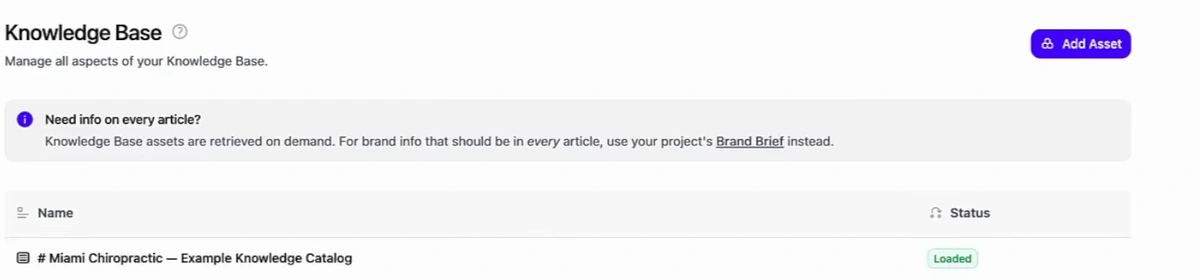
Articles then pull from that material. This is the practical answer to what Google calls commodity content: pages that say what every other page says.
Check the output
The demo article in the video is a guide to plumbers in Ventura, California. It includes a detail a generic draft would not have: a transparency note saying the company that produced the guide appears first and the others are listed alphabetically.
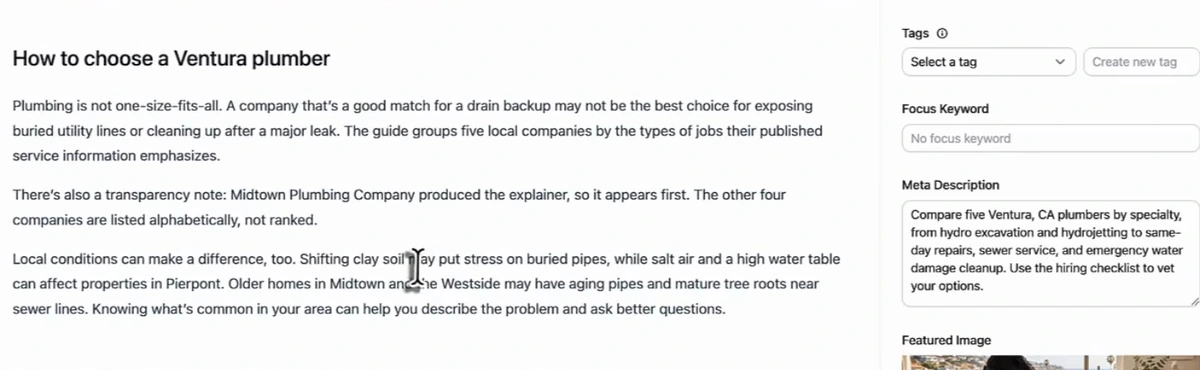
The same frame shows why a human check still matters. The meta description is written, but the focus keyword field is empty. Open each draft and fill the gaps before you publish.
Connect Search Console and track AI answers
Tim also connects Google Search Console, so the agent can suggest topics from real query data. If you want to dig through that data yourself, our Search Console regex guide shows how. For local businesses he connects Google Business Profile to automate posts and review replies, which we cover in Google Business Profile automation.
The last step is tracking whether AI assistants mention the brand.

The monitor runs a set of prompts every week and reports how often the brand appears. Prompts where the brand is missing become the next content ideas. Our guide on how to increase AI visibility explains what to do with them.
A simple workflow that combines both
- Install Modern Web Guidance in the coding agent you use.
- For an existing AI-built site, run the modernization prompt and review the changes.
- Measure Core Web Vitals before and after, so you know what changed.
- Load a knowledge base with case studies, customer questions and your own data.
- Publish bottom-of-funnel articles built from that material. Check each draft first.
- Use Search Console and an AI brand monitor to choose the next topics.
Want the content half handled? Arvow writes articles from your knowledge base, publishes them to your site and tracks your brand in AI answers.
FAQ
What is Google's Modern Web Guidance?
It is a free, open-source set of skills from the Chrome team that gives AI coding agents current web best practices and browser compatibility data. Version 1.0 was released on 10 November 2026.
Is Modern Web Guidance an MCP server?
No. It is a set of agent skills, distributed as a plugin and through an npm command. It adds knowledge to the agent. It does not connect it to a data source.
Does Modern Web Guidance improve Google rankings?
Not directly. Google does not claim any ranking benefit. It can help a site load faster and score better on Core Web Vitals, which Google's ranking systems use as one signal among many.
Which AI agents support Modern Web Guidance?
The install page lists Codex, Claude Code, Copilot CLI, Gemini CLI, Antigravity, JetBrains WebStorm, Goose, Grok and Kimi Code, plus a universal npx command.
Can I use it on a site that is already live?
Yes. Version 1.0 includes a modernization workflow that scans existing code and suggests updates. Review and test the changes before deploying.
Generate, publish, syndicate and update articles automatically
The AI SEO Writer that Auto-Publishes to your Blog
- Cancel anytime
- Articles in 30 secs
- Plagiarism Free