
ChatGPT Business Profile: How to Claim Your Business in ChatGPT (2026)

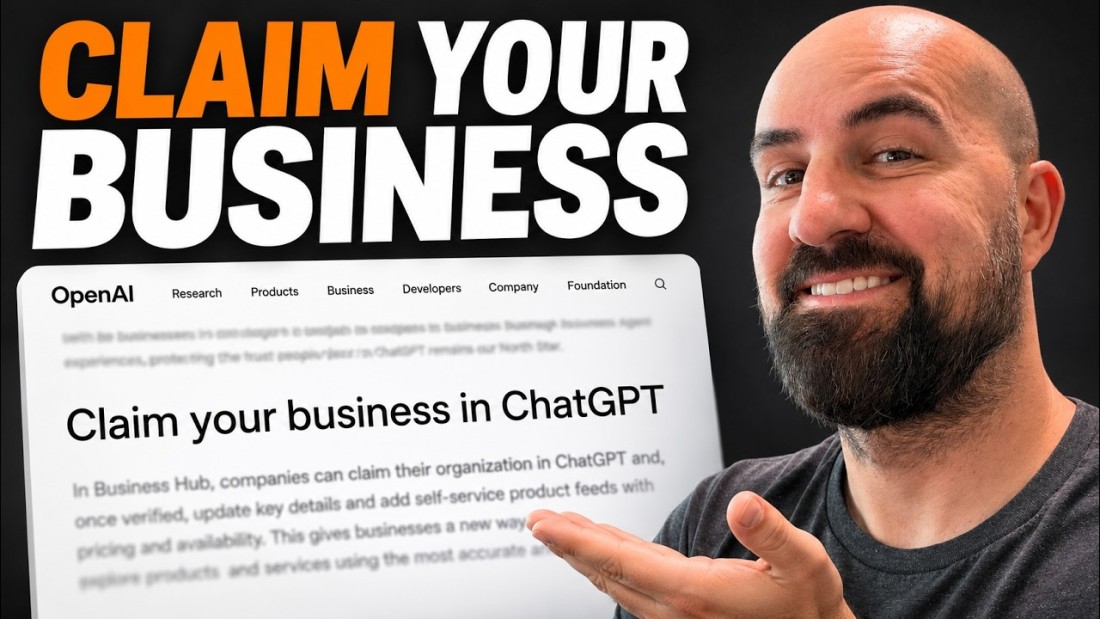
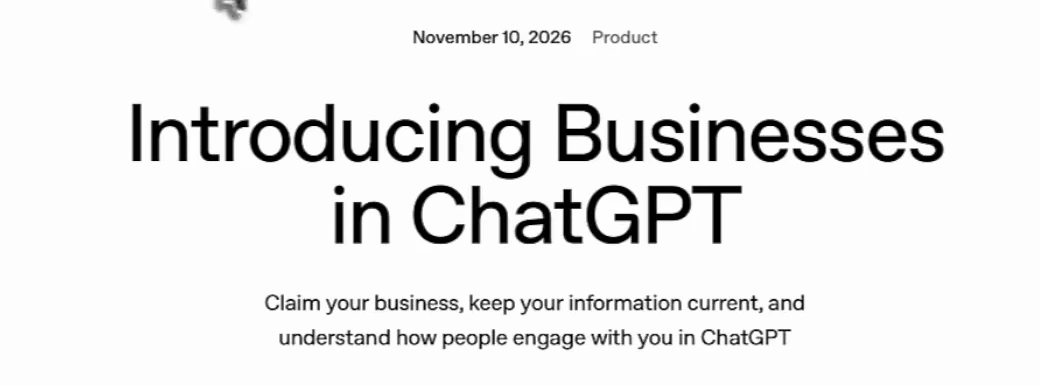
A ChatGPT business profile is a listing your company claims and manages inside ChatGPT, through a dashboard OpenAI calls Business Hub. OpenAI announced it on 10 November 2026 under the name Businesses in ChatGPT, in beta. A day later Tim The SEO Guru published a first look from an account that already had access, and his screens show something the announcement only hints at: there are two separate verifications, and most of the dashboard stays locked until the second one clears. This guide covers how to claim your profile, what each verification unlocks, what the insights will and will not tell you, and what to do while your numbers are still blank.
The short version
| Question | Answer, as of November 2026 |
|---|---|
| What is it? | A claimed, verified business profile in ChatGPT, managed in Business Hub |
| Who can claim? | "Any eligible business located where ChatGPT is available", per OpenAI |
| What do you get? | A blue checkmark, editable business details, product feeds, and aggregated insights: mentions, profile views, website clicks, discovery topics |
| What needs extra verification? | Editing business info, uploading products and publishing a Business Agent all require a government-issued ID check |
| Who gets a Business Agent? | Eligible ecommerce and online service businesses in the United States |
| Does it change how ChatGPT recommends you? | OpenAI does not say so. It describes ChatGPT's answers as independent |
What OpenAI launched
The announcement has three parts, and the video scrolls through all of them.
Claiming. In OpenAI's words, companies "can claim their organization in ChatGPT and, once verified, update key details and add self-service product feeds with pricing and availability". Existing Enterprise customers and advertisers go through their OpenAI representative. Shopify merchants can connect their store from Business Hub or from the Shopify admin, which OpenAI says streamlines verification.
Insights. Business Hub shows "the number of mentions and website clicks a business receives", plus discovery topics, which OpenAI defines as common themes across conversations where your website is cited.
Business Agents. When a business appears in an answer, people can click through to its profile. If the business has an agent, they can start a separate conversation with it. Businesses can also sponsor the agent and use it as the destination for ChatGPT Ads.
How to claim your ChatGPT business profile
Tim's route in the video is short. Open ChatGPT, search for Business Hub, enter your business name and claim the profile. The steps below combine what he describes with what his screens show.
- Open Business Hub from inside ChatGPT and search for your business by name.
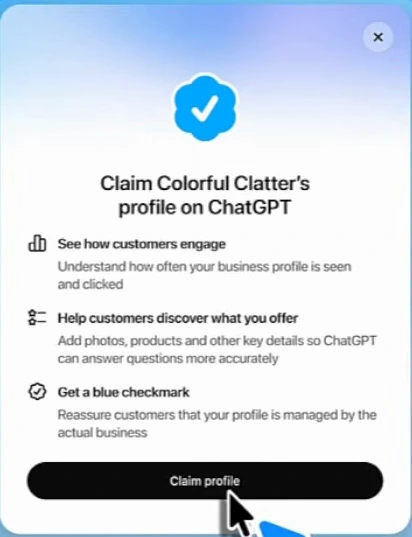
- Claim the profile. OpenAI's dialog lists three reasons to: see how customers engage, add photos, products and key details "so ChatGPT can answer questions more accurately", and get a blue checkmark that tells customers the profile is managed by the actual business.
- Prove you represent the business. Tim says the options were a phone call, a text, or a DNS record on your website. He hedges on the third ("I think"), so check what your own screen offers. His dashboard later shows a "Website access" row marked "Access confirmed".
- Verify your identity. This is the step people will not expect. See the next section.
- Fill in the profile and, if you sell products, add a feed. Both stay locked until step 4 clears.
The second verification nobody mentions
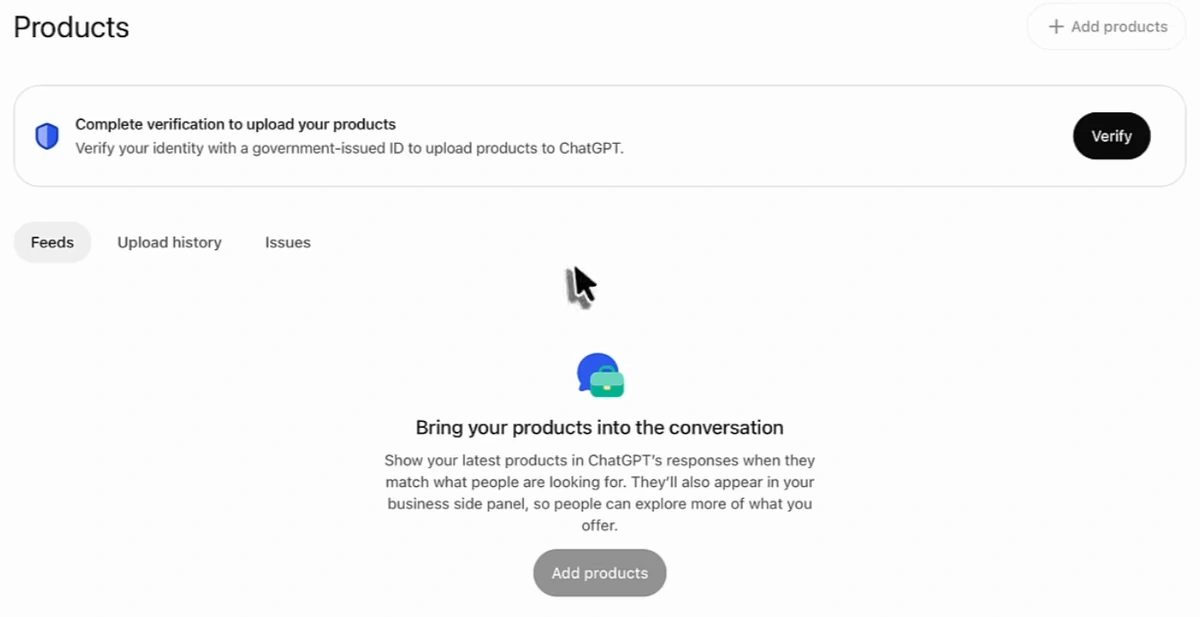
Claiming gets you into the dashboard. It does not let you change anything. The first thing on Tim's overview is a banner: "Verify your identity with a government-issued ID. To keep your business secure, this is required before editing business info or publishing your business agent."
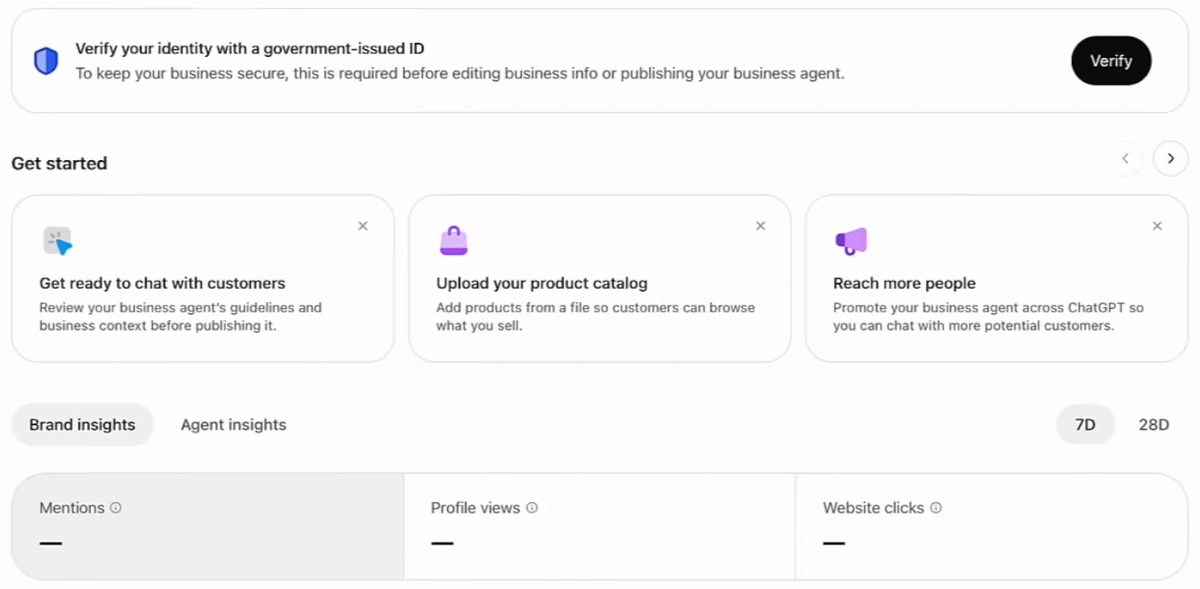
Tim describes the check as uploading a driver's licence and taking a photo of your face, which is then matched against the business information. He had submitted it and was still waiting when he recorded. The same gate appears on the Products tab: "Complete verification to upload your products".
| Stage | What you prove | What it unlocks |
|---|---|---|
| 1. Business verification | That you are authorised to represent the business (phone, text or website, per the video) | The dashboard, the checkmark, read-only insights |
| 2. Identity verification | That you are a real, identifiable person (government ID and a face photo, per the video) | Editing business info, product uploads, publishing an agent |
Two practical points follow. Decide who in the company does this, because it ties one person's ID to the profile. An agency can start a claim for a client, but the ID step belongs with the owner or an employee. And start early: the wait is outside your control.
What is inside Business Hub
The left menu has three items: Overview, Agent builder and Products.
Overview and insights
Two tabs, Brand insights and Agent insights, each with a 7-day and 28-day toggle. Brand insights has three tiles: Mentions, Profile views and Website clicks. Below them sit a mentions chart and a "Top 5 discovery topics" table with three columns: registered topic, mentions, topic share.
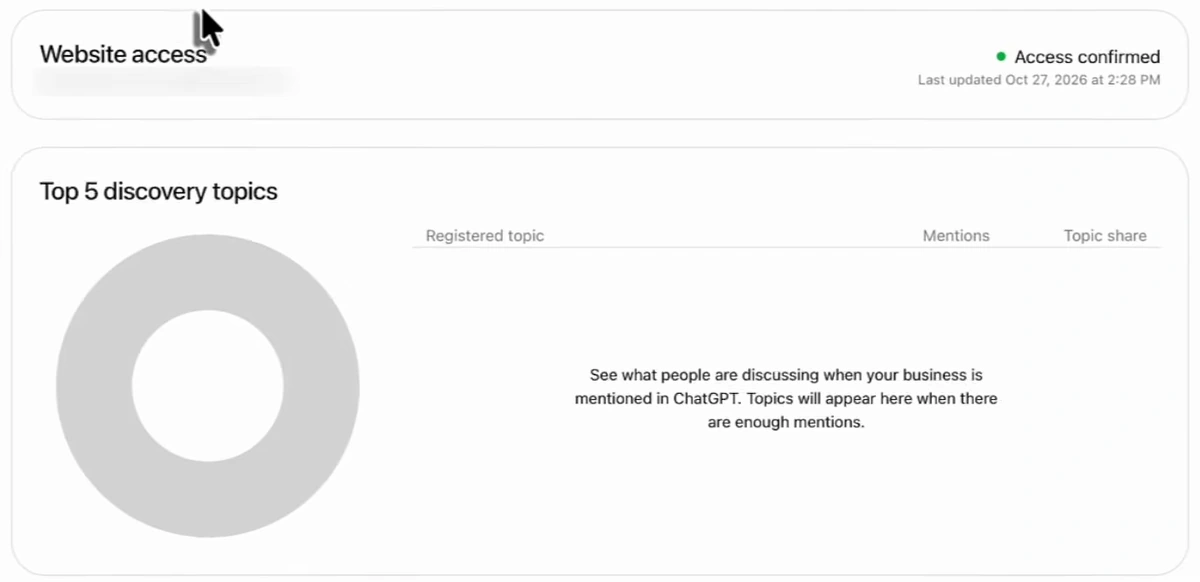
Every tile in the video is blank. The chart says: "Once there are enough mentions, you'll see trends here." That matches the announcement, which says insights are aggregated and only available once conversations "meet certain thresholds". OpenAI does not publish the threshold. A small local business may wait a while.
Products
Three tabs: Feeds, Upload history and Issues. The empty state reads: "Show your latest products in ChatGPT's responses when they match what people are looking for." Products also appear in a business side panel. Upload is by file. Tim had not tested it, and could not until verified.
Agent builder
Tim clicks it and reports it is not available yet in his account. He reads that as a gradual rollout. The announcement gives a more specific reason: Business Agents are available "to eligible ecommerce and online service businesses in the United States". If your business is a local service or outside the US, expect the profile and the insights, not the agent, for now.
Will a ChatGPT business profile help you get recommended?
This is the question behind every claim, and the honest answer is that OpenAI has not said it will. Three things on screen bear on it.
- OpenAI describes an agent conversation as "distinct from ChatGPT's independent answers", and sponsored placements as "clearly labeled and separate from ChatGPT responses". The answer itself is presented as something businesses do not control.
- The claim dialog says added details help ChatGPT "answer questions more accurately". That is a promise about accuracy when you are mentioned, not about being mentioned more.
- Nothing in the announcement says claimed profiles rank above unclaimed ones.
So treat the profile the way you would treat any first-party data source: it fixes what ChatGPT says about your hours, products and prices. Whether you come up at all still depends on what the web says about you. We cover that side in how to get cited by ChatGPT and how to get customers from ChatGPT. Local businesses should keep their Google listing in order too, for the reasons in Google Business Profile and AI search.
What the insights will not show you
Tim calls the insights "a missing piece" next to Google Search Console. They are a real addition: first-party counts from the source. Read the tiles and the announcement together, though, and four gaps are clear.
| You get | You do not get |
|---|---|
| Total mentions, 7 or 28 days | The prompts that produced them |
| Up to five discovery topics, as themes | Individual conversations. OpenAI: "We don't share users' conversations" |
| Profile views and website clicks | What ChatGPT said about you, or whether it was favourable |
| ChatGPT only | Claude, Gemini, Perplexity or Google's AI answers |
You also get nothing until you cross the threshold, and nothing about competitors.
What to track while the tiles are blank
The second half of the video is Tim's answer to that gap: an LLM brand monitor in Arvow, running on his demo project. It works from the other direction. You choose the prompts, the monitor asks them of several models on a schedule, and you read the answers.
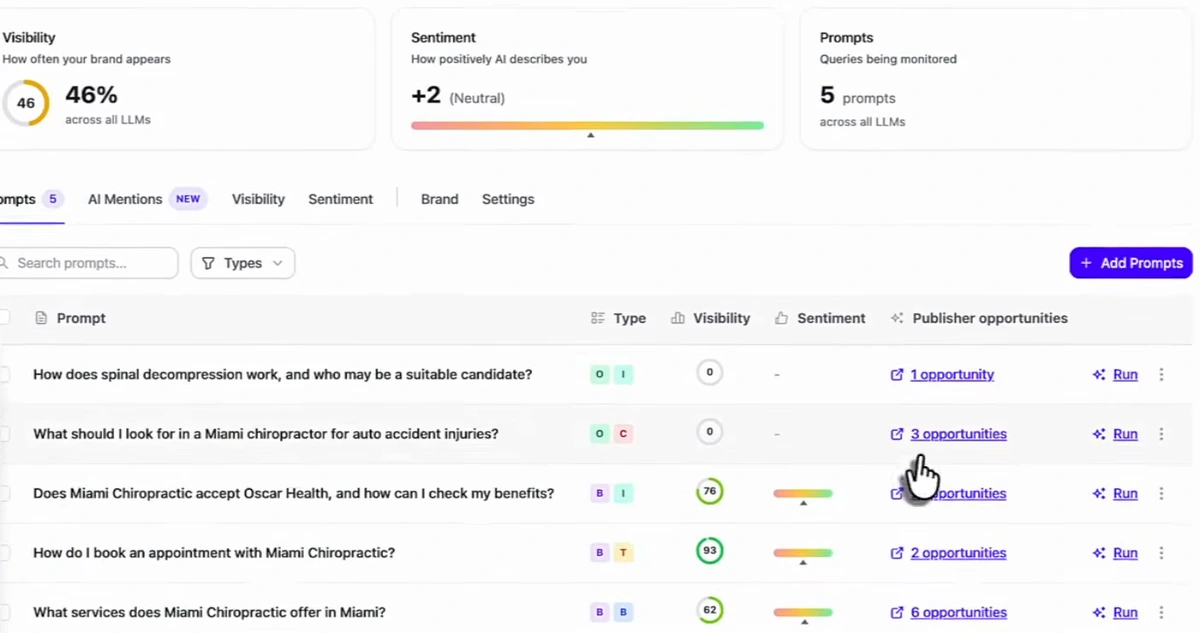
Look at the visibility column before the headline number. The three prompts that name the business score 76, 93 and 62. The two that do not ("How does spinal decompression work", "What should I look for in a Miami chiropractor for auto accident injuries?") score 0. That split is the useful finding: the models can describe the business when asked about it by name and do not bring it up when a customer asks an open question. A mentions tile in Business Hub would blend those two cases into one count.
The other columns do what Business Hub does not. Sentiment shows how the answer describes you. Publisher opportunities lists the sites the models cited for each prompt, so you can see whether a directory, an insurer's page or a competitor holds the citation, and decide whether to ask for a mention. Tim opens one in the video and reads its suggested outreach angle.
Our suggestion is to run both. Claim the profile for the checkmark, the accurate details and the first-party counts. Track prompts yourself for everything the counts leave out. If you have not chosen prompts yet, start with how to find AI search prompts, and see how to track ChatGPT brand mentions for the setup.
See how ChatGPT, Claude, Gemini and Perplexity answer your customers' questions, prompt by prompt. Try Arvow's ChatGPT rank tracker.
What we could not confirm
- Price. The announcement frames in the video show no fee for claiming, and coverage describes it as free. Ads and sponsored agents are paid.
- Verification methods. Phone, text and DNS are the presenter's account of his own claim. OpenAI's text names only the Shopify route.
- How long identity verification takes. Tim was still waiting.
- Who has access. Tim is unsure everyone does. His website access was confirmed on 27 October, before the announcement, which suggests an early cohort.
The full announcement is on OpenAI's site. It is a beta, so screens and eligibility may change.
FAQ
How do I claim my business on ChatGPT?
Open Business Hub from ChatGPT, search for your business, claim the profile and verify that you represent it. To edit details, upload products or publish an agent you then verify your identity with a government-issued ID.
Is a ChatGPT business profile free?
Coverage of the launch describes claiming as free, and the screens in the video show no charge. Sponsoring a Business Agent and running ChatGPT Ads are paid options.
Does claiming a profile make ChatGPT recommend my business?
OpenAI does not claim that. It says profile details help ChatGPT answer more accurately, and it describes its answers as independent of business agents and sponsored placements.
What is a Business Agent in ChatGPT?
An assistant a business builds in Business Hub to answer customer questions using its own information. It runs in a separate, labelled conversation. At launch it is limited to eligible ecommerce and online service businesses in the United States.
Why are my Business Hub insights empty?
Insights are aggregated and only appear once there are enough conversations to meet OpenAI's privacy thresholds. Until then the tiles show a dash.
Generate, publish, syndicate and update articles automatically
The AI SEO Writer that Auto-Publishes to your Blog
- Cancel anytime
- Articles in 30 secs
- Plagiarism Free