
Google Preferred Sources Button: How to Add It (and What It Won't Do) in 2026


Google now lets you put an "Add to Preferred Sources" button on your own pages. A reader clicks it, confirms in Google, and lands back on your article, and from then on your content is more likely to show up for them in Top Stories, AI Overviews and AI Mode. It takes two lines of HTML to install.
In the video below, Tim shows the button on a Buffalo agency's blog and walks through Google's setup instructions. We went through it frame by frame and checked every claim against Google's own documentation, because a few of them go further than Google does. Here's what the button actually does, how to add it, and what it won't do for your AI visibility.
What Google Preferred Sources is
Preferred Sources is a personal setting. Any Google user can pick sites they want to see more of, and Google then favours those sites in that person's results. It started as a star icon next to the Top Stories heading; the new button lets a site ask its own readers to make that choice without leaving the page.
Google's documentation names three places it applies:
- Top Stories, available globally in every language Google Search supports. Content from a preferred source is more likely to appear there, with a "preferred" badge.
- AI Overviews and AI Mode, where those features exist. Preferred sources can be highlighted in both.
The important word is personal. Search Engine Journal's write-up, which Tim shows in the video, puts it plainly:
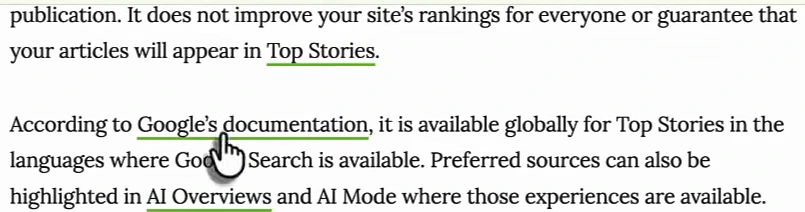
So the button is an audience tool, not a ranking signal. Every reader who adds you sees more of you. Readers who haven't added you see the same results they always did.
What it looks like on a real site
Tim's example is Makarios Marketing, a Buffalo SEO agency that has put the button at the end of its blog posts, under a one-line pitch: "Want more SEO and AI search breakdowns like this in your Google results? Add Makarios Marketing as a preferred source."
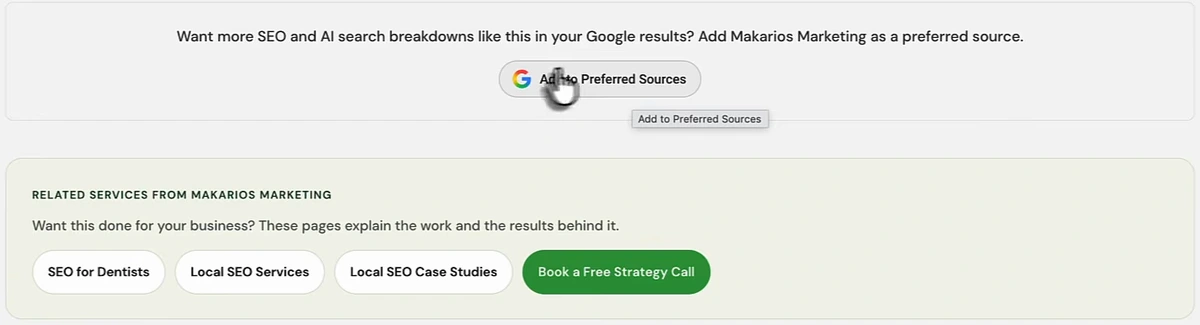
Two things this example gets right. The pitch tells the reader what they'll get ("more SEO and AI search breakdowns like this"), and the button sits where a reader who has just finished an article is most likely to say yes. We checked the live page on 1 October 2026 and the button is still there, installed with Google's standard script, in both a light and a dark version.
Does Preferred Sources help you show up in ChatGPT?
This is where the video goes further than the evidence. It opens with a ChatGPT search for "best seo agency in buffalo ny", where Makarios comes out on top, and says the button is "one of the reasons" it's showing first, including in ChatGPT and Claude.
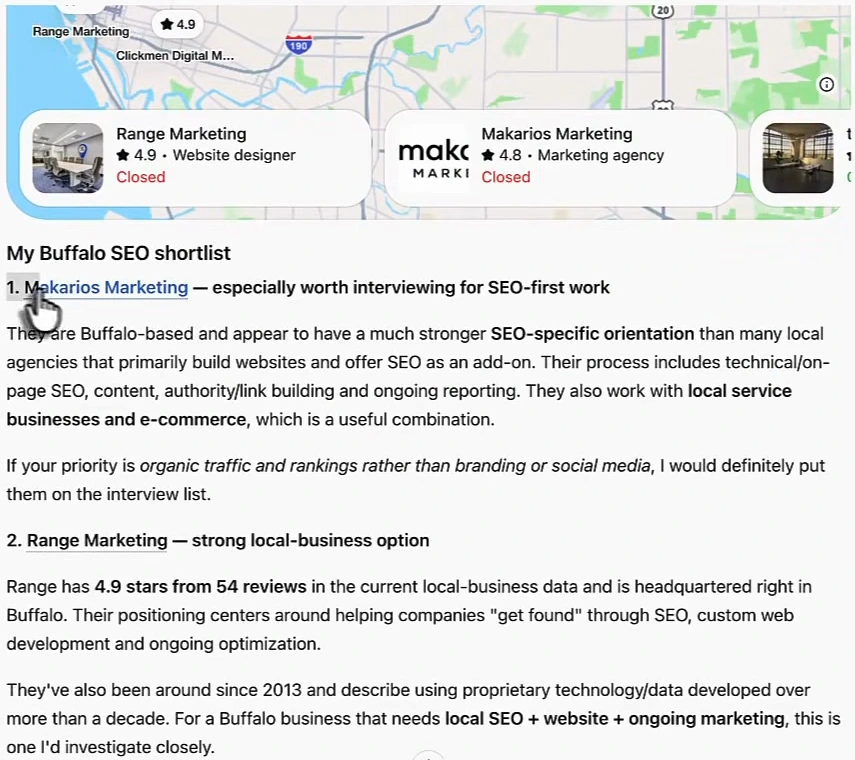
Look at what ChatGPT itself says about why Makarios is first: it's Buffalo-based, it has a "much stronger SEO-specific orientation" than agencies that sell SEO as an add-on, it describes a clear process, and it works with local service businesses and e-commerce. That's positioning and clear service pages, not a Google setting.
There's also a simpler problem. Preferred Sources is a preference stored in a reader's Google account and applied to Google Search. ChatGPT, Claude and Perplexity don't read your visitors' Google settings, and Google's documentation doesn't claim any effect outside Top Stories, AI Overviews and AI Mode. Nothing in the video, or in Google's documentation, shows a cause-and-effect link between the button and a ChatGPT recommendation.
If showing up in ChatGPT's answers is the goal, the levers are different: being described consistently across the web, earning mentions on the pages AI tools cite, and having content that answers the question directly. We cover those in how to get recommended by AI and how to get cited by ChatGPT.
Who can use the button
The video says you need a .com domain. Google's documentation doesn't say that. The rule is about the level of the site, not the extension:
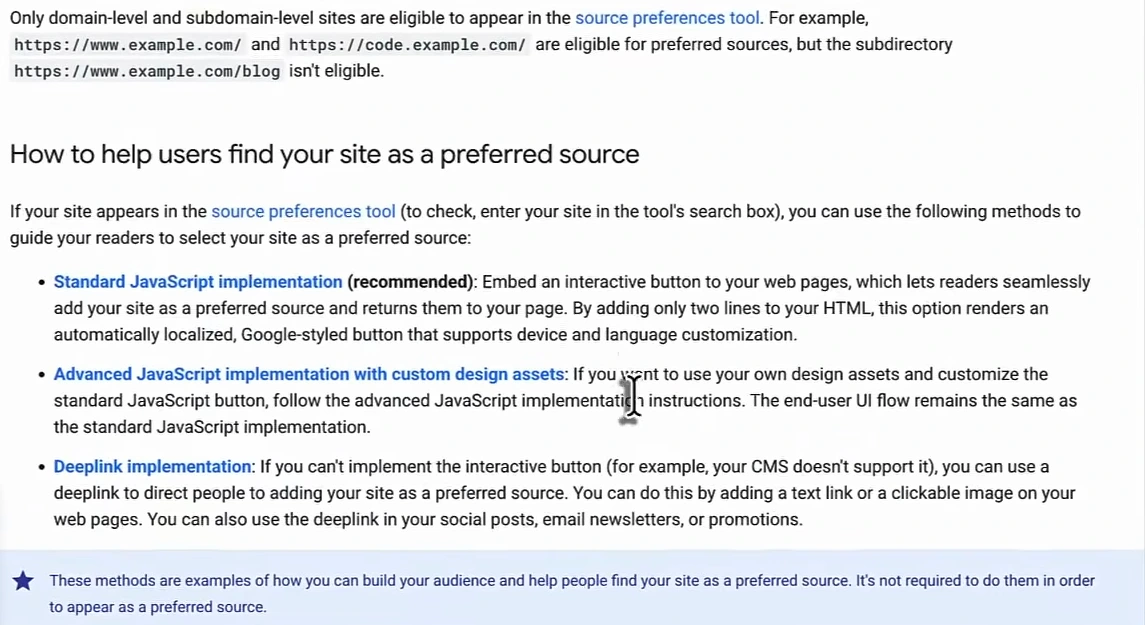
- Eligible: a whole domain (
www.example.com) or a subdomain (blog.example.com), whatever the extension. - Not eligible: a subdirectory (
example.com/blog). Readers can only prefer the whole site. - Check first: your site has to appear in Google's source preferences tool. Search for your domain there before you add anything. If it doesn't show up, the button won't work yet.
How to add the Google Preferred Sources button
Google offers three ways to do it. The standard one is two lines of HTML:
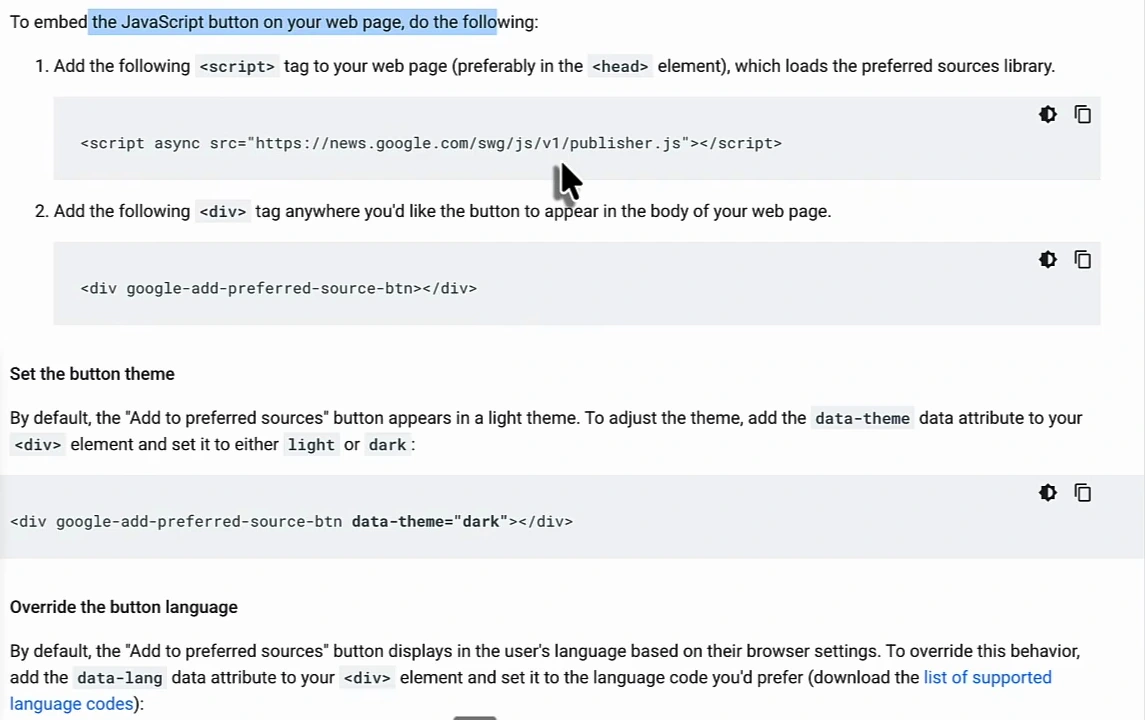
- Load Google's library. Add
<script async src="https://news.google.com/swg/js/v1/publisher.js"></script>to your pages, ideally in the<head>. - Place the button. Add
<div google-add-preferred-source-btn></div>wherever you want it to appear, usually at the end of an article. - Match your design (optional). Add
data-theme="dark"for dark backgrounds, anddata-langto force a language. By default the button follows the reader's browser language.
If you want your own styling, the advanced JavaScript option lets you trigger the same flow from your own button. If your CMS won't run JavaScript, use the deeplink: a plain link to https://www.google.com/preferences/source?q=yourdomain.com. The deeplink also works in newsletters and social posts, which is where many of your most loyal readers are.
Google is clear that none of this is required: a site can be a preferred source without the button. The button just makes it one click instead of several. Full details are in Google's preferred sources guide.
Where to put it so people actually click
Tim's most useful point is about content, not code: the button only matters if people press it, and people only press it for a site they want more of. A few things follow from that:
- Put it after your best content, at the end of articles that earn repeat readers: news, data, explainers. A thin service page won't convert.
- Say what they'll get. Makarios's "more SEO and AI search breakdowns like this" works better than a bare button.
- Publish often enough to show up. Top Stories favours fresh content. A site that publishes once a quarter gives a reader who preferred it very little to see.
That's why the second half of the video moves to how Tim produces content: a knowledge base of the company's own material that the AI draws on for every article, so the output isn't the same generic text every other site publishes.
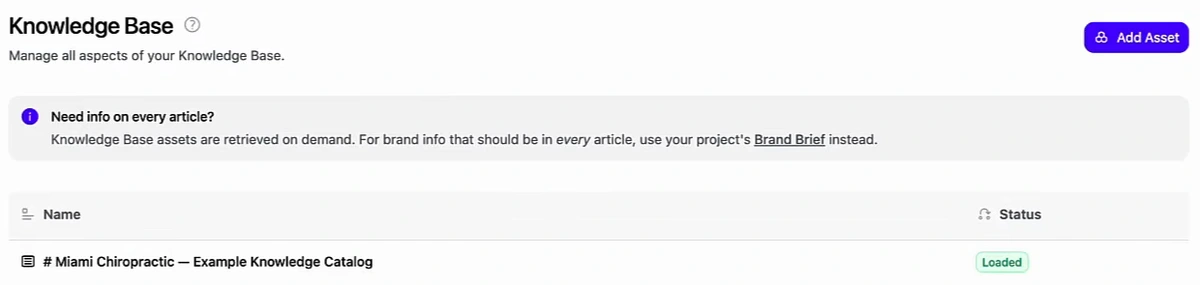
In Arvow you add files, URLs or text (case studies, service details, call scripts) to the knowledge base, set your brand voice once, and then generate articles for specific keywords with your own call to action, internal links from your sitemap, and your own images and videos. That's the kind of content a reader would actually want to add as a preferred source. For the wider strategy behind it, see our zero-click search strategy.
How to tell if it's working
Google's documentation doesn't mention any Preferred Sources report in Search Console, so you won't see a count of readers who added you. What you can do:
- Track clicks on the button with an event in your analytics tool, so you know how many readers started the flow.
- Watch Top Stories and Discover traffic in Search Console over the following months. If the button is working, returning readers should see more of your articles.
- Measure AI visibility separately. Whether ChatGPT, Gemini or Perplexity mention you is a different question with different causes. An LLM brand mention tracker answers it directly, and Tim's tip from the video applies: when a prompt shows low visibility, write content that answers that prompt.
Preferred Sources at a glance
| Question | Answer (per Google's documentation) |
|---|---|
| What does it change? | Your content is more likely to appear for readers who added you, in Top Stories, AI Overviews and AI Mode |
| Does it improve rankings for everyone? | No. It only affects readers who chose you |
| Does it affect ChatGPT or Claude? | Google doesn't claim any effect outside its own Search features |
| Who's eligible? | Domains and subdomains; not subdirectories. No .com requirement is listed |
| How do you add it? | One script tag and one div, an advanced JavaScript option, or a deeplink |
| Is it required? | No. Readers can prefer your site without it |
FAQ
What is the Google Preferred Sources button?
An embeddable button from Google that lets readers add your site as a preferred source without leaving your page. Once they do, your content is more likely to appear for them in Top Stories, and it can be highlighted in AI Overviews and AI Mode.
Does adding the button improve my rankings?
Not for everyone. It only changes what the readers who add you see. Adding the button by itself doesn't change your rankings for anyone else.
Does Google Preferred Sources help with ChatGPT or Claude?
There's no evidence it does. It's a Google Search setting stored in the reader's Google account. To show up in ChatGPT, work on mentions, citations and clear positioning instead.
Do I need a .com domain?
No. Google's documentation requires a domain-level or subdomain-level site and lists no domain extension rules. A subdirectory such as example.com/blog can't be a preferred source on its own.
Can I add it in WordPress or another CMS?
Yes. Paste the script tag into your theme's head (or a header-scripts plugin) and the div into your post template. If your CMS can't run JavaScript, link to Google's deeplink instead.
Want content people actually choose to see more of? Create knowledge-base-driven articles with Arvow.

Generate, publish, syndicate and update articles automatically
The AI SEO Writer that Auto-Publishes to your Blog
- Cancel anytime
- Articles in 30 secs
- Plagiarism Free