
7 Google Business Profile Mistakes That Make You Invisible in 2026

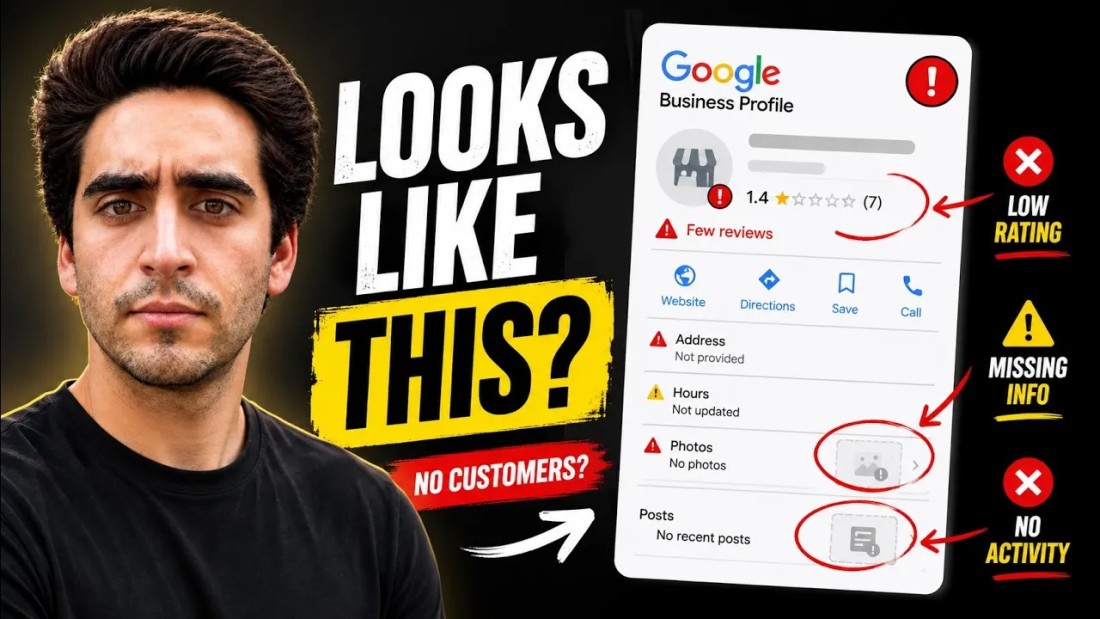
Google is quietly sorting local businesses into two piles: the ones that look alive, and the ghosts. If your Google Business Profile has the same three photos it launched with, no posts, and a pile of unanswered reviews, you are in the second pile — and Google ranks the second pile at the bottom of the map, where nobody calls.
I do local SEO every day, and right now the Business Profile is the single biggest customer channel I see for local businesses — we're watching well-run profiles pull in hundreds of calls every week. So instead of giving you an abstract checklist, I picked one of the most competitive niches in one of the most competitive cities — plumbing in Dallas — opened the profile ranking #1, and reverse-engineered what it does that yours probably doesn't. (No affiliation; I found them the same way their customers do.)
The benchmark: the #1 plumber in Dallas
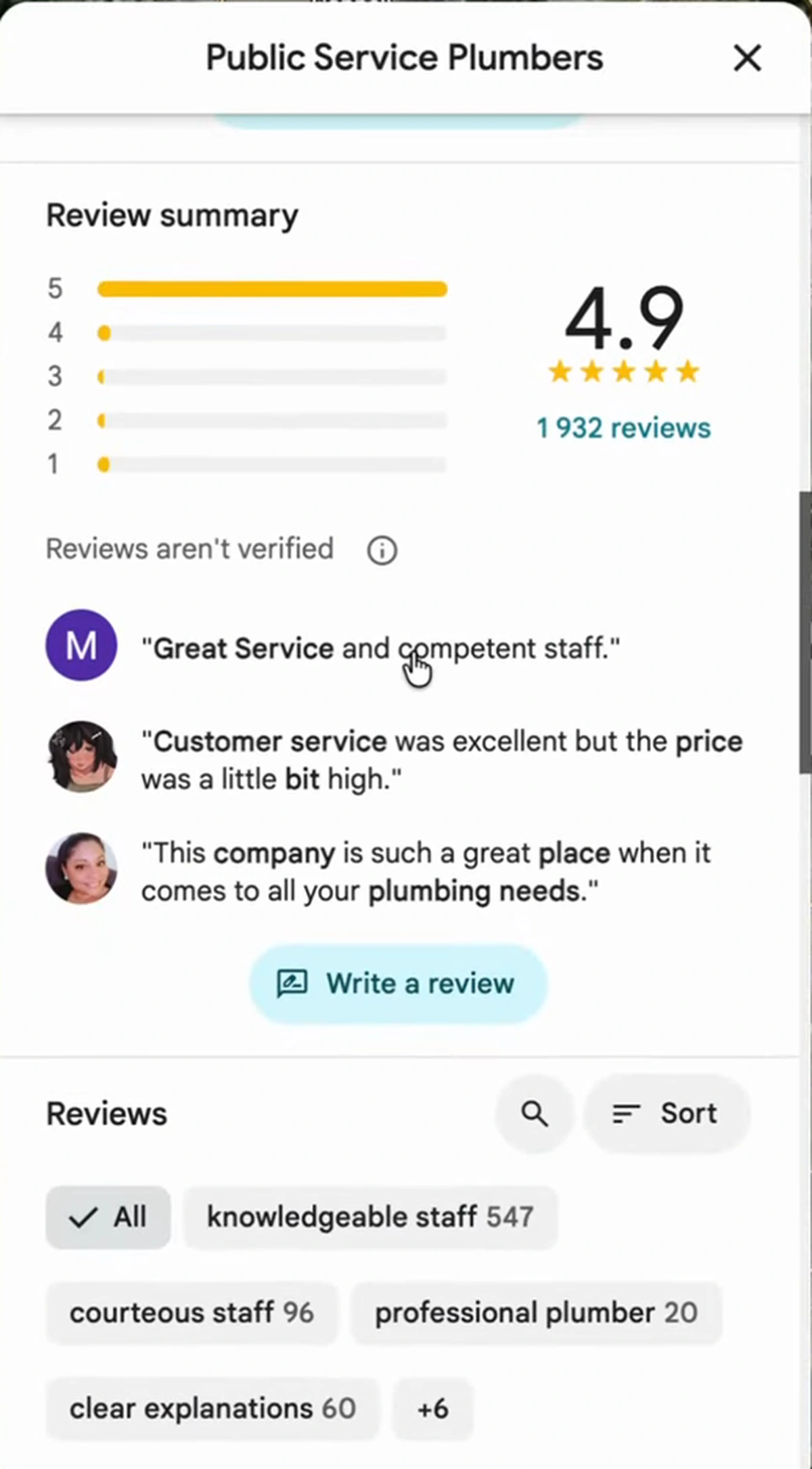
Public Service Plumbers ranks first on Google Maps for plumbing in Dallas, against literally thousands of competitors. The profile tells you why before you even scroll: a 4.9 rating across 1,932 reviews, review filters full of phrases like "knowledgeable staff" (547 mentions) and "courteous staff" (96), and — the part almost everyone skips — an owner who responds to what customers write.
Everything below is the gap between that profile and the average one — framed as the seven mistakes I keep finding when I audit local businesses.
Mistake 1: Your photos are stock, stale, or missing
Open the Dallas profile and the first thing you hit is real photography: their trucks, their storefront, the team at community events, technicians mid-job, even a customer testimonial video and a slogan banner noting they've been around since 1950. It reads like a business that exists this week, not a logo with an address.
Most profiles I audit have a blurry storefront photo from the day they claimed the listing, or generic stock images. Customers notice, and Google notices. One afternoon with a decent phone — team, vehicles, workspace, a few finished jobs — puts you ahead of most of your market. Then keep adding; a dead gallery is what hurts you.
Mistake 2: Your profile looks dead to Google
This is the mental model that changed how I treat every listing: Google treats Business Profiles as living entities. Plenty of businesses on the map have quietly closed — the doors shut, the founder retired, nobody ever updated the listing. Google can't send its users to ghosts, so it wants constant reassurance that you're alive: new photos, new posts, fresh review activity.
Silence, on the other hand, gets read as decline. A profile nothing has touched in eight months drifts down the pack while noisier competitors pass it — which matches everything I've seen testing what it takes to rank #1 on Google Maps. Activity isn't a nice-to-have; it's one of the strongest ranking signals a GBP has.
Mistake 3: One lazy category
The Dallas profile sits in the "Plumber" category — but categories are a field most owners set once, badly, and never revisit. If you're a plumber who also does contracting work, water heater installation, or emergency call-outs, those secondary categories are extra doors into your profile. Pick the most specific primary category you honestly qualify for, then add every secondary category that matches a service you actually sell. Nothing aspirational — just complete.
Mistake 4: Your NAP contradicts itself across the web
NAP is name, address, phone number. Google cross-references yours everywhere it appears: your website, Yelp, your local chamber of commerce, every directory that ever scraped you. When your website says "Suite 4B" and your profile doesn't, or an old listing still carries your previous phone number, you're sending Google mixed signals about whether you're even one coherent business — and mixed signals get discounted.
The fix is boring and worth it: write down the exact canonical string for all three, then sweep your site and every directory listing until they match character for character.
Mistake 5: You've never published a single GBP post
Posts are the most neglected feature on Google Business Profiles — almost no local owner uses them, which is exactly why they differentiate. The #1 plumber posts constantly: service updates, promotions, seasonal announcements, each with its own call-to-action button.
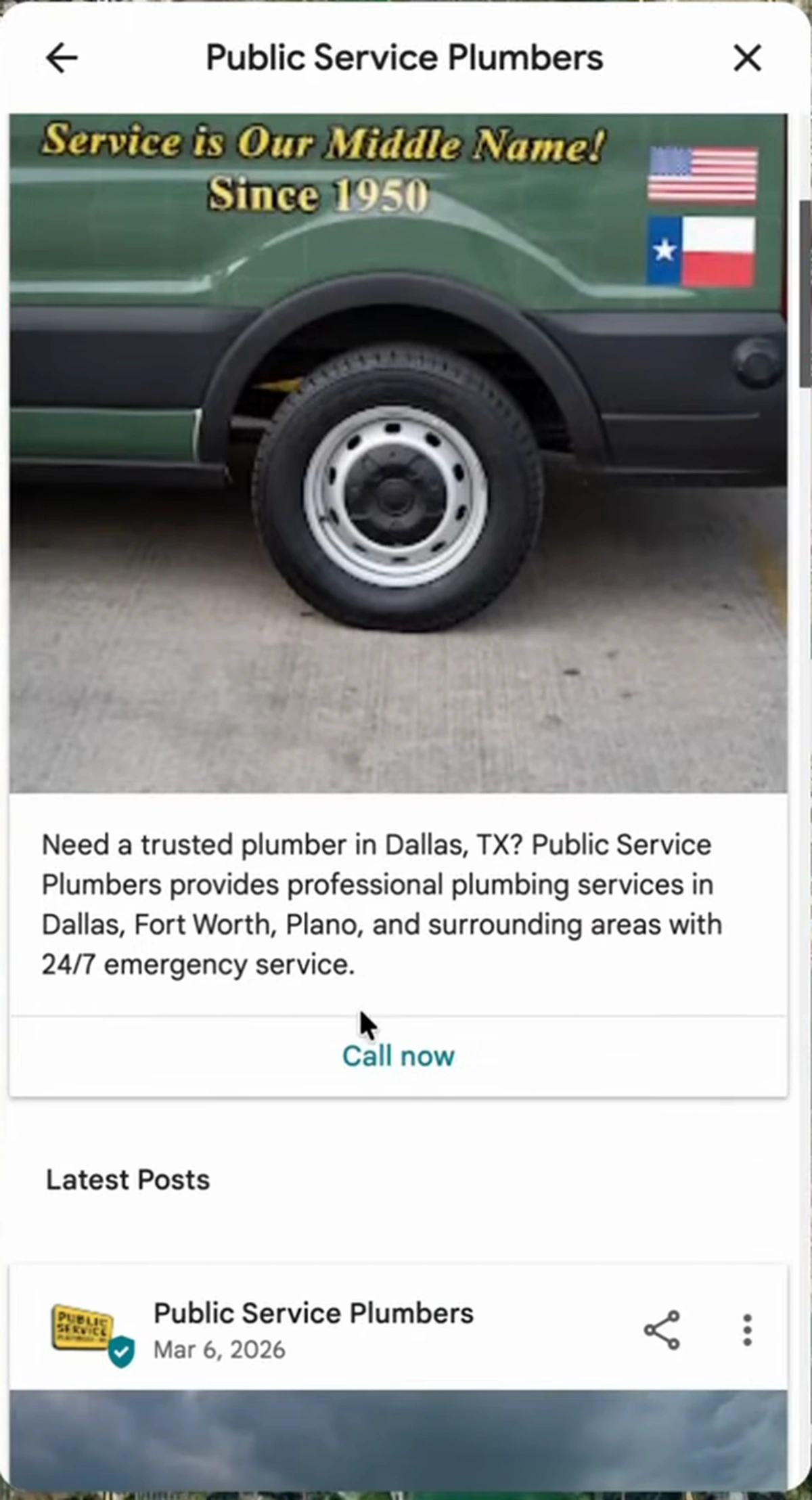
Google supports three post types: updates (closest to a short blog post — news, tips, highlights), events (anything with a start and end date), and offers (sales campaigns, coupons, redemption details). The Dallas profile runs financing offers alongside plain updates. Every post is one more proof-of-life signal from Mistake 2, plus one more chance for a customer to tap "Call now."
Mistake 6: You're not asking for reviews
Reviews are the most important ranking factor your profile has, and they compound: 1,932 reviews didn't happen by accident. If you're not collecting reviews from past and current customers, start today and don't be precious about the channel — email, text, call, or ask on the spot while you're finishing the job. Medium to long term, this is the engine that decides who owns the map pack.
Mistake 7: You ignore reviews — especially the bad ones
Here's the one that separates the #1 profile from everyone else: the owner replies to every single review. Not just the glowing ones — sort by lowest rating and the one-star reviews have thoughtful responses too.
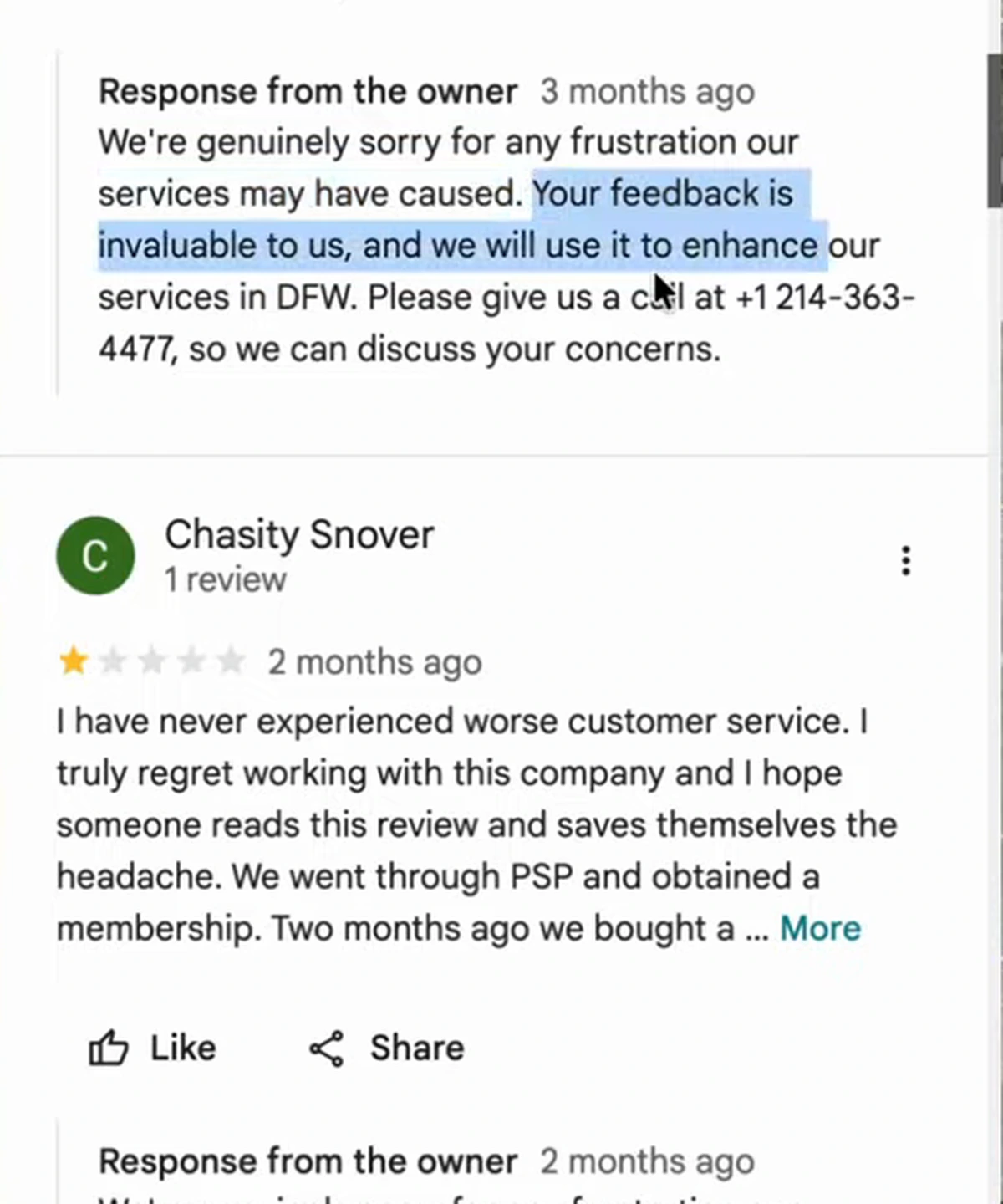
Most owners do the opposite: they answer the five-star reviews and pretend the one-stars don't exist, or they stop replying entirely. But Google values the whole conversation, including the uncomfortable parts. A public, professional response to an angry customer signals an active, accountable business — to Google and to the next customer reading it. I'd point to this habit as a major reason that profile holds #1.
How I automate most of this with AI
Everything above sounds like a part-time job, because manually, it is. This is what we built the local stack in Arvow for — I connect a Google Business Profile in a couple of clicks and two features take over the recurring work.
Review replies on autopilot
The review automation pulls in every review with your average rating, reply backlog, and response rate, then lets you set rules per star rating: what gets answered automatically, what waits as a draft for approval, and what gets left for you to handle personally.
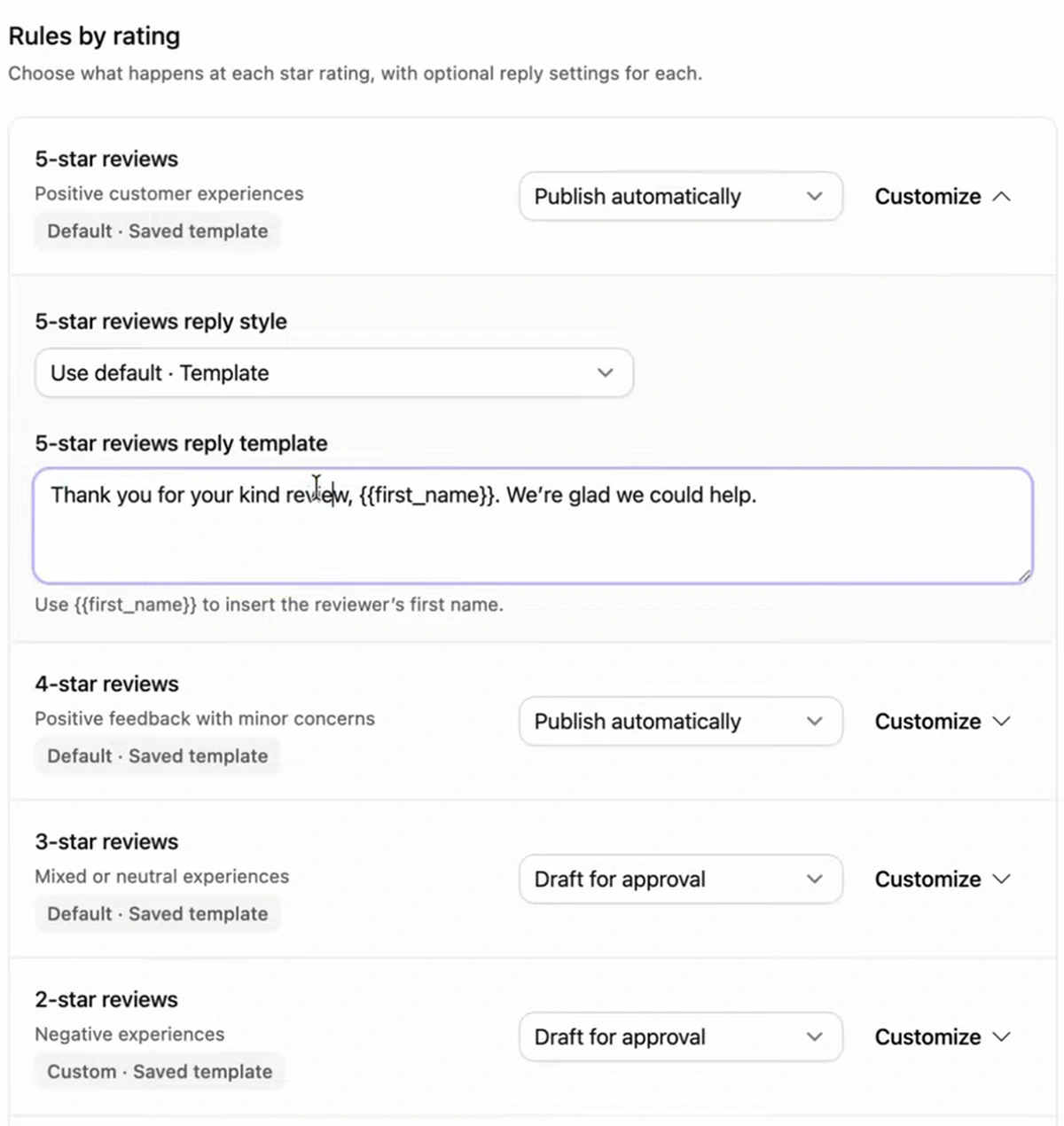
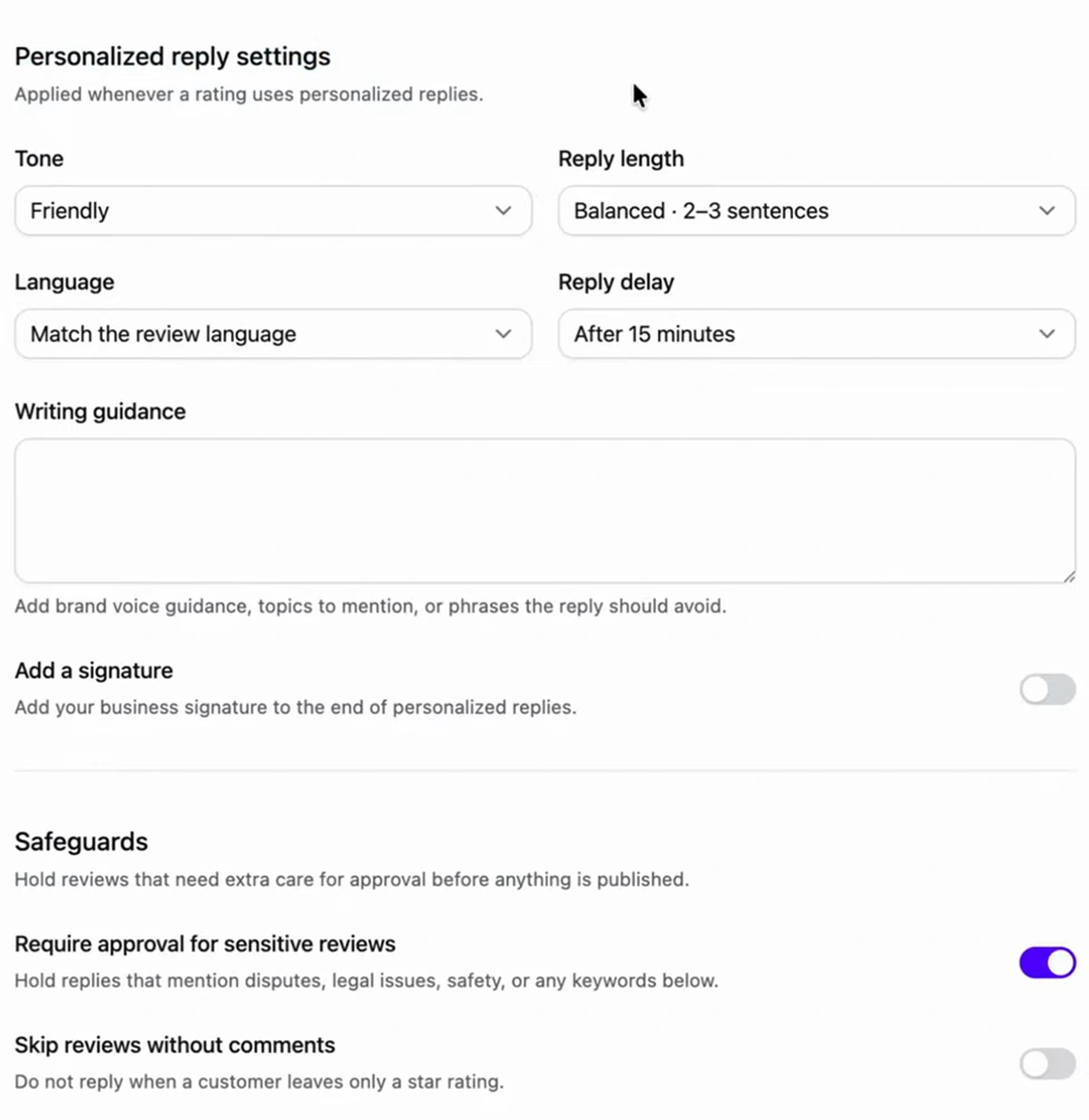
You choose between saved templates ("Thank you for your kind review, {{first_name}}…") and personalized AI replies that actually read the review's content before answering. My setup: personalized AI replies on 5-, 4-, and 3-star reviews, and "do not reply" on 1- and 2-star reviews so I can handle those manually — though if you genuinely have no time, the AI stays polite because you control the guardrails.
GBP posts on a schedule
The GBP posts feature handles Mistake 5. You can create posts manually — tell the AI the focus, pick the post type, let it generate the copy and an AI image — or set up a recurring automation: add your business context through a knowledge base and brand brief, choose review mode (drafts you approve) or full automation (posts go live on their own), pick a default button, and set the cadence.
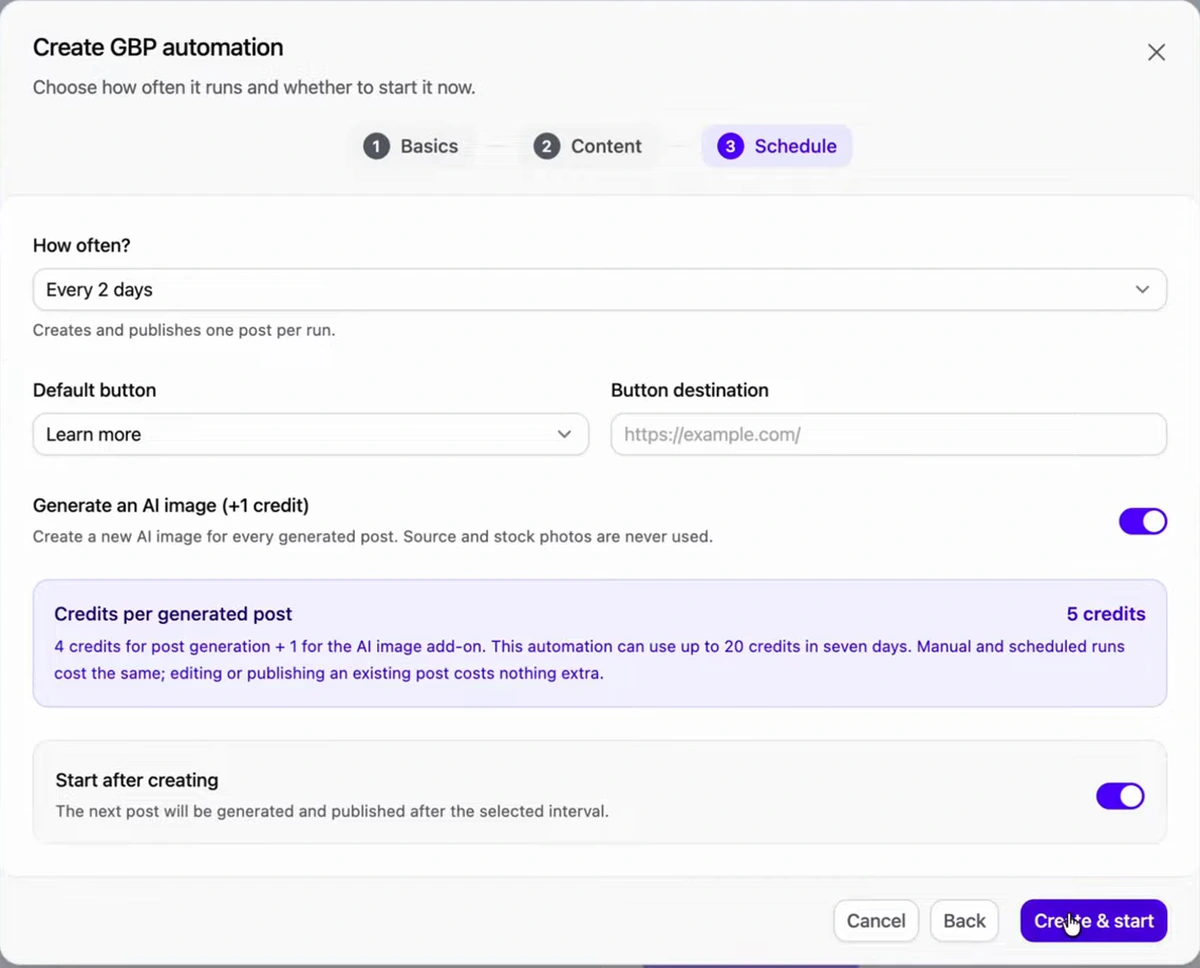
I recommend posting every 2 days with images always on — images carry these posts. Between automated review replies and scheduled posts, I'd estimate around 75% of ongoing profile upkeep runs itself. What's left for you is the one-time foundation work: real photos, correct categories, consistent NAP. If you want the full playbook around that foundation, my free local SEO course goes deeper on all of it.
FAQ
What is the biggest Google Business Profile mistake?
Letting the profile go quiet. Google treats Business Profiles as living entities and needs constant proof — new posts, new photos, fresh review activity — that your business is open and operating. A profile with no activity gets treated like a ghost listing and slides down the map results, regardless of how good the business behind it is.
Do Google Business Profile posts actually help ranking?
They're one of the most differentiating things you can do, mainly because almost nobody does them. Each post is a freshness signal that feeds the "living entity" evaluation, and the top-ranked profiles in competitive markets tend to post consistently. Posts also add a call-to-action button, so they convert as well as signal.
Should I reply to negative reviews on my GBP?
Yes — reply to every review, including one-star ones. Google values the complete conversation, and a professional public response to an unhappy customer signals accountability to both the algorithm and future customers. Apologize, state what you'll improve, and move the details to a phone call, exactly like the #1 Dallas plumber does across nearly 2,000 reviews.
What does NAP consistency mean for local SEO?
NAP is your name, address, and phone number, and consistency means the exact same values appear on your GBP, your website, and every directory that lists you — Yelp, chambers of commerce, all of it. Mismatched NAP sends Google conflicting signals about your business's identity and erodes trust in your listing.
How often should I post to my Google Business Profile?
Every 2 days is the cadence I recommend and the one I set in my own automations; weekly is the floor if you're doing it by hand. Consistency beats bursts — a steady drumbeat of updates keeps the freshness signal alive without overwhelming anyone who visits your profile.
Can AI really run my review replies safely?
With guardrails, yes. Set personalized AI replies for 4- and 5-star reviews, keep low ratings as drafts for approval, and use safeguard keywords — refund, legal, fraud — that force human review before anything sensitive is published. You control tone, length, language, and reply delay, so the output reads like you on a good day.
Want your profile to stop looking like a ghost without doing the upkeep yourself? Connect it to Arvow's Google review automation and GBP posts automation — AI replies with your rules, posts on your schedule.
The uncomfortable truth about the map pack is that the winner usually isn't the best plumber — it's the business Google is most certain is alive. Fix the seven mistakes once, automate the recurring three-quarters, and let your competitors keep being ghosts.

Generate, publish, syndicate and update articles automatically
The AI SEO Writer that Auto-Publishes to your Blog
- Cancel anytime
- Articles in 30 secs
- Plagiarism Free