
Does Arvow Work With My Website? Every Platform and Publishing Path (2026)

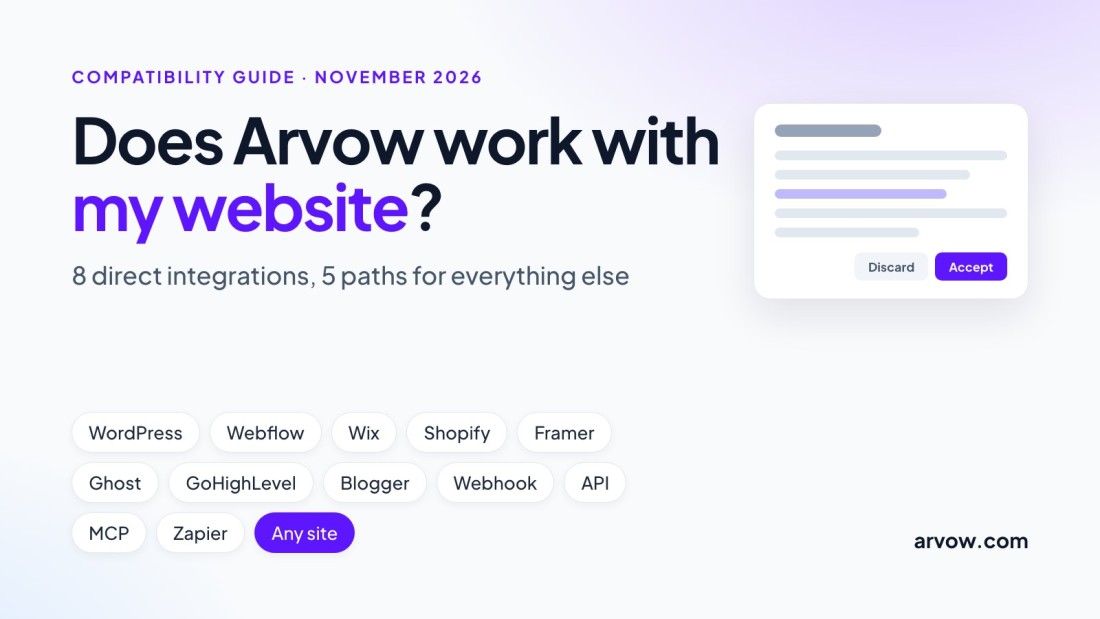
Short answer: Arvow publishes directly to eight platforms, WordPress, Webflow, Wix, Shopify, Framer, Ghost, GoHighLevel and Blogger, and reaches any other website through a webhook, the REST API, the MCP server, Zapier or a download. Squarespace works through a WordPress export. This page lists every documented destination, what you connect for each, what you can choose at setup, and which path to take when your platform is not on the list. Every fact comes from Arvow's help center and the pricing page on November 10, 2026. Where the help center is silent, this page is silent too.
Pick your path by site type
WordPress, Webflow, Wix, Shopify, Framer, Ghost, GoHighLevel or Blogger
A direct integration, set up once in Arvow
Next.js, Astro, Hugo, plain HTML or any custom code
A webhook into your build, or the REST API
A Lovable app on Supabase
The documented webhook recipe
A hosted builder with a Zapier action for blog posts
Zapier, from Arvow's New Article trigger
Squarespace
A WordPress site in between, then an XML import
Anything else
Download as HTML, DOCX or Markdown and paste
The direct integrations: what you connect and what you can choose
Each destination has its own help article with the exact clicks. The table keeps only what matters for a yes or no: the credential Arvow asks for, the publishing settings you get, and the limits the article itself mentions.
| Destination | What you connect with | What you choose at setup | Limits the help center notes |
|---|---|---|---|
| WordPress | The Arvow plugin from the WordPress plugin directory, connected with one click | Draft or Published, author, categories and tags (automatic or manual), post or page, keyword or title as slug, an Elementor toggle | In-article images are not uploaded to the media library by default; the help center suggests the Auto Upload Images plugin. A table of contents needs a plugin too. |
| Webflow | A site API token with read and write permission | Publish now or draft, the site, the collection, and which fields receive the HTML, the meta description and the featured image | Publishing an article also publishes the site, which must have been published once to every domain. Required extra fields in the collection make publishing fail. |
| Wix | The site ID from your dashboard URL and an API key with Wix Blog permission | Publish now or draft | Wix emails a verification code before the key works. |
| Shopify | A custom app in the Shopify developer dashboard with read_content and write_content, its client ID, secret and your shop name | Published or draft, an optional author name | How posts look depends on your theme; a table of contents needs the RuffRuff plugin. |
| Framer | An API key from Settings and your project URL | Publish now or draft, the collection, and the fields for HTML, title, meta description and feature image | A field that does not exist in the Framer CMS has to be created there first. |
| Ghost | A custom integration in Ghost, which gives an API URL and an admin key | Author, status (Published, Scheduled or Draft), the gap between posts | Ghost version 5 or higher. |
| GoHighLevel | A private integration token with four blog permissions and your location ID | The blog, author and category, publish now or draft | The blog, an author and a category must exist in GoHighLevel before you connect. |
| Blogger | Sign in with the Google account that owns the blog | Which blog, publish now or draft | None noted. |
| Squarespace | No API and no Zapier, so a WordPress site in between | Nothing in Arvow: you export an XML file from WordPress and import it into Squarespace | AutoBlog cannot run against Squarespace. |
| Duda | The help center has a video guide only | Not documented in text | Zapier's article names Duda as an example action app. |
Arvow's own pages for each platform, WordPress, Webflow, Wix, Shopify, Framer, Ghost, GoHighLevel and Blogger, describe what the integration is for; the help articles linked in the table hold the setup steps. The pricing page lists all integrations, API access and MCP access on every plan, from Solo at $39 a month billed yearly or $69 billed monthly.

How much control each destination gives you
The integrations differ in how many publishing decisions you can make inside Arvow. The chart counts the options each help article documents: the draft or publish choice, author, categories, tags, post or page, slug, the Elementor switch, the collection, the scheduling gap and each field mapping.

| Destination | Settings counted | Which ones |
|---|---|---|
| WordPress | 7 | Draft or published, author, categories, tags, post or page, keyword as slug, Elementor |
| Webflow | 6 | Publish or draft, site, collection, HTML field, meta description field, featured image field |
| Framer | 6 | Publish or draft, collection, HTML, title, meta description and feature image fields |
| GoHighLevel | 4 | Blog, author, category, publish or draft |
| Ghost | 3 | Author, status (published, scheduled or draft), gap between posts |
| Shopify | 2 | Published or draft, author name |
| Blogger | 2 | Which blog, publish or draft |
| Wix | 1 | Publish or draft |
Five paths for every other website
When your platform has no entry above, one of these carries the article. Four of the five are automatic; the fifth is a download.
| Path | How it works | Plan, per the pricing page | Fits |
|---|---|---|---|
| Webhook | Arvow sends a POST request to a URL you give it every time a publication is created, with the article as JSON and a secret in a header. You answer 200 and may return the live URL, which Arvow attaches to the publication. | Listed on Business and above | Static sites, custom apps, anything with a serverless function |
| REST API | One call publishes an existing Arvow article, or a title and HTML you pass in, to any integration connected to the project. It waits up to 60 seconds for the destination and returns the status and the published URL. | Solo, Business and Ultimate | Developers who already have a build or a CMS of their own |
| MCP server | The same publishing calls, run from ChatGPT (sign-in), Claude, Claude Code or Codex (API key). You ask in plain language and the assistant lists the connected integrations and publishes. | Solo, Business and Ultimate | Agent workflows and people who live in a chat window |
| Zapier | A Zapier integration in Arvow gives you an API key; in Zapier, the New Article trigger starts a Zap whose action is a "create blog post" step in your builder. You map title, meta description and content to its fields. | All integrations are listed on every plan | Builders that have a Zapier action for blog posts, such as Duda or Magento in the article's examples |
| Download | From All Articles, download any article as MD, DOCX or HTML and paste it into whatever editor your site has. | Every plan | Any site, by hand |
The webhook payload is worth knowing before you choose, because it is what a custom site receives: an article id, the title, the content as HTML and as Markdown, tags, a thumbnail URL with alt text, the meta description, the seed keyword, the language code, and the campaign and batch ids. The secret you type into the integration arrives in the X-SECRET header for validation, and the URL you return has to be the full link starting with https. Arvow's webhooks page and Zapier page introduce both paths; the MCP page covers the chat route, and the developers page the API.
Your platform is not on the list
Static sites: Next.js, Astro, Hugo, plain HTML
There is no Next.js, Astro or Hugo article in the help center, and no integration named after them. What the help center documents is the webhook: a POST with the full article that your own code receives. For a static site that means a small endpoint, a serverless function or a build hook, that takes the JSON, writes a Markdown or HTML file into your content folder, or a row into your database, and triggers a rebuild. The Lovable article is the worked example of exactly this pattern: it has Lovable create a Supabase table for articles, two public blog routes, and an edge function that checks the secret header, upserts the article and returns the final URL to Arvow. The same shape works for any framework; the help center does not provide the code for other stacks. If you would rather not run an endpoint, the API lets your build pull articles instead, and the download gives you clean HTML to commit by hand.
Hosted builders: Hostinger, GoDaddy, Carrd, Systeme and the like
None of these has a direct integration, and this page will not guess which ones Zapier supports. The test is simple: open Zapier's app directory and look for your builder with a "create blog post" style action. If it has one, the Zapier path above publishes automatically. If it does not, the help center points to two options. DropInBlog hosts the blog on its own platform and displays it on your site through an embed code, so it works with almost any builder that accepts custom HTML or script embeds; Arvow reaches it through Zapier, and the article names Framer and GoHighLevel among the builders it has been used with. Or you download the article as HTML and paste it into the builder's editor.
CRM site builders
GoHighLevel is the one CRM builder with a direct integration, and it needs an existing blog, author and category on the GoHighLevel side. For other CRM builders the Zapier test above applies, and the download is the fallback.
Squarespace
The Squarespace article is direct about the limit: Squarespace supports neither API access nor Zapier, so Arvow cannot publish to it. The documented route is a WordPress site as an intermediary: connect it to Arvow, create the articles, export the XML from WordPress, import it into Squarespace and move the posts to the right blog. AutoBlog, the scheduled automation, is not possible on Squarespace. Arvow's Squarespace page links to the same guide.
Is there an Arvow app?
The help center describes Arvow as a product you use in the browser and, through the MCP server, from ChatGPT, Claude and coding tools. It documents no mobile app and no desktop app, so this page does not claim one.
Does the Site Optimizer work on my site?
The Site Optimizer is a different question from publishing, and people ask it in the same breath. Per the help article, it works by injecting a script into your website that overrides the frontend code, so meta titles, descriptions, canonical URLs, image alt text, FAQ and Article schema and internal links are applied in real time for visitors and search engines, and you will not see them in your CMS or editor. You install the script in the head of your pages: in the code if you have access, or through your platform's custom header script option. Single-page applications are not supported. Each project has one optimizer, bound to the website URL used when it was created, and the installation article has tabs for WordPress, Webflow, Wix, Shopify and Ghost. So a static site, a hosted builder with a header script field or a CRM builder can run the optimizer even when it cannot receive articles automatically.
FAQ
Does Arvow work with WordPress?
Yes. You install the Arvow plugin from the WordPress plugin directory, click Connect, and set the publishing options in Arvow: draft or published, author, categories, tags, post or page, slug, and an Elementor toggle if you use that builder. For posting from a chat instead, see the WordPress MCP comparison.
Does Arvow work with Wix?
Yes. The integration takes your Wix site ID and an API key with Wix Blog permission, and you choose whether articles publish at once or arrive as drafts.
Does Arvow work with Shopify?
Yes. You create a custom app in Shopify with the read_content and write_content scopes, paste its client ID and secret into Arvow with your shop name, and pick published or draft. Shopify's theme decides how the posts look. The Shopify MCP comparison covers the chat route.
Does Arvow work with Webflow?
Yes. A site API token with read and write permission connects it; you map the HTML, meta description and featured image to collection fields and choose publish or draft. Publishing an article publishes the site, so the site needs to have been published once to every domain. The Webflow MCP comparison looks at the agent side.
Does Arvow work with Hostinger?
There is no direct integration for Hostinger's builder in the help center. If the builder has a Zapier action for blog posts, Zapier carries the article; otherwise download the article as HTML and paste it, or run the blog through DropInBlog's embed.
Can Arvow publish to a Next.js site?
Through the webhook or the API. The webhook sends every new publication as JSON to an endpoint you run; the Lovable article shows the full recipe with Supabase. The help center has no Next.js-specific guide.
Can I review articles before they go live?
Yes, on every direct integration: WordPress, Webflow, Wix, Shopify, Framer, GoHighLevel and Blogger each have a draft option, and Ghost adds a scheduled status. The Google Business Profile posts feature has the same choice, publish or save as a draft inside your profile.
Which plans include the API, MCP and webhooks?
The pricing page lists API access and MCP access on Solo, Business and Ultimate, and webhooks from the Business plan, $69 a month billed yearly or $169 billed monthly.
Is there an Arvow mobile or desktop app?
None is documented. Arvow runs in the browser, and the MCP server brings it into ChatGPT, Claude and coding tools.
Ready to connect your site? See every Arvow integration and pick the setup guide for your platform.
Generate, publish, syndicate and update articles automatically
The AI SEO Writer that Auto-Publishes to your Blog
- Cancel anytime
- Articles in 30 secs
- Plagiarism Free