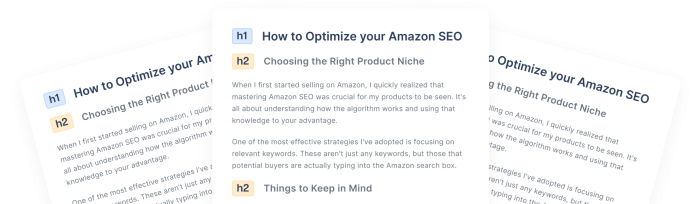
The site optimizer that fixes SEO issues for you
Scans your pages, suggests better titles, descriptions, alt text, schema and internal links, and applies them on your live site in one click.


What Site Optimizer fixes
On-page SEO fixes, each one a suggestion you can read before it goes live.
Meta titles
Reads the title of each page and suggests a clearer, search-friendly version.
Meta descriptions
Writes a description where a page has none, and improves the one it has.
Canonical URLs
Tells search engines which version of a page is the main one, so duplicates stop competing.
Image alt text
Finds missing or weak alt text and suggests better wording, for accessibility and for search.
FAQ and Article schema
Adds structured data that search engines can read for your FAQ sections and your articles.
Internal links
Suggests links between related pages, with the page to link to and the anchor text.
How Site Optimizer works
From first scan to live fixes in three steps.
-
1Scan your site
Open Site Optimizer in your project and enter your website URL. Arvow scans your pages and their metadata.
-
2Review the suggestions
Each suggestion shows the fix and the reason for it. Apply one, apply all the remaining ones, or archive it.
-
3Install the script once
Add one script to the head section of your site. Applied fixes go live without editing your CMS.
An SEO audit lists problems. Site Optimizer applies the fix.
An audit report hands you a to-do list. This hands you the finished change.
The fix is already written
Every issue arrives with its fix: the new title, the alt text, the link and its anchor, plus the reason behind it.
You choose what goes live
Apply suggestions one at a time or all the remaining ones in a click, and archive the ones you do not want.
Your content stays untouched
The script applies the changes on the front end in real time. Your original pages are never modified.
Good to know before you install it
How Site Optimizer behaves, so nothing surprises you after setup.
Applied by a script
Visitors and search engines see the fixes. Your CMS editor keeps showing the original page.
One site per project
Each project has one Site Optimizer, bound to the website it was created for.
Not for single-page apps
Sites built as single-page applications are not supported at the moment.
2 credits per page
Site Optimizer uses 2 credits per page and is included from the Solo plan up.
Site Optimizer FAQ
-
Site Optimizer is the part of Arvow that scans a website, suggests on-page SEO fixes and applies the ones you choose on the live site. It covers meta titles, meta descriptions, canonical URLs, image alt text, FAQ and Article schema, and internal links. Each suggestion comes with the reason behind it.
-
Through one script that you add to the head section of your website. The script applies the optimizations you accepted on the front end, in real time. Your original content is never modified, so you keep editing your site the way you always have.
-
Because the changes are applied when the page loads, not written into your CMS. Visitors and search engines see the optimized titles, descriptions and tags, while WordPress, Wix, Squarespace or any other editor keeps showing your original content. To check a change, apply a meta title suggestion and hard refresh the page: the browser tab shows the new title.
-
Any website where you can add a script to the head section, either in the code or through the custom header script option of your CMS or site builder. Single-page application sites are not supported at the moment.
-
Site Optimizer is listed in the Solo plan and every plan above it. Solo is $39 a month billed yearly, or $69 billed monthly, with 1,000 credits a month. Site Optimizer uses 2 credits per page. The pricing page has the current plans.
-
It goes one step further. An audit report lists what is wrong and leaves the fixing to you. Site Optimizer writes the fix for each issue, such as the new title, the alt text or the internal link with its anchor, and applies it to the live site when you click Apply. You can apply suggestions one by one or all the remaining ones at once.
Rank more clients. Do less work.
Get started and see why agencies trust Arvow.
-
Cancel anytime
-
Articles in 30 secs
-
Plagiarism Free