
Arvow Credits Explained: What Every Action Costs and How Many Articles You Get (2026)

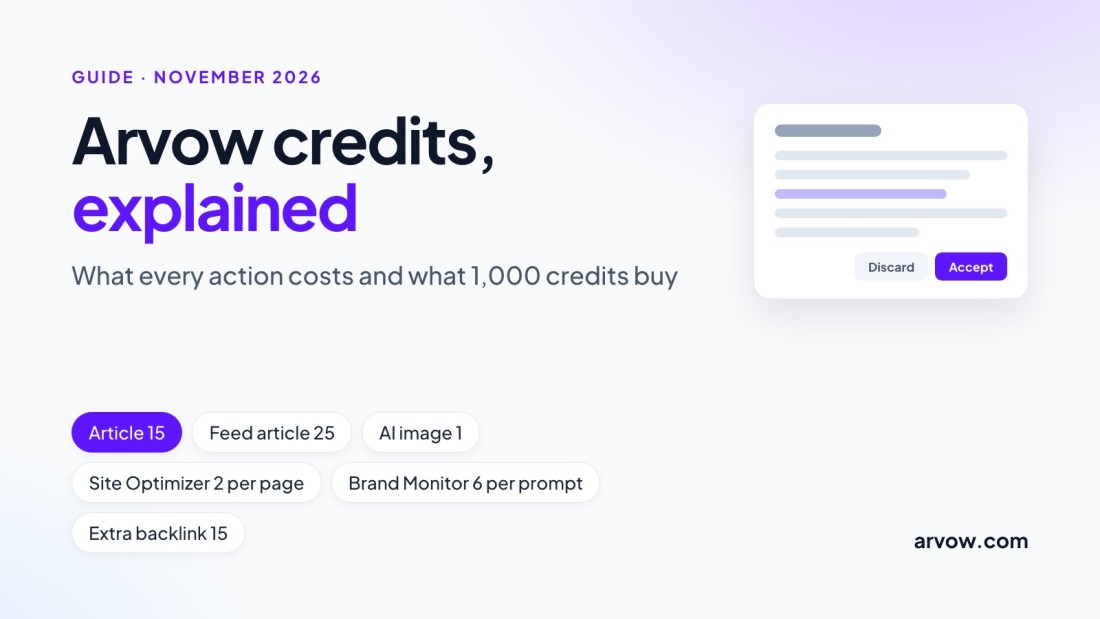
Arvow credits are the unit every plan is measured in. A standard article costs 15 credits, so the 1,000 credits of the Solo plan are about 66 articles a month with no images. Images, Site Optimizer crawls, feed-sourced articles, LLM Brand Monitor runs and extra backlinks spend credits too, which is why a balance can fall faster than the article count explains. This page lists what every action costs, what 1,000, 3,000 and 9,000 credits buy under different settings, and what happens when credits run out. Every number comes from the Credits Usage article in Arvow's help center, the API reference or arvow.com/pricing, read on November 10, 2026.
The short answer
What a credit is
The unit every plan is measured in: Solo includes 1,000 a month, Business 3,000, Ultimate 9,000
What an article costs
15 credits, or 25 when it is written from a news, RSS or YouTube feed item
What 1,000 credits buy
66 standard articles with no images, or 55 with three AI images each
When credits expire
Monthly credits at the end of the month. Top-up credits never expire
What each action costs
The help center keeps one price list, and the app shows a cost breakdown before you create a Brand Monitor. The table repeats that list and adds the per-call costs the API reference states for the SEO research tools, which the in-app Chat uses as well.
| Action | Credits | Documented in |
|---|---|---|
| Standard article | 15 | Credits Usage |
| Article written from a news, RSS or YouTube feed item | 25 (15 plus 10) | Credits Usage |
| AI image | 1 per image | Credits Usage |
| Premium AI image | 5 per image | Credits Usage |
| Site Optimizer | 2 per crawled page | Credits Usage |
| AI Assistant edit in the AI SEO Editor | 1 per applied edit; the chat itself is not charged | Credits Usage |
| LLM Brand Monitor | 6 per prompt per run, and runs repeat every 3 days | Credits Usage, LLM Brand Monitor |
| Automatic Backlinks | 15 per verified backlink beyond the one included per account per day | Credits Usage, Automatic Backlinks |
| Keyword Planner research | 3 per research run | Credits Usage |
| Internal link scan, in Chat or through the API | 10 per scan | Chat with your project, API reference |
| SEO research lookups in Chat or through the API: keyword metrics, search results, related keywords, domain overview, competitors, keyword gap, backlink overview | 1 to 3 per call | Chat with your project, API reference |

The quiet spenders: what uses credits without writing an article
The Credits Usage article has a section called "Why did my article credit cost go up?", and its answer is that a jump which looks like a price increase is usually a change in how articles are generated, plus the other features that spend credits on top of generation. These are the ones to check, with the setting that controls each one as the help center documents it.
| Spender | What it costs | Where it is set |
|---|---|---|
| Images in articles | 1 credit per AI image, 5 per premium image. Three AI images add 3 credits, a fifth more, to a 15-credit article | The Images section of the article template: featured image on or off, and the image settings. The help center suggests keeping two versions of a template, one with images and one without |
| Feed-sourced articles | 10 credits more per article, 25 in total | Feeds only run inside a recurring automation with a News Article or YouTube to Blog Post template. A standard template with your own keywords costs 15 |
| Site Optimizer crawls | 2 credits per crawled page: a 50-page site is 100 credits per crawl | Site Optimizer is created under Authority and reads the pages of your sitemap, which you can set under its Settings tab |
| LLM Brand Monitor runs | 6 credits per prompt per run. Ten prompts cost 60 per run, and with a run every 3 days that is about 600 credits a month | The number of prompts you track. The monitor shows a full cost breakdown before you create it, and a manual run costs the same 6 per prompt |
| Automatic Backlinks beyond the included one | 15 credits per verified backlink. The help center's example: a project set to 3 backlinks a day is 45 credits a day | Settings tab of Automatic Backlinks: Project maximum backlinks per day, and a receiving preference of Off, Relevance or Volume |
| Tools run from Chat | 1 to 3 credits per research lookup, 10 per internal-link analysis, the usual article price for an article created in chat | Chatting is not charged. Only the tools the chat runs are, as listed in Chat with your project |
| AI SEO Editor suggestions | 1 credit per applied edit | Approve suggestions one by one instead of Accept All when you only want some of them |
How many articles your credits buy
The table divides each plan's monthly credits by the cost of one article under a given setting, keeping whole articles only. The remainder stays in the balance until the month ends.
| Setting (credits per article) | Solo, 1,000 credits | Business, 3,000 | Ultimate, 9,000 |
|---|---|---|---|
| Standard article, no images (15) | 66 | 200 | 600 |
| Standard article, one AI image (16) | 62 | 187 | 562 |
| Standard article, three AI images (18) | 55 | 166 | 500 |
| Standard article, three premium images (30) | 33 | 100 | 300 |
| Feed article, no images (25) | 40 | 120 | 360 |
| Feed article, three AI images (28) | 35 | 107 | 321 |
Two more cases show how the other features change the count on a Solo plan. A Site Optimizer crawl of 50 pages takes 100 credits, which leaves 900 and 60 standard articles. A Brand Monitor with 10 prompts takes 60 credits per run, and at one run every 3 days that is about ten runs and 600 credits in a 30-day month, which leaves 400 credits and 26 articles. On Business or Ultimate the same features take the same credits out of a larger allowance.

The three plans in credits
Solo · $39 a month billed yearly, or $69 billed monthly
1,000 credits a month and 1 website: about 66 standard articles
Business · $69 a month billed yearly, or $169 billed monthly
3,000 credits a month and 5 websites: about 200 standard articles
Ultimate · $249 a month billed yearly, or $449 billed monthly
9,000 credits a month and unlimited websites: about 600 standard articles
Top-up credits · bought separately
Do not expire, and are spent only after the month's credits are gone
The article counts are the credits divided by 15, with no images and no other features running. The plans are listed on arvow.com/pricing, which also says they can be cancelled anytime. Automatic Backlinks, the LLM Brand Monitor and the AI SEO Editor are listed from the Business plan; Site Optimizer and AutoBlog are on every plan.
When credits run out, reset or roll over
The Credits Usage article separates two kinds of credits. Monthly subscription credits are the ones your plan includes. They renew every month, and any that are unused expire at the end of the month: they do not roll over. The pricing FAQ describes the same thing as a reset every billing cycle. Pay-as-you-go credits, called top-up credits in the app, are bought separately and do not expire. The monthly credits are always spent first, and the top-up credits only after they are gone.
When the balance reaches zero, nothing that costs credits runs. The API reference notes that a Brand Monitor run without enough credits produces no new answers, even though the run date moves. The two documented ways to get more credits are to upgrade to a plan with a larger monthly allowance, or to buy pay-as-you-go credits as needed. Billing exceptions are handled by support, not by the app.
Why the cost per article went up
The help center's answer to this question is worth repeating, because it is the usual cause behind a balance that empties faster than expected. A standard article is 15 credits, and an article written from a news, RSS or YouTube feed item is 25. If a recurring automation switched from a standard template to a feed, every article now costs two thirds more. Images, Site Optimizer crawls, Brand Monitor runs, Keyword Planner research and verified Automatic Backlinks spend credits on top of generation. The five things to check, in order: which template the automation uses, whether it reads from a feed, whether images are switched on and how many, whether a Brand Monitor is running and with how many prompts, and what the daily backlink limit is set to.
Where these numbers come from
The help center is the reference for credit costs, and this page follows it where the pricing page's FAQ is worded differently. The pricing FAQ says Site Optimizer costs 2 credits "per optimized page"; the help center says per crawled page, which is what the scan does. The pricing FAQ says LLM prompts cost 6 credits each; the help center adds that the 6 credits are charged on every run and that runs repeat every 3 days, which is what decides the monthly cost. The pricing FAQ also counts article imports at 1 credit, which the help center does not list, so imports are left out here. The Keyword Planner's 3 credits per research run and the Chat tool costs appear only in the help center and the API reference. If a number here ever disagrees with the Credits Usage article, the article is current and this page is not.
FAQ
How many articles can I write with 1,000 Arvow credits?
About 66 standard articles with no images, 62 with one AI image each, 55 with three AI images each, or 40 articles written from a feed. A standard article costs 15 credits, an AI image 1 and a feed article 25.
Why did my Arvow credits run out?
Usually because something other than the article count is spending them: images on every article, a recurring automation that reads from a feed at 25 credits an article, a Site Optimizer crawl at 2 credits a page, a Brand Monitor at 6 credits per prompt every 3 days, or a daily backlink limit above the included one at 15 credits a link. The Credits Usage article lists every cost.
Do Arvow credits roll over?
Monthly subscription credits do not. They renew every month and unused ones expire at the end of the month. Top-up credits bought separately do not expire.
Do top-up credits expire?
No. Pay-as-you-go credits do not expire, and they are only spent after the month's included credits are used up.
How much does one Arvow article cost in credits?
15 credits for a standard article. An article generated from a news, RSS or YouTube feed item costs 10 more, 25 in total. Images are extra: 1 credit per AI image, 5 per premium image.
Does chatting with Arvow use credits?
No. Chatting itself is not charged. The tools the chat runs are: 1 to 3 credits per SEO research lookup, 10 per internal-link analysis, and the usual article price when it creates an article.
How do I get more credits?
Upgrade to a plan with more monthly credits, or buy pay-as-you-go credits, which do not expire. Both options are on the pricing page.
Choosing a plan? Arvow's pricing page lists the credits, websites and features of Solo, Business and Ultimate, and the plans can be cancelled anytime.
Generate, publish, syndicate and update articles automatically
The AI SEO Writer that Auto-Publishes to your Blog
- Cancel anytime
- Articles in 30 secs
- Plagiarism Free