
Meta Description Generator: Free Tools, AI Solutions, and Best Practices

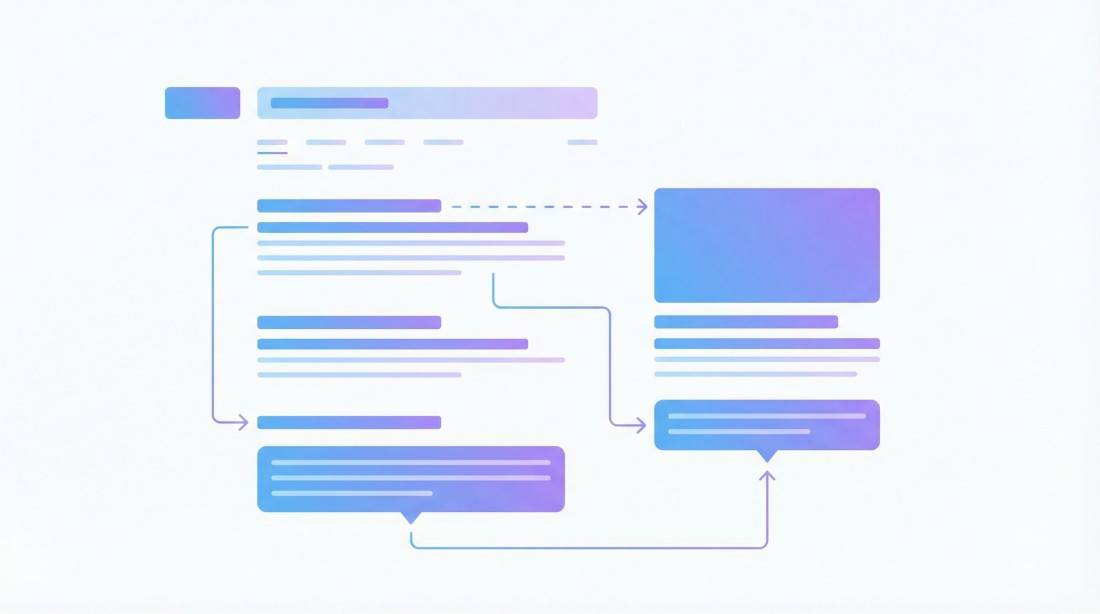
Table of Contents
Writing compelling meta descriptions for every page on your website is a time-consuming task that many marketers dread. Yet these short snippets of text can make the difference between a user clicking on your result or scrolling past it. A well-crafted meta description acts as your page's elevator pitch in search results, directly impacting your click-through rate and, ultimately, your organic traffic.
This guide covers everything you need to know about meta description generators, from understanding what makes a great meta description to exploring the best free and AI-powered tools available. Whether you need to write a single description or generate hundreds in bulk, you'll find practical solutions here.
What Is a Meta Description?
A meta description is an HTML attribute that provides a brief summary of a web page's content. This description appears beneath the page title and URL in search engine results pages (SERPs), giving users a preview of what they'll find if they click through.
Here's what a meta description looks like in HTML:
<meta name="description" content="Your compelling meta description goes here, typically between 150-160 characters.">While Google has stated that meta descriptions are not a direct ranking factor, they significantly influence whether users click on your result. A higher click-through rate (CTR) sends positive signals to search engines about your content's relevance and quality.
Meta Description Best Practices for SEO
Before diving into tools and generators, understanding what makes a meta description effective will help you evaluate and refine AI-generated options.
1. Keep It Under 160 Characters
Google typically displays up to 155-160 characters of a meta description on desktop and fewer on mobile. Anything beyond this gets truncated with an ellipsis (...), potentially cutting off your call to action or key message.
2. Include Your Target Keyword
When a user's search query matches words in your meta description, Google bolds those terms. This visual emphasis draws attention to your result and signals relevance to the searcher.
3. Write Unique Descriptions for Every Page
Duplicate meta descriptions across your site dilute their effectiveness and can confuse search engines about which page to rank for specific queries. Each page deserves a description that accurately reflects its unique content.
4. Include a Clear Call to Action
Phrases like "Learn how to," "Discover," "Get started," or "Find out" encourage users to click. Your meta description should give readers a reason to visit your page over competitors.
5. Match Search Intent
Your description should align with what users are actually looking for. If someone searches "buy running shoes," a description focused on running shoe reviews might not convert as well as one highlighting your selection and checkout process.
6. Avoid Keyword Stuffing
While including keywords is important, cramming multiple variations into your description makes it read unnaturally. Focus on readability and user experience first.
Best Free Meta Description Generators
Several free tools can help you create effective meta descriptions without spending a dime. Here are the top options:
1. SEOptimer Meta Description Generator
SEOptimer offers a straightforward free tool that generates meta descriptions based on your page content or keywords. Simply enter your information, and it produces multiple variations to choose from. The tool focuses on keeping descriptions within optimal character limits.
Best for: Quick, one-off meta description generation
2. Copy.ai Free Meta Description Tool
Copy.ai provides a free tier that includes access to their meta description generator. The AI-powered tool creates engaging descriptions based on your page title and primary keyword. You can generate multiple options and refine them based on your needs.
Best for: Creative, marketing-focused descriptions
3. Portent SERP Preview Tool
While primarily a SERP preview tool, Portent lets you see exactly how your meta description will appear in Google search results. This helps you optimize length and formatting for maximum impact.
Best for: Testing and previewing descriptions before publishing
4. HubSpot's Free SEO Tools
HubSpot includes meta description guidance within their free SEO tools. While not a dedicated generator, it provides recommendations and templates to help you craft effective descriptions.
Best for: Beginners who need guidance alongside generation
AI Meta Description Generators
AI-powered tools take meta description generation to the next level by understanding context, analyzing top-performing competitors, and creating descriptions that resonate with your target audience.
1. ChatGPT
OpenAI's ChatGPT can generate meta descriptions when given the right prompts. For best results, provide context about your page content, target keyword, and desired tone. You can ask for multiple variations and refine based on your preferences.
Example prompt: "Write a meta description under 155 characters for a blog post about [topic]. Include the keyword [keyword] and a call to action."
2. Jasper AI
Jasper offers a dedicated meta description template that generates SEO-optimized descriptions based on your page title and content summary. The tool learns from your brand voice and previous outputs to improve over time.
3. Frase
Frase combines content optimization with AI writing. It analyzes top-ranking pages for your target keyword and generates meta descriptions that incorporate proven elements from successful competitors.
4. Surfer SEO
Surfer's content editor includes meta description recommendations based on SERP analysis. While not a standalone generator, it helps you understand what's working for top-ranking pages in your niche.
Bulk Meta Description Generation
For websites with hundreds or thousands of pages, generating meta descriptions one at a time simply is not practical. This is where bulk solutions become essential.
The Bulk Meta Description Challenge
E-commerce sites, content publishers, and agencies often face the daunting task of creating unique meta descriptions for:
Hundreds of product pages
Multiple blog posts across various topics
Location-specific landing pages
Category and collection pages
Client websites (for agencies)
Manually writing each one can take weeks of work, and the quality often suffers due to fatigue and repetition.
Bulk Generation with Arvow
For those who need to generate meta descriptions at scale, Arvow offers a powerful solution. As an AI-powered SEO content platform, Arvow can generate complete blog posts with optimized meta descriptions included automatically.
Here's how Arvow handles bulk meta description generation:
Automatic generation: Every article created includes an SEO-optimized meta description tailored to the content
Keyword integration: Meta descriptions automatically incorporate your target keywords
Character optimization: Descriptions are crafted to stay within Google's display limits
Auto-publishing: Content with meta descriptions can be published directly to WordPress, Shopify, and other platforms
With plans starting at $69/month, Arvow allows you to generate up to 1,000 articles per month, each with a professionally crafted meta description. For agencies managing multiple clients, the Ultimate plan at $449/month includes unlimited workspaces and up to 9,000 articles monthly.
How to Write a Meta Description (Step-by-Step)
Whether you're using a generator or writing manually, following a structured process ensures consistent quality:
Step 1: Identify Your Target Keyword
Before writing, know the primary keyword you want to rank for. This should align with your page's content and what users are searching for.
Step 2: Analyze the Competition
Search for your target keyword and examine the meta descriptions of top-ranking pages. Note what patterns work, such as question formats, specific numbers, or emotional triggers.
Step 3: Summarize Your Page Value
In one sentence, describe what makes your page valuable. What will users gain by clicking? This becomes the foundation of your meta description.
Step 4: Draft Multiple Versions
Write 3-5 variations, experimenting with different hooks, calls to action, and keyword placements. This gives you options to test and refine.
Step 5: Check Character Count
Use a character counter to ensure your description stays under 155-160 characters. Tools like the Portent SERP Preview can show exactly how your description will appear.
Step 6: Test and Iterate
After publishing, monitor your CTR in Google Search Console. If a page has high impressions but low clicks, your meta description might need improvement.
Meta Description Templates
Use these templates as starting points for different content types:
For Blog Posts
"Discover [benefit] with our guide to [topic]. Learn [specific takeaways] and [call to action]."
Example: "Discover how to double your email open rates with our guide to subject lines. Learn 15 proven formulas and start improving today."
For Product Pages
"Shop [product name] featuring [key features]. [Unique selling point]. [Call to action]."
Example: "Shop the UltraComfort Running Shoe featuring responsive cushioning and breathable mesh. Free shipping on orders over $50. Order now."
For Service Pages
"[Service name] in [location] by [company name]. [Key benefit or differentiator]. [Call to action]."
Example: "Expert plumbing services in Austin by HomeFix Pro. 24/7 emergency repairs with same-day appointments. Get your free estimate today."
For How-To Guides
"Learn how to [action] with our step-by-step guide. [Specific outcome] in [timeframe]. [Call to action]."
Example: "Learn how to create a budget that works with our step-by-step guide. Take control of your finances in just 30 minutes. Start now."
Common Meta Description Mistakes to Avoid
Even with generators, these errors can undermine your SEO efforts:
Duplicate Descriptions
Using the same meta description across multiple pages confuses search engines and provides a poor user experience. Each page needs a unique description.
Missing Descriptions Entirely
Without a meta description, Google will pull random content from your page as the snippet. This often results in incomplete sentences or irrelevant text.
Exceeding Character Limits
Long descriptions get truncated, potentially cutting off your call to action or key selling point. Always verify your character count before publishing.
Generic, Non-Descriptive Text
Descriptions like "Welcome to our website" or "We offer quality services" do not differentiate you from competitors or entice clicks.
Misleading Content
Your meta description must accurately reflect your page content. Misleading descriptions might get clicks, but they increase bounce rates and damage trust.
Frequently Asked Questions
Does Google always use my meta description?
No. Google may choose to display a different snippet from your page content if it believes another section better matches the user's query. However, providing a well-crafted meta description increases the likelihood that Google will use it.
How long should a meta description be?
Aim for 150-160 characters for desktop and 120-130 for mobile-first optimization. This ensures your entire description displays without truncation.
Are meta descriptions a ranking factor?
Meta descriptions are not a direct ranking factor. However, they influence click-through rates, which can indirectly impact rankings through user engagement signals.
Can AI-generated meta descriptions hurt SEO?
Not inherently. Google has stated that AI-generated content is acceptable as long as it provides value to users. The key is ensuring descriptions are accurate, relevant, and well-written, regardless of how they were created.
How often should I update meta descriptions?
Review meta descriptions when you update page content significantly, or when CTR for a page drops despite stable rankings. Seasonal updates may also be appropriate for time-sensitive content.
What is the best free meta description generator?
For single descriptions, Copy.ai's free tier and SEOptimer are excellent options. For bulk generation needs, AI platforms like Arvow offer more comprehensive solutions with meta descriptions automatically included in generated content.
Conclusion
Meta descriptions may be small, but they play an outsized role in your SEO success. Whether you choose a free tool for occasional use, leverage ChatGPT for creative variations, or invest in a bulk solution like Arvow for enterprise-scale needs, the key is consistency and quality.
Remember that the best meta description generator is only as good as the strategy behind it. Follow best practices, test different approaches, and monitor your CTR to continuously improve. With the right tools and techniques, you can transform your meta descriptions from an afterthought into a powerful competitive advantage.
Ready to automate your meta description generation at scale? Try Arvow free and see how AI can handle your SEO content needs, complete with optimized meta descriptions for every article.
Related Reading
Generate, publish, syndicate and update articles automatically
The AI SEO Writer that Auto-Publishes to your Blog
- Cancel anytime
- Articles in 30 secs
- Plagiarism Free