
How to Ban Ahrefs Bot: What is AhrefsBot and How to Block (or Allow) it

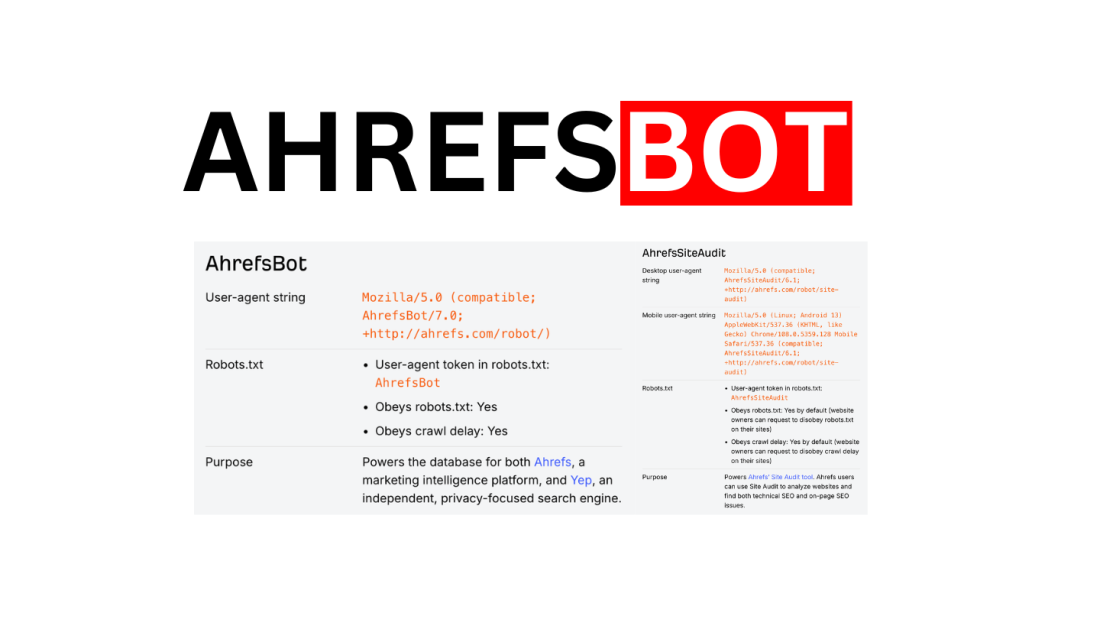
Table of Contents
If you’ve seen requests like:
AhrefsBot/7.0; +http://ahrefs.com/robot/
AhrefsSiteAudit/6.1; +http://ahrefs.com/robot/site-audit
…that’s Ahrefs crawling your site.
This guide shows you how to ban AhrefsBot (hard block), how to block it politely (robots.txt), or how to allow/whitelist it (so your data stays fresh inside Ahrefs and other SEO workflows).
TL;DR
AhrefsBot = the main crawler used to build Ahrefs’ web index (and also powers Yep).
It obeys robots.txt + crawl-delay (and backs off on errors).
Fastest “ban”: block by IP ranges (firewall/WAF). Ahrefs publishes IP ranges + reverse DNS suffixes for verification.
Safest default: don’t fully ban it—throttle it or block only sensitive paths.
What is AhrefsBot (and what’s AhrefsSiteAudit)?
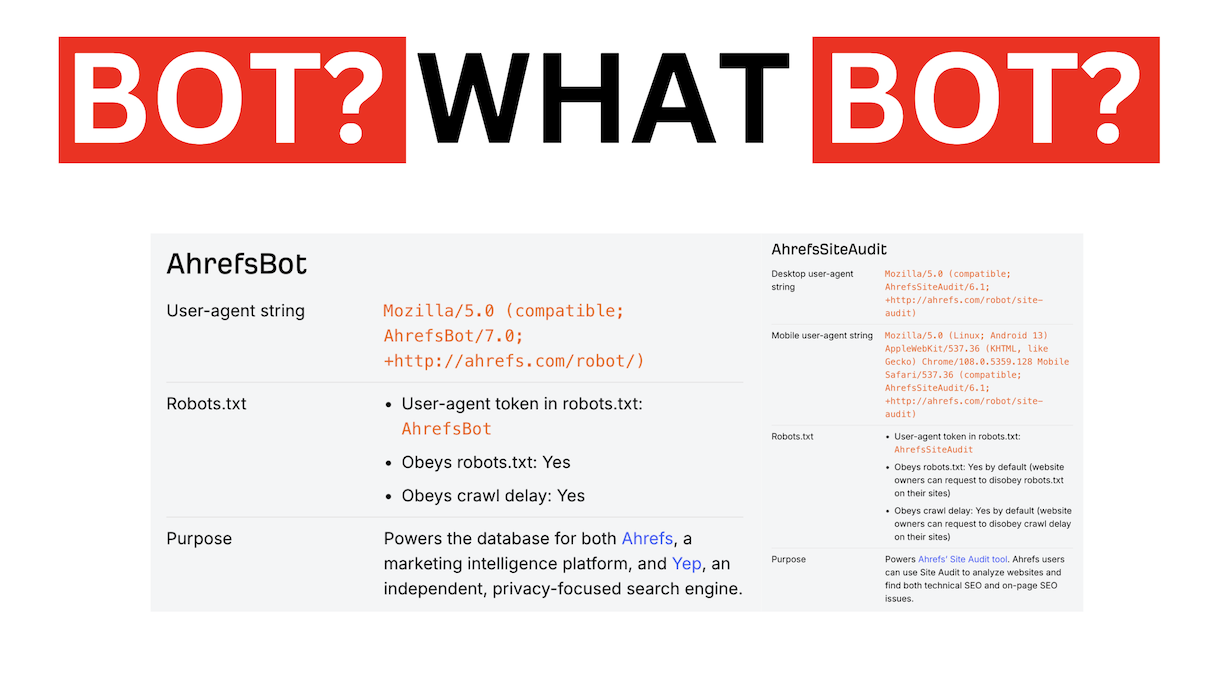 Ahrefs runs two primary crawlers:
AhrefsBothttps://ahrefs.com/robot
User-agent example:
Mozilla/5.0 (compatible; AhrefsBot/7.0; +http://ahrefs.com/robot/)Purpose: powers the index behind Ahrefs (and Yep).
AhrefsSiteAudit
Desktop UA example:
Mozilla/5.0 (compatible; AhrefsSiteAudit/6.1; +http://ahrefs.com/robot/site-audit)Purpose: powers Ahrefs’ Site Audit crawler, and has its own speed controls for verified owners.
Why this matters: you might want to block the “global crawler” (AhrefsBot) but still allow Site Audit for your own checks (or vice versa).
Is AhrefsBot “safe”?
In practice, AhrefsBot is usually considered a “good bot” because it:
publishes its user-agents and IP ranges (so you can verify legitimacy),
obeys robots.txt rules and crawl-delay,
can slow down automatically when your server returns errors.
Ahrefs also notes that both bots are recognized as verified “good” bots by Cloudflare.
That said, “safe” doesn’t mean “always welcome”. Your server resources and policies come first.
Should you block (ban) AhrefsBot or allow it?
Reasons to allow it
Your domain’s Ahrefs data stays fresh (useful if your team, partners, PR, or affiliates use Ahrefs).
If you’re doing outreach, being visible in third-party SEO indexes can help others discover/validate you.
You can throttle it instead of banning it.
Reasons to block or limit it
Crawl bursts impact performance on small servers
You run a sensitive environment and block all third-party crawlers by policy
You want to hide specific sections (staging, admin paths, private docs)
My recommendation: Most public sites should throttle or path-block, not “Disallow: /”.
How to verify requests are the real AhrefsBot (not a fake)
User-agent strings can be spoofed. Verification should include IP/DNS checks.
Ahrefs publishes:
official IP ranges + individual IP lists (for whitelisting/blocking),
reverse DNS suffix: hostnames end in ahrefs.com or ahrefs.net.
Quick verification workflow
Check logs for the UA token: AhrefsBot or AhrefsSiteAudit
Confirm the source IP is in Ahrefs’ published ranges
Reverse lookup the IP and confirm the hostname suffix
Example commands:
# reverse DNS dig -x 203.0.113.10 +short # forward confirm (hostname -> IP matches) dig hostname-from-reverse.example +short
Method 1: Block AhrefsBot via robots.txt (polite block)
This is the easiest and usually the right first step.
Fully block AhrefsBot (ban it everywhere)
User-agent: AhrefsBot Disallow: /
Ahrefs explicitly documents that this prevents AhrefsBot from visiting your site (though it may take time to be picked up before the next scheduled crawl).
Block only specific paths (recommended)
User-agent: AhrefsBot Disallow: /admin/ Disallow: /staging/ Disallow: /internal/
Throttle instead of blocking (crawl-delay)
User-agent: AhrefsBot Crawl-delay: 10
Ahrefs states their bots obey crawl-delay.
Important nuance: Ahrefs notes crawl-delay is followed for HTML requests, but when a crawler renders pages and fetches assets (JS/CSS/images), you may still see multiple requests close together in logs.
Common robots.txt mistake
If your robots.txt has syntax errors, Ahrefs warns their bots may not recognize your commands and keep crawling as before.
Method 2: Block AhrefsBot in Cloudflare / WAF (user-agent or IP)
If you need a stricter “ban” (enforced block), use your CDN/WAF.
Option A — User-Agent blocking (fast, but spoofable)
Cloudflare provides User-Agent blocking, and recommends using custom rules for better control.
Example logic (conceptual):
If http.user_agent contains AhrefsBot → block
Option B — IP range blocking (best enforcement)
This is the most reliable method because you’re blocking the actual crawler infrastructure.
Pull Ahrefs’ published IP ranges/individual IPs
Add them to your WAF “block” list (or firewall denylist)
Keep it updated over time (ranges can change)
Ahrefs explicitly provides IP ranges/individual IP lists and reverse DNS guidance.
Method 3: Block AhrefsBot at the server (Nginx / Apache)
Use this if:
you don’t have a WAF/CDN, or
you want server-level enforcement.
Nginx: block by user-agent (basic)
if ($http_user_agent ~* "AhrefsBot") { return 403; }
Nginx: block by IP ranges (recommended)
Use geo or map with CIDR ranges:
geo $block_ahrefs { default 0; 203.0.113.0/24 1; 198.51.100.0/24 1; } server { if ($block_ahrefs) { return 403; } # ... }
(Replace with the current IP ranges from Ahrefs’ official list.)
Apache (.htaccess): block by user-agent
RewriteEngine On RewriteCond %{HTTP_USER_AGENT} AhrefsBot [NC] RewriteRule .* - [F,L]
How to allow (or whitelist) AhrefsBot
If your goal is the opposite—allow AhrefsBot so it can crawl normally:
1) Make sure you’re not disallowing it
Minimum allow rule:
User-agent: AhrefsBot Allow: /
Ahrefs even documents an “Allow” rule as a fix when bots can’t access content due to robots.txt issues.
2) Whitelist IP ranges (best allow method)
If you use a strict firewall, you can allow only Ahrefs IP ranges. Ahrefs provides official IP lists specifically for this.
3) Don’t block AhrefsSiteAudit accidentally
If you run Ahrefs Site Audit for your own domain, make sure you aren’t disallowing AhrefsSiteAudit in robots.txt (or at the firewall), otherwise audits can fail.
Why your “ban” sometimes doesn’t work
1) Robots.txt changes aren’t instant
Ahrefs notes it may take time to pick up robots.txt changes before the next crawl.
2) You blocked only AhrefsBot, but you still see AhrefsSiteAudit
They’re separate crawlers with different user-agent tokens.
3) You throttled with crawl-delay but logs still look busy
Rendering can fetch multiple assets in parallel, which can look like “ignoring crawl-delay” in raw logs.
The best “default” robots.txt config (block sensitive areas, throttle the rest)
User-agent: AhrefsBot Crawl-delay: 10 Disallow: /admin/ Disallow: /staging/ Disallow: /internal/ User-agent: AhrefsSiteAudit Allow: /
This setup:
reduces load,
protects private sections,
still allows audits (if you use them).
FAQ
Does blocking AhrefsBot hurt Google rankings?
No direct impact. Googlebot is separate. The risk is indirect: if you rely on Ahrefs data (or partners/agencies do), your third-party SEO data becomes stale.
What’s the difference between “block” and “ban”?
Block via robots.txt = polite, voluntary compliance
Ban via firewall/WAF/IP ranges = enforced denial
Is user-agent blocking enough?
It’s okay for quick wins, but it’s spoofable. For a real “ban”, block by IP ranges + verify reverse DNS.
Generate, publish, syndicate and update articles automatically
The AI SEO Writer that Auto-Publishes to your Blog
- Cancel anytime
- Articles in 30 secs
- Plagiarism Free