
Blog Content Calendar: How to Plan, Create, and Automate Your Editorial Strategy

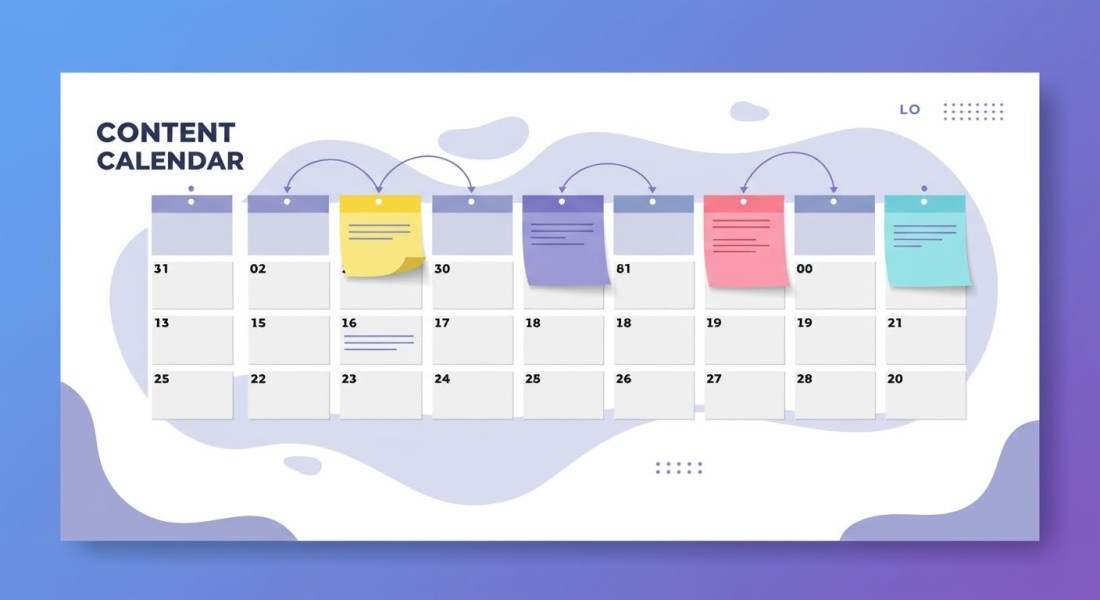
Table of Contents
If you've ever stared at a blank screen wondering what to write next, you're not alone. Most bloggers and content marketers struggle with consistency, not because they lack ideas, but because they lack a system. A blog content calendar is that system. It transforms scattered ideas into a strategic publishing plan that keeps your audience engaged and your SEO performance climbing.
After helping thousands of content creators streamline their publishing workflows, we've learned what separates consistent publishers from those who burn out after a few months. The difference isn't talent or time. It's having a content calendar template that actually works for your workflow.
In this guide, you'll learn exactly how to create an editorial calendar that fits your goals, discover the best tools to manage it, and see how AI can automate the most time-consuming parts of content planning.
Why You Need a Blog Content Calendar
A content calendar isn't just a fancy to-do list. It's the backbone of any successful content strategy. Here's why every serious blogger needs one:
Consistency Builds Trust and SEO Authority
Search engines reward consistent publishers. When you post regularly, Google recognizes your site as active and authoritative. According to HubSpot research, companies that publish 16+ blog posts per month get 3.5x more traffic than those publishing 0-4 posts. But you can't hit those numbers without a plan.
Eliminates Last-Minute Scrambling
Without a calendar, you're constantly in reactive mode. What should I write today? What topics have I already covered? When was my last post? An editorial calendar answers these questions before they become emergencies.
Aligns Content with Business Goals
A content calendar forces you to think strategically. Instead of chasing trending topics randomly, you can plan content around product launches, seasonal events, and keyword opportunities that actually drive business results.
Enables Batch Production
When you know what's coming, you can batch similar tasks. Write all your headlines in one session. Create all your images in another. This batch approach is dramatically more efficient than switching contexts for every post.
How to Create an Effective Blog Content Calendar
Building a content calendar that you'll actually use requires more than downloading a template. Here's a step-by-step process that works:
Step 1: Define Your Publishing Frequency
Before planning specific posts, decide how often you can realistically publish. Be honest here. It's better to commit to one quality post per week and stick to it than to plan for daily posts and burn out after two weeks.
Minimum viable frequency: 1 post per week for most blogs
Growth frequency: 2-4 posts per week for serious traffic growth
Authority frequency: Daily posts for news sites or high-competition niches
Step 2: Conduct Keyword Research
Every post should target specific keywords. Use tools like Ahrefs, SEMrush, or Google's Keyword Planner to identify topics with good search volume and reasonable competition. For a more automated approach, automated keyword research tools can continuously discover new opportunities for your content calendar.
Step 3: Map Content to the Buyer Journey
Not all content serves the same purpose. Your calendar should include a mix of:
Awareness content: Educational posts that attract new visitors (how-to guides, explainers)
Consideration content: Comparison posts and reviews that help people evaluate options
Decision content: Case studies and testimonials that push toward conversion
Step 4: Plan for Seasonal and Trending Topics
Review your calendar for the entire year. Mark holidays, industry events, and seasonal trends relevant to your niche. A finance blog should plan tax-related content for January-April. A retail blog needs holiday gift guides ready by October.
Step 5: Build in Flexibility
The best content calendars aren't rigid. Leave room for breaking news, trending topics, and content that responds to what's happening in your industry. A good rule: plan 80% of your content in advance and leave 20% flexible.
Essential Elements of a Content Calendar Template
Whether you use a spreadsheet, project management tool, or dedicated content calendar software, every template needs these core elements:
Publish date: When the content goes live
Working title: The topic or headline (can be refined later)
Target keyword: Primary SEO keyword for the post
Content type: Blog post, listicle, how-to guide, case study, etc.
Status: Idea, in progress, in review, scheduled, published
Author/owner: Who's responsible for creating the content
Notes: Key points, sources, or special instructions
Best Tools for Managing Your Blog Content Calendar
The right tool depends on your team size, budget, and workflow. Here are the top options across different categories:
Spreadsheets (Free, Simple)
For solo bloggers or small teams, Google Sheets or Excel remains the most accessible option. It's free, familiar, and fully customizable. The downside? No automation, no integrations, and it can get messy as your content library grows.
Project Management Tools (Team Collaboration)
Tools like Asana, Trello, Monday.com, and Notion offer calendar views, task assignments, and workflow automation. They work well for teams that need to coordinate writers, editors, and designers.
Dedicated Content Calendar Software
Platforms like CoSchedule and Contently are built specifically for content marketing. They include features like social media scheduling, SEO suggestions, and content performance analytics. The trade-off is cost, starting around $29-39/month for basic plans.
AI-Powered Content Platforms
For bloggers who want to go beyond planning into automated creation and publishing, AI content platforms offer a complete solution. Arvow's AI blog automation capabilities let you schedule content creation weeks in advance, with AI handling everything from keyword research to final publishing.
Tips for Maintaining Consistency with Your Editorial Calendar
Having a calendar is one thing. Sticking to it is another. Here's how to maintain consistency long-term:
Start with a Content Buffer
Never publish content the same day you create it. Build a buffer of 2-4 weeks of content in advance. This gives you breathing room for emergencies, editing, and quality control. If you miss a writing day, your publishing schedule doesn't suffer.
Set Recurring Time Blocks
Block dedicated time on your calendar for content creation. Treat it like a meeting that can't be moved. Many successful bloggers write Monday through Wednesday and schedule Thursday through Friday for editing and publishing.
Use Templates for Faster Creation
Create templates for your most common content types. A listicle template. A how-to template. A comparison template. When it's time to write, you're not starting from scratch. You're filling in a proven structure.
Review and Adjust Monthly
At the end of each month, review what worked. Which posts got the most traffic? Which topics resonated with your audience? Use these insights to refine next month's calendar. A content strategy that doesn't evolve is a strategy that stagnates.
How AI Can Transform Your Content Calendar
The biggest shift in content marketing isn't about better planning tools. It's about AI handling the execution. Here's how AI is changing the content calendar game:
Automated Topic Discovery
Instead of manually researching topics, AI can monitor your niche and surface trending keywords, competitor content gaps, and audience questions. Arvow's Keyword Monitors feature does exactly this, delivering fresh content opportunities directly to your dashboard.
AI-Powered Content Creation
Once you have your calendar planned, AI can generate the actual content. AI content writing tools have evolved dramatically. Modern AI writers produce SEO-optimized articles that require minimal editing, complete with proper structure, internal links, and relevant images.
Scheduled Auto-Publishing
The most powerful feature for content calendar adherence is autoblogging. You can schedule AI to create and publish content automatically on your set dates. Whether you use WordPress, Shopify, or another CMS, tools like Arvow can publish directly to your site without any manual intervention. Learn more about how to automate blog posts in our detailed guide.
Bulk Content Generation
Need to fill an entire month's calendar at once? AI bulk writers can generate dozens of SEO articles from a list of keywords. This is particularly valuable for agencies managing multiple client blogs or businesses launching new content hubs. Arvow's bulk AI writer can create up to 50 articles at once, each targeting specific keywords and optimized for search.
Content Calendar Best Practices for Different Blog Types
Different blogs require different calendar strategies. Here's how to adapt your approach:
For Business Blogs
Align content with your sales funnel. Plan product-related content around launches. Create pillar content for your main service categories, then build clusters of supporting posts. Review quarterly to ensure content supports business objectives.
For Personal/Lifestyle Blogs
Balance evergreen content with timely posts. Plan seasonal content well in advance. Leave more room for spontaneous, personal stories. Consider monthly themes that tie posts together.
For Niche Authority Sites
Focus on comprehensive topic coverage. Create content clusters around pillar topics. Prioritize depth over frequency. Update existing content regularly as part of your calendar.
For E-commerce Blogs
Coordinate with product inventory and promotions. Plan gift guides and seasonal buying guides months ahead. Create product comparison and review content. Learn more about SEO for Shopify or other e-commerce platforms to maximize blog traffic.
Common Content Calendar Mistakes to Avoid
Even with a solid plan, these mistakes can derail your content strategy:
Overcommitting: Planning more content than you can realistically create leads to burnout and inconsistency. Start small and scale up.
Ignoring data: If certain topics consistently underperform, stop writing them. Let analytics guide your calendar decisions.
No promotion plan: A calendar shouldn't just track creation. Include distribution tasks like social sharing, email newsletters, and outreach.
Forgetting updates: Schedule time to refresh old content. Updating existing posts is often more valuable than creating new ones.
Working in isolation: If you have a team, make sure everyone can see and contribute to the calendar. Siloed planning leads to duplicated effort.
Getting Started with Your Content Calendar Today
You don't need perfect tools or complete topic lists to start. Here's a simple action plan:
Choose your tool: Google Sheets works for most beginners. Upgrade later if needed.
Set your frequency: Commit to a publishing schedule you can maintain for 3 months.
List 10 topics: Brainstorm topics your audience cares about. Just get them down.
Assign dates: Spread those 10 topics across your calendar with specific publish dates.
Start writing: Begin with the post due soonest. Don't wait for perfect conditions.
If creating all that content feels overwhelming, consider using AI to accelerate your output. Arvow's AI SEO writer can generate publish-ready content for your calendar, complete with SEO optimization, internal links, and images. You can try it with a free trial to see how AI fits into your content workflow.
FAQ
What is a blog content calendar?
A blog content calendar is a planning tool that organizes your blog posts by publish date, topic, keyword, and status. It helps you maintain consistent publishing, align content with business goals, and coordinate team efforts. Most content calendars are managed in spreadsheets, project management tools, or dedicated content planning software.
How far in advance should I plan my content calendar?
For most blogs, planning 1-3 months ahead provides the right balance of structure and flexibility. This gives enough time for research and creation while allowing adjustments for trends and news. Seasonal content should be planned 3-6 months ahead to ensure timely publication.
How often should I publish blog posts?
The ideal frequency depends on your goals and resources. For maintaining an active presence, publish at least once per week. For significant traffic growth, aim for 2-4 posts weekly. The key is consistency rather than volume. It's better to publish one quality post weekly than five mediocre posts that eventually taper off.
Can AI really write quality blog content?
Modern AI writing tools have advanced significantly. When properly configured with topic expertise and brand voice, AI can produce content that's difficult to distinguish from human writing. The best approach combines AI for first drafts and bulk creation with human editing for final polish. Tools like Arvow include SEO optimization, fact integration, and style customization that elevate AI content quality.
What should I include in my content calendar template?
Essential fields include: publish date, title, target keyword, content type, status, author, and notes. Optional fields that improve planning include: content pillar/category, target word count, related internal links, promotion channels, and performance tracking links.
How do I stick to my content calendar when I feel unmotivated?
Build systems that reduce friction. Maintain a content buffer so missed writing days do not affect publishing. Use templates to eliminate starting-from-scratch anxiety. Batch similar tasks for efficiency. And consider AI assistance for first drafts when motivation is low. The goal is making consistent publishing feel automatic rather than requiring daily willpower.
Related Reading
Generate, publish, syndicate and update articles automatically
The AI SEO Writer that Auto-Publishes to your Blog
- Cancel anytime
- Articles in 30 secs
- Plagiarism Free